
SEOPress
93WordPress SEO plugin with AI SEO metadata, schema, XML sitemap, redirections & Search Console. Privacy-fir...
Free
300k+ installs 4.8★ (1,246)
White label WordPress admin, admin menu editor, login page customizer, admin dark mode, media library folders, admin columns.
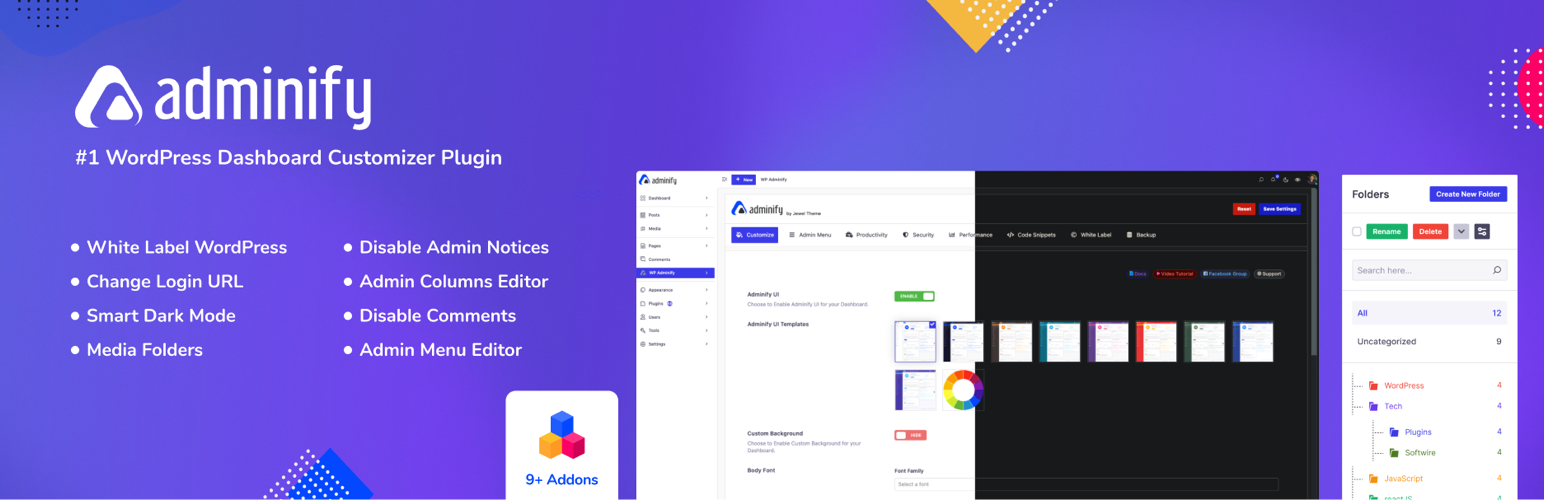
Adminify is a WordPress plugin designed for agencies, freelance developers, and site owners who want to customise their WordPress admin interface without coding. It provides a range of features including a drag-and-drop admin menu editor, a login customiser, and options for white labelling, allowing users to create a tailored admin experience.
The plugin consolidates various admin customisation tasks into a single interface, making it easier to manage settings for different roles and branding elements. This is particularly useful for those managing multiple client sites or looking to streamline their own admin dashboard.
Best for: This plugin suits agencies and freelancers who need to customise WordPress admin interfaces for clients.
What it does well
Where it falls short
Adminify provides a useful set of tools for customising the WordPress admin area, particularly for those managing multiple sites. It simplifies the process of creating a branded and user-friendly admin experience.
Pixar Labs's own description of Adminify, lightly tidied.
Adminify is a white label WordPress admin customization plugin built for agencies, freelance developers, and site owners who want a custom WordPress admin without touching code. One plugin gives you a drag and drop admin menu editor, a login customizer, admin dark mode, a dashboard customizer, media library folders, and an admin columns editor – all controlled from a single admin panel. If you need to rebrand WordPress for a client, build a client portal, or simply run a cleaner admin interface for your own team, Adminify covers the whole job.
Video Overview
Most admin customization jobs need several single-purpose plugins stitched together: one for white label branding, one for the login screen, one for the dashboard, one for media folders, one for admin columns. Adminify replaces that whole stack with one custom admin panel. Every admin customization setting – menus, login screen, dashboard, colors, columns, notices – lives in the same place, so you’re not hunting through five different settings pages to customize admin behavior across a site. Agencies use it to rebrand WordPress for clients and build a simplified client dashboard; solo site owners use it to get a calmer, more usable admin interface for themselves. Either way, the admin panel becomes the control center for the entire WordPress backend.
White label WordPress starts with the basics: replace the admin bar logo, the sidebar logo, and the favicon with your own branding. From there, Adminify lets you go further – customize the admin footer text with your own copy or copyright notice, and swap the default “Howdy” greeting for something that matches your agency or client’s brand. This is what turns a stock install into a real white label dashboard for every client site you manage.
White label branding in Adminify isn’t limited to the dashboard. Pair it with the login customizer for a white label login page (the white label login can be done with loginfy addon), and the result is a fully rebranded custom admin experience from the moment a client logs in to the moment they land on their dashboard. Agencies that need to rebrand WordPress across multiple client sites can apply the same white label settings consistently, so every custom admin panel feels like a product you built rather than a plugin someone installed. For teams that want white label WordPress without hiring a developer, this is the fastest route: no code, no child themes, just a settings screen for logo, favicon, footer text, and greeting text.
The admin menu editor lets you visually rearrange, rename, and hide any admin menu item without writing a line of code. Drag a menu item up the list, rename it to something a client will actually understand, or hide admin menu entries that don’t apply to a particular role. It’s a menu editor built for real client work, not just a demo screen.
Role based menu control is where the admin menu editor earns its keep. Build a different custom menu layout for each user role, including custom roles, so an editor sees a simplified admin menu while an administrator sees everything. Add custom menu items that link to internal pages, external URLs, or page builder pages, assign a Dashicon or upload your own SVG icon, group related items with separators, and set any item to open in a new tab. Combined with role based menu visibility, the admin menu editor is one of the fastest ways to hide admin menu clutter and restrict admin access for the roles that shouldn’t see it – all without editing a single PHP file.
Adminify’s login customizer, Loginfy, is a dedicated login page customizer for the WordPress login screen. Upload your own logo, choose a background color, image, gradient, or slideshow, and style the login form’s width, background, border radius, shadow, buttons, and labels. Every change appears in a live preview, so you can see the custom login screen taking shape as you build it rather than saving blind.
Because the login page customizer covers every visible element – logo, background, form styling, buttons, and error messages – it’s straightforward to build a custom login page that matches a client’s brand exactly, and to pair that custom login screen with your white label dashboard for one continuous brand experience from login to logout. Developers who want extra control can add custom CSS directly inside the login customizer. Security-conscious teams can also change the login URL to a custom slug, add a login attempt limiter, and set role based login redirects and logout redirects so each role lands on the right page after signing in or out – the login redirect and logout redirect settings work independently, so a client can log in to their custom dashboard and log out to a different page entirely.
Adminify ships several ready-made WordPress admin theme skins – Light, Dark, Gradient, and Glass – so you can apply a different admin theme without writing custom CSS. On top of the theme skins sits a dedicated admin dark mode toggle: per-user dark mode preference, optional auto-scheduling between light and dark by time of day, and custom colors and fonts for teams that want their own look.
This is real dark mode for the WordPress admin, not a CSS filter slapped over the default screens – the admin dark mode setting works alongside the block editor and every WordPress admin theme skin, so dark mode looks correct no matter which admin theme is active. Toggle it from the toolbar, schedule it automatically, or set it per user so each person on a team gets the dark mode or light mode they actually prefer.
Other plugins for customising wp-admin.
WordPress SEO plugin with AI SEO metadata, schema, XML sitemap, redirections & Search Console. Privacy-fir...

Duplicate post, post order, image resize, email via SMTP, admin menu editor, custom css / code, disable gutenb...

Admin UI for creating custom content types like post types and taxonomies

LoginPress is a Custom Login Page Customizer plugin allows you to easily customize the layout of login, admin...

Lets you edit the WordPress admin menu. You can re-order, hide or rename menus, add custom menus and more.

Customise dashboard panels and branding, hide menus plus lots more.