
WPThumbs
Themes Plugins By purpose By industry Best-of lists Fix it guides
Free Plugin by CreativeMindsSolutions v1.8.6

CM Pop-Up

Create and customize popups. Display messages, Call to actions, promotions, or announcements to engage visitors and boost interaction.
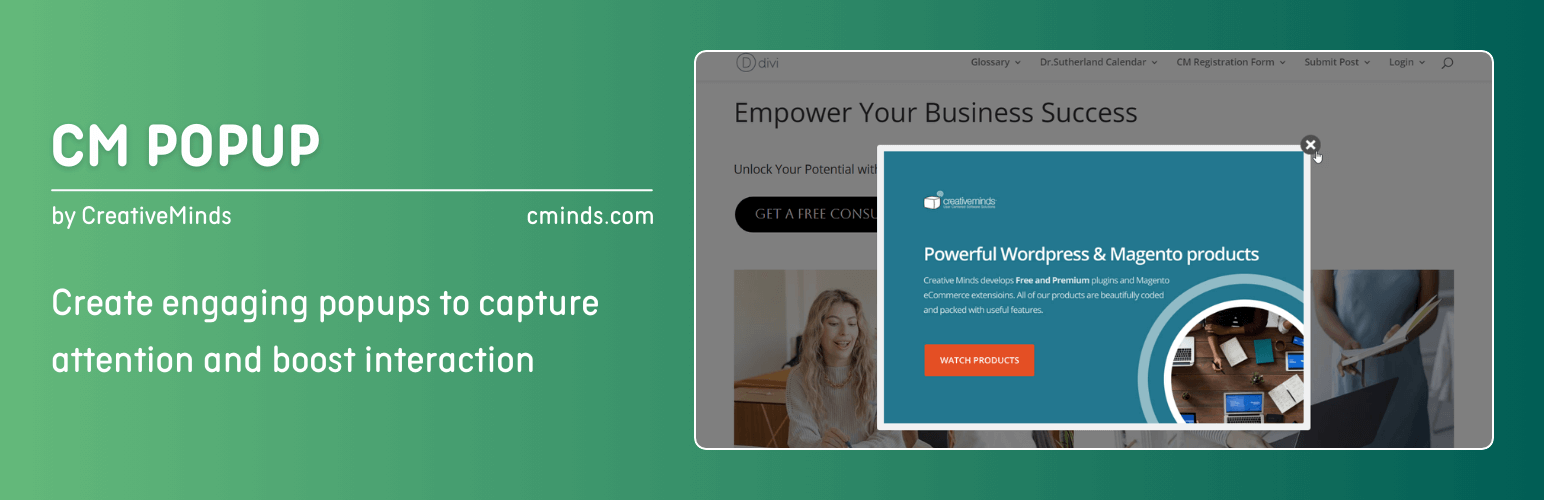
CM Pop-Up

The facts

Rating
3.4★ from 13
Active installs
8k+
Price
Free
Last updated
23 May 2026
Added
Jun 2015
Requires WP
5.4.0
Tested up to
WP 7.0.4
Requires PHP
5.2.4
Downloads
530,606

Our analysis

AI-assisted

CM Pop-Up is a WordPress plugin designed to create responsive popups for enhancing user engagement on your website. It allows you to customise popups with HTML, images, and videos, and choose specific pages or posts for their display. This plugin is suitable for anyone looking to promote products, gather leads, or display advertisements through popups.

Best for: This plugin suits website owners looking to enhance user interaction through popups.

What it does well

  • Supports various popup types including HTML, image, and video
  • Customisation options available through an ad designer
  • Ability to restrict popups to specific pages or posts
  • Responsive design for mobile compatibility

Where it falls short

  • Limited feature set compared to the pro version
  • No detailed statistics or advanced triggers in the free version

Verdict

CM Pop-Up provides basic functionality for creating popups, making it a useful tool for engaging visitors. However, those needing more advanced features may need to consider the pro version.

From the developer

CreativeMindsSolutions's own description of CM Pop-Up, lightly tidied.

Pro Plugin Page | Videos | User Guide | Demo

Improve the user experience of your WordPress website by integrating responsive popup campaigns that are easy to use. Boost the effectiveness of promoting your products or services by incorporating responsive popup alerts.

The popup plugin offers support for different popup types such as HTML popups, image popups, and video popups. It includes an ad designer that allows users to create and show popup content customized to their preferences.

Furthermore, users have the option to select the post type where the popup will be displayed, and with the pro version, they can even choose a specific post or page for their popup to appear on.

Popup Maker Plugin Premium Edition

The Popup Maker Plugin Premium editions includes even more powerful features, such as: forms builder and forms support, more advanced popup trigers, more options to manage popup campaigns, statistics and much more.

Popup Maker Plugin Introduction Video (Pro Version)

Popup Plugin Use Cases

  • Conversion – Engage your visitors by providing them discount codes on pages of specific categories, such as beauty products, law practice or healthcare services.
  • Lead Generation – Add a “Subscribe” popup with and embedded form shown only to guest users and boost your newsletter user base.
  • Advertising – Display random AdSense campaigns based on different criteria. For more advanced advertisement use, we recommend the Advanced Ad Campaigns Manager and Server Plugin for WordPress.
  • Multimedia Hub – Include banners with images, galleries, videos and HTML content anywhere on your site.

Basic Popup Plugin Features

  • Create Popup Campaigns.
  • Customize popups with HTML, images and videos.
  • AdDesigner: Create a custom popup look to match your site’s branding.
  • Restrict by Page/Post/Custom Post Types: Choose which pages or posts your popup will appear on.

Popup Plugin usage instructions

  • 1) Go to “Add New Campaign”.
  • 2) Fill the “Title” of the campaign and “content” of the Advertisement Item.
  • 3) Configure Basic Visual settings.
  • 4) Check “Show on every page” or choose specific post or pages where you want to display the popup.
  • 5) Click “Save Changes”.
  • 6) Go to the relevant page of your website where you chose to show the popup.
  • 7) Watch the popup with Advertisement Item.
  • 8) Close the popup by clicking the “X” icon.

Pro Version Features

Pro Version Detailed Features List

  • Extended Set of PopUp Types: Choose between popup, fly-in and full-screen options.
  • Campaign Statistics: Track popup clicks and impressions in an easy-to-use popup port tab.
  • Restrict by URL: Choose specific URL your pop up campaign will appear on.
  • Responsive: Fully responsive with the option to turn display of popups on mobile off.
  • Restrict by Period: Choose the start and end times for your popup ad campaign to run.
  • Restrict by days of the week: Define specific days of the week that the popup campaign will run on.
  • Random popup Campaigns.
  • Custom Effects: Define PopUp visual and audio effects.
  • Add Delay: Add a delay between the time that the page loads and the popup appears.
  • Option to setup display interval: On every page load, one per each page, and more.
  • Trigger popup or fly-in on JS hover or click events.
  • Page leave intent detection PopUp: Detect when user moves cursor to close the tab and in such event show the popup.
  • Inactivity detection: You can show the popup when user is inactive for X seconds (not moving the mouse and not typing).
  • Show X amount of times per customer: You can define that the campaign will show X amount of time per a specific customer until it stops.
  • Target Specific Users: Set pop up campaign to target logged-in or non-logged-in users.
  • Popup Overlay Effects: Add blur or semi-transparent color overlays behind the popup for better focus and visual appeal.
  • Inner Border Styling: Add and customize an inner border around the popup banner to match your site’s design.
  • Popup Shadow Customization: Add a shadow around the popup and adjust its size, color, and intensity.
  • Custom Close Button: Customize the look and position of the close button for each popup individually.
  • Sticky Trigger Button: Display a button on the page that users can click to open the popup manually, instead of showing it automatically.
  • Multiple Popups Display: Show multiple popups on the same page and control their stacking order using individual z-index settings.

Read the full description on the official page →

Tagged as

Alternatives

Other plugins for popups and optins.

Popup Maker

Want to boost sales & marketing efforts? Use your favorite forms & builder. Unlimited popups & imp...

Free 700k+ installs 4.9★ (4,504)
Firelight Lightbox

Formerly Easy Fancybox. The most popular WordPress lightbox plugin. Simple, fast, and responsive. Opens images...

Free 200k+ installs 4.8★ (355)
My Sticky Bar

Create a welcome notification bar for your website. Also, My Sticky Bar plugin can make your menu or header st...

Free 100k+ installs 4.9★ (1,196)
Depicter

Build Stunning Slider and Popup. Exit intent Popup, Image slider carousel, video slider carousel, post slider...

Free 80k+ installs 4.6★ (234)
Poptin

Poptin

90

Free email automation, email campaigns, exit intent popup builder, gamified popups with spin the wheel, contac...

Free 20k+ installs 4.9★ (694)