
FluentCRM
91The easiest and fastest Email Marketing, Newsletter, Marketing Automation Plugin & CRM Solution for WordPr...
Free
80k+ installs 4.8★ (249)
Seamlessly Connect CF7 to HubSpot to automate your lead management process.

Connect CF7 to HubSpot is a WordPress plugin that links Contact Form 7 submissions directly to your HubSpot account. It automates the process of managing leads by syncing form submissions securely with HubSpot, allowing for efficient contact management without manual data entry.
The plugin supports custom fields and enables intuitive mapping of form fields to HubSpot properties. It also offers asynchronous submission options to enhance user experience by processing submissions in the background, ensuring quick responses for visitors.
Best for: This plugin suits users who want to streamline lead management by integrating Contact Form 7 with HubSpot.
What it does well
Where it falls short
Connect CF7 to HubSpot provides a straightforward solution for automating lead capture via Contact Form 7. It is particularly useful for those already using HubSpot for their marketing and CRM needs.
Procoders's own description of Connect CF7 to HubSpot, lightly tidied.
Connect CF7 to HubSpot by ProCoders is a powerful plugin that connects WordPress Contact Form 7 directly with your HubSpot account, automating your workflow and enhancing lead management. With this plugin, every submission from Contact Form 7 is instantly and securely synced with HubSpot, allowing you to manage contacts, track submissions, and engage with your audience without manual data entry.
Third-Party Service Integration:
This plugin integrates with HubSpot, a third-party service, to manage and sync data from Contact Form 7 submissions. By using this plugin, data collected through Contact Form 7 will be sent to HubSpot for processing and storage. Please be aware that by using this plugin, you agree to the terms of service and privacy policy of HubSpot.
This plugin interacts with the HubSpot service and sends data to it. Specifically, our plugin sends requests to the following URLs:
– https://api.hubapi.com
– https://api.hsforms.com
Please read HubSpot’s Privacy Policy carefully to understand what data is collected and how it is used.
HubSpot’s Privacy Policy: https://legal.hubspot.com/privacy-policy
HubSpot Terms of Service: View Terms – https://legal.hubspot.com/terms-of-service
Features include:
– Easy integration with HubSpot’s Lead Capture Forms, Contacts, and Deals.
– Automated syncing of Contact Form 7 submissions to HubSpot.
– Support for custom fields in HubSpot, allowing for detailed data capture.
– Intuitive mapping of form fields to HubSpot properties.
– Utilization of the latest HubSpot API for enhanced security and reliability.
– Asynchronous HubSpot submissionsConnect CF7 to HubSpot by ProCoders is a powerful plugin that connects WordPress Contact Form 7 directly with your HubSpot account, automating your workflow and enhancing lead management. With this plugin, every submission from Contact Form 7 is instantly and securely synced with HubSpot, allowing you to manage contacts, track submissions, and engage with your audience without manual data entry.
Third-Party Service Integration:
This plugin integrates with HubSpot, a third-party service, to manage and sync data from Contact Form 7 submissions. By using this plugin, data collected through Contact Form 7 will be sent to HubSpot for processing and storage. Please be aware that by using this plugin, you agree to the terms of service and privacy policy of HubSpot.
Specifically, our plugin sends requests to the following URLs:
– https://api.hubapi.com
– https://api.hsforms.com
– HubSpot’s Privacy Policy: https://legal.hubspot.com/privacy-policy
– HubSpot Terms of Service: View Terms – https://legal.hubspot.com/terms-of-service
Features include:
– Easy integration with HubSpot’s Lead Capture Forms, Contacts, and Deals.
– Automated syncing of Contact Form 7 submissions to HubSpot.
– Support for custom fields in HubSpot, allowing for detailed data capture.
– Intuitive mapping of form fields to HubSpot properties.
– Utilization of the latest HubSpot API for enhanced security and reliability.
Asynchronous HubSpot submissions (optional, since 1.3)
Want forms to feel instant for visitors while HubSpot catches up behind the scenes? Turn on async mode in the plugin settings. The visitor’s submission is accepted by Contact Form 7 without waiting on HubSpot network round-trips; syncing runs as a background job so thank-you pages and redirects stay snappy even when APIs are slow or busy.
The queue uses Action Scheduler when it is available on your site (for example alongside WooCommerce), which is built for reliable background work. If Action Scheduler is not present, the plugin falls back to WordPress cron with a sensible delay. Failed jobs are retried automatically with exponential backoff (up to three attempts), reducing the chance of losing a lead to a temporary outage or rate limit. Contacts, deals, HubSpot forms, and file attachments are supported in async mode the same way as synchronous processing—attachments are staged safely for the worker.
Other plugins for automating marketing.
The easiest and fastest Email Marketing, Newsletter, Marketing Automation Plugin & CRM Solution for WordPr...

Free email automation, email campaigns, exit intent popup builder, gamified popups with spin the wheel, contac...

Create high-converting WooCommerce checkout pages, WooCommerce thank you pages & sales funnels with the hi...

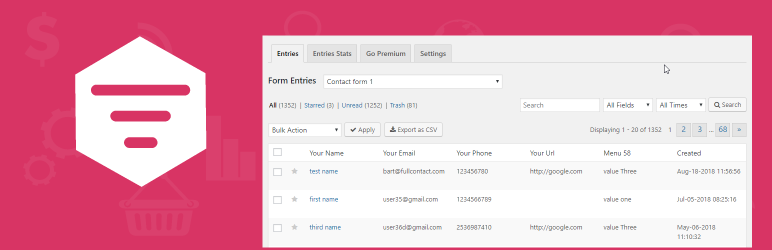
Saves Contact Form 7, WPforms,Elementor Forms, CRM Perks Forms and many other contact form submissions to data...

Email Marketing, Newsletter, Email Automation, Forms, Pop Up, SMS, Abandoned Cart made easy for WordPress &...