
WPThumbs
Themes Plugins By purpose By industry Best-of lists Fix it guides
Free Plugin by FluxPress v2.0.3

EasyFonts

Host Google Fonts locally, Auto combine and remove duplicate fonts, Auto preload. pass Core Web Vitals — GDPR compliant, auto-config.

EasyFonts

The facts

Rating
5★ from 6
Active installs
1k+
Price
Free
Last updated
17 Jul 2026
Added
Jan 2023
Requires WP
6.4
Tested up to
WP 7.0.4
Requires PHP
7.4
Downloads
16,092

Our analysis

AI-assisted

EasyFonts is a WordPress plugin that allows you to host Google Fonts locally on your website. It automatically detects and downloads the fonts used on your site, serving them from your own domain to enhance loading speed and ensure GDPR compliance.

The plugin measures real usage of fonts to optimize performance, preloading only the necessary fonts and removing any unused ones. It also provides features like font-display control, subset trimming, and support for variable fonts, making it suitable for those looking to improve their site's typography and performance.

Best for: This plugin is best for WordPress users who want to improve site performance and comply with GDPR regulations.

What it does well

  • Hosts Google Fonts locally for faster loading
  • Ensures GDPR compliance by removing data requests to Google
  • Automatically identifies and disables unused fonts
  • Preloads essential fonts to improve Core Web Vitals
  • Compatible with various page builders and themes

Where it falls short

  • No pricing or version information provided

Verdict

EasyFonts offers a comprehensive solution for managing Google Fonts locally, making it a practical choice for those focused on performance and compliance.

From the developer

FluxPress's own description of EasyFonts, lightly tidied.

EasyFonts is the smart way to host Google Fonts locally in WordPress. Activate it and your Google Fonts are detected, downloaded, and served from your own domain — no requests to Google, faster loading, and full GDPR compliance.

Unlike basic font plugins, EasyFonts doesn’t just self-host blindly. It measures which fonts actually render in real visitors’ browsers, so it can preload your above-the-fold fonts, flag the ones you never use, and generate zero-CLS metric-matched fallbacks — the things that actually move your Core Web Vitals (LCP, CLS) scores.

Why host Google Fonts locally?

  1. GDPR / DSGVO: German courts have ruled that sending visitor IPs to Google Fonts without consent violates GDPR. Self-hosting removes the connection entirely — no data leaves your server.
  2. Speed & Core Web Vitals: Every call to fonts.googleapis.com and fonts.gstatic.com adds DNS lookups, connections, and render-blocking delay that hurt LCP and TTFB. Local hosting kills that latency.

What EasyFonts does

  • Automatic local hosting — Detects Google Fonts loaded via <link> stylesheets, @import rules, inline @font-face, theme/plugin CSS files, external/CDN stylesheets, and the Web Font Loader (webfont.js) — then downloads and serves them locally.
  • Combine into one stylesheet — Merges all hosted font CSS into a single file, removes duplicate @font-face rules, and can inline it as minified CSS so it’s not render-blocking.
  • Used vs Unused font discovery — Automatically identifies fonts that never render on real pages so you can disable unnecessary downloads and preloads.
  • Real usage measurement — A lightweight beacon measures which font families and weights actually render, and which appear above the fold — directly on your live pages, no loopback crawler.
  • Smart preloading — Auto-preloads the above-the-fold fonts that matter (capped, so you never over-preload), boosting LCP.
  • font-display control — Force font-display: swap (or block, fallback, optional, auto) on every face to fix “Ensure text remains visible during webfont load.”
  • Per-family & per-weight control — Toggle Load and Preload for any family or individual weight; disable fonts you don’t use.
  • Subset trimming — Keep only the character sets you need (Latin, Cyrillic, Greek, Vietnamese, Arabic, Devanagari, CJK and more) to cut font weight.
  • Zero-CLS fallbacks — Reads each font’s real metrics and generates size-matched fallback faces (size-adjust, ascent-override) to eliminate layout shift while fonts load.
  • Async / JS-injected font blocking — Optionally catches Google Fonts injected by JavaScript at runtime and self-hosts them too (handles fonts most plugins miss).
  • Clean resource hints — Strips now-useless preconnect, dns-prefetch, and preload tags pointing at Google’s servers.
  • Variable font support — Detects and hosts modern variable fonts as a single optimized file instead of many static weights.
  • CDN support — Serve hosted fonts and the stylesheet from your CDN.
  • Bunny Fonts support — Also self-hosts fonts from fonts.bunny.net.
  • Import / Export settings — Move your configuration between sites in one click.
  • Multisite ready — Works per-site across a network, with tables created automatically for new sites.
  • WP-CLI — Scan and manage fonts from the command line.
  • Page builder & theme compatible — Elementor, Divi, Bricks, Beaver Builder, WPBakery, Oxygen, plus Astra, GeneratePress, Kadence, Blocksy, and WooCommerce. Editors are automatically excluded so your styling stays intact while you build.

Why choose EasyFonts over OMGF and other font plugins?

  • It measures, not guesses. EasyFonts sees what actually renders in real browsers, so preload and fallbacks are based on data — not a static guess.
  • Detection most plugins charge for. Inline CSS, theme/plugin CSS, external stylesheets, and Web Font Loader detection are free here — features that are paid add-ons elsewhere.
  • Zero-CLS fallbacks for any font — generated from real font metrics, not limited to a fixed list.
  • Async JS-injected fonts — caught and self-hosted, a common gap in other plugins.
  • Truly zero-config. Activate it and it works; everything else is optional fine-tuning.
  • No data sent anywhere. All processing is on your server.

How it works

  1. Install and activate EasyFonts.
  2. Open Easy Fonts in your admin menu.
  3. Click Optimize now (or just let visitors browse) — fonts are detected, self-hosted, and measured automatically.
  4. Review Used vs Unused fonts, fine-tune Load/Preload, and adjust settings if you like.
  5. Done — your Google Fonts now load locally, faster, and GDPR-compliant.

Read the full description on the official page →

Tagged as

Alternatives

Other plugins for typography control.

Autoptimize

Autoptimize speeds up your website by optimizing JS, CSS, images (incl. lazy-load), HTML and Google Fonts, asy...

Free 800k+ installs 4.7★ (1,428)
Fonts Plugin

The #1 fonts plugin for WordPress. 1,400+ Google Fonts, Adobe Fonts and your own font files. Live preview, no...

Free 200k+ installs 5★ (1,220)
Redux Framework

Redux is a simple, truly extensible, and fully responsive options framework for WordPress themes and plugins....

Free 900k+ installs 4.4★ (273)
OMGF

OMGF

90

The original Google Fonts self-hosting plugin. Automagically caches your fonts locally — no configuration (or...

Free 300k+ installs 4.7★ (212)
SpeedyCache

SpeedyCache is a WordPress cache plugin that helps you improve performance of your WordPress site by caching,...
Free 600k+ installs 4.4★ (30)
Use Any Font

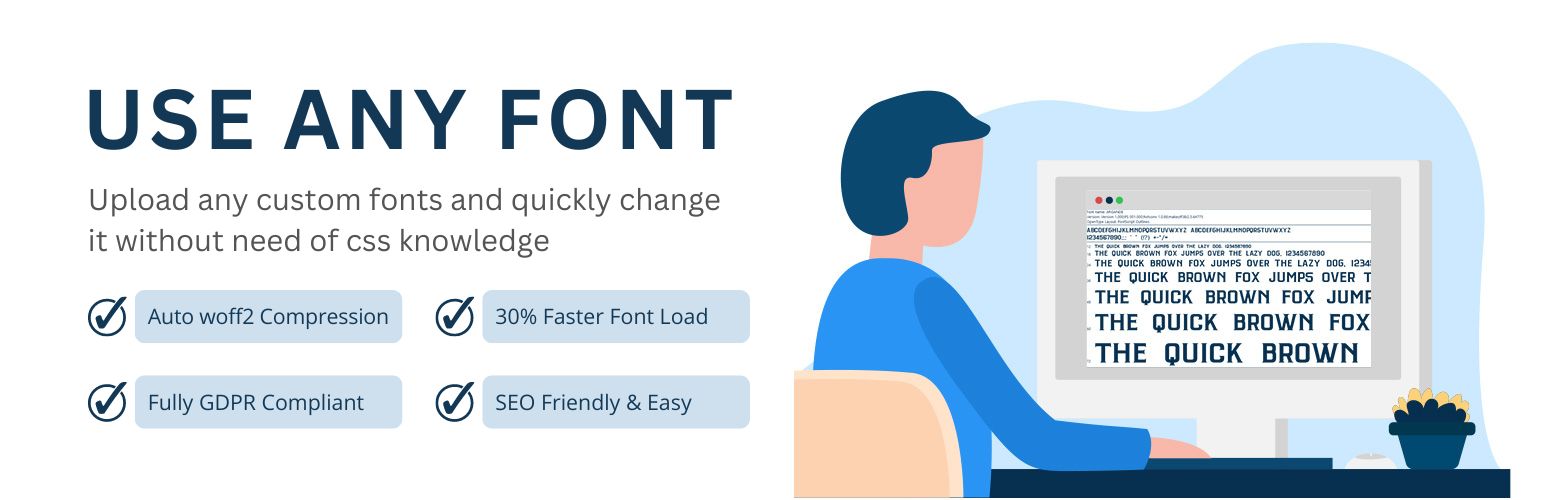
Upload custom fonts with custom font uploader. Auto converts to woff2 for better performance. Self-hosted, GDP...

Free 200k+ installs 4.7★ (1,149)