
Yoast SEO
98Real-time SEO guidance, schema, and AI built in. Help search engines and AI systems understand your content. A...
Free
10M+ installs 4.8★ (27,819)
A fully featured, easy-to-use documentation plugin with AI chat, search, FAQs, and quizzes. Build beautiful knowledge bases, docs, and wikis.
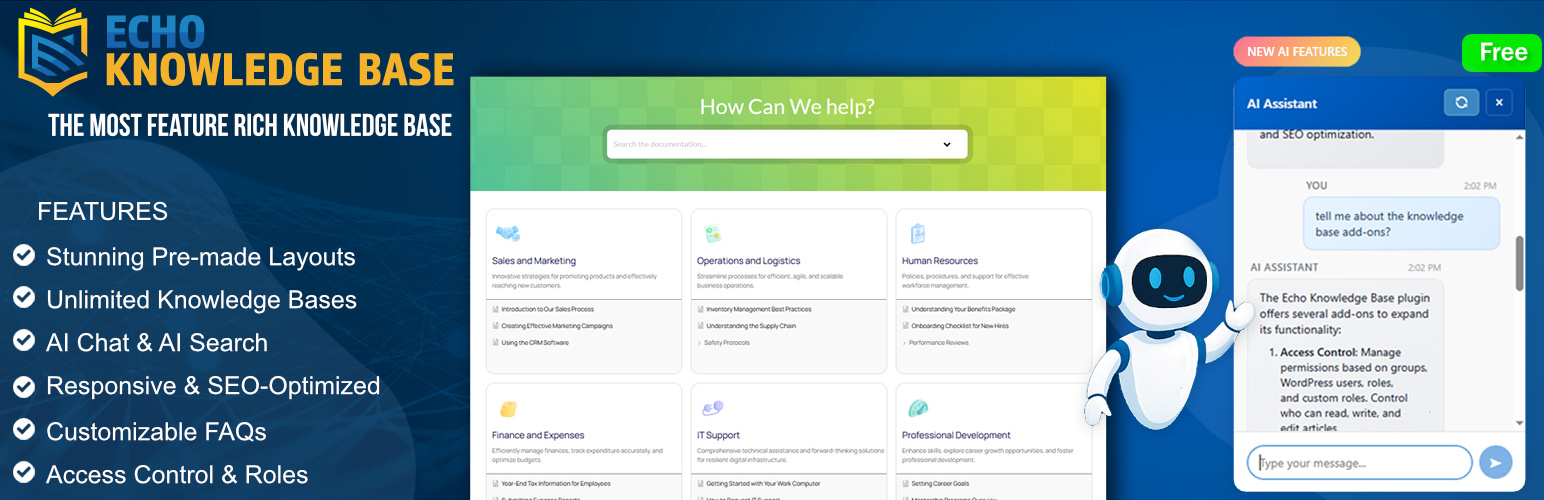
Echo Knowledge Base is a WordPress plugin designed to help you create and manage documentation, FAQs, and quizzes. It features a fast search bar, deep content organization, and article enhancement tools to improve user experience. The plugin also offers customization options to align with your brand identity and includes AI-powered features for enhanced interactivity.
This plugin is suitable for website owners who need a structured way to present information and engage users through quizzes and chat functionalities. It caters to those looking to build a visually appealing knowledge base with extensive organization and navigation capabilities.
Best for: This plugin suits website owners looking to create a comprehensive knowledge base with interactive features.
What it does well
Where it falls short
Echo Knowledge Base offers a robust set of features for documentation and user engagement. It is a solid choice for those wanting to enhance their site's informational resources.
echoplugins's own description of Echo Knowledge Base, lightly tidied.
Echo Knowledge Base is a powerful documentation tool that helps you create and organize documentation, FAQs, quizzes, and articles. It includes built-in AI search and AI chatbot features and includes comprehensive features to help you build a visually appealing knowledge base.
Designed with a modern and professional appearance by default, the plugin offers extensive customization options to align perfectly with your brand identity.
Fast Search Bar: Enable users to find articles quickly with an AJAX-powered search bar.
Deep Content Organization: Organize articles into categories and subcategories up to five levels deep. Display articles and categories across tabs or in an intuitive drill-down format.
FAQs Layout and Shortcode: Deploy FAQs anywhere on your site with various eye-catching designs. Group questions logically and control their behavior for optimal user engagement.
Article Enhancement Tools: Improve user experience with breadcrumbs, next/previous article navigation, print and PDF export options, and more.
Table of Contents (TOC): Enhance navigation with a customizable table of contents on article pages for better user experience.
Frontend Visual Editor: Customize your Knowledge Base pages live on the front-end with our intuitive visual editor or drag-and-drop Gutenberg blocks.
Pre-made Layout Designs: Choose from many beautiful designs and layouts to make your knowledge base both stunning and functional. With dozens of combinations available, you’ll find the perfect look for your site.
Most Popular and Recent Articles: Display lists of articles by popularity and recent publication to guide readers to trending and new content.
Glossary: Build a centralized dictionary of terms and definitions for your knowledge base.
[epkb-glossary-index] shortcode or the Glossary Index Gutenberg block, with letter navigation and customizable accent color.Article Quizzes: Add interactive quizzes to KB articles to reinforce learning and increase engagement. Create custom multiple-choice or true/false questions, add answer explanations, and show published quizzes below the article content.
Article Views Counter: Track views with the built-in counter and analyze your most and least popular content to optimize your knowledge base.
Customizable Category Archive Page: Customize the category archive page with a custom header, description, and image.
All AI features are completely optional and disabled by default. You can enable them at any time if you choose to use AI-powered capabilities.
AI Chat (Chatbot): Add a frontend chat dialog where users and visitors can ask questions and get instant AI-powered answers based on on your Knowledge Base, FAQs, internal documentation, notes, and any other source of information.
AI Search: When users search, results show relevant KB articles plus an ‘Ask AI’ button to dive deeper with the same query.
AI Content Analysis: Automatically analyze your knowledge base articles for quality and optimization. Get AI-powered insights including:
Advanced Search: Highlight search keywords on article pages, filter search by category, adjust search box styling, and add helper text or links below the search bar. Use advanced search analytics to discover popular queries and identify searches with no results.
Granular Content Protection: Control access to documentation based on user groups, WordPress roles, or custom permissions. Seamlessly manage public and private knowledge base content.
Unlimited Knowledge Bases: Create unlimited separate knowledge bases, each with its own articles, categories, and tags (great for managing multiple products or departments).
Articles Import and Export: Import or export articles and categories using CSV or XML formats for easy migration or backup.
AI Smart Search: Display intelligent search results with optional multi-panel sections
User Feedback System: Gather valuable insights with article upvote/downvote and feedback forms.
Article Links: Turn any article into a link that points to PDFs, external documentation, videos, or other resources.
AI Features:
See the official website for more details on Pro features.
Watch a quick introduction to Echo Knowledge Base and see it in action:
https://www.youtube.com/watch?v=sLwj8FpfBWc
Other plugins for AI features.
Real-time SEO guidance, schema, and AI built in. Help search engines and AI systems understand your content. A...

The best WordPress contact form plugin. Drag & Drop form builder to create beautiful contact forms, paymen...

Grow your organic traffic and AI visibility with powerful SEO tools, XML sitemaps, Schema automation, and buil...

Translate WordPress with Google Translate multilanguage plugin using AI translation. Complete multilingual SEO...

AIOSEO is the WordPress SEO plugin. Boost SEO rankings with AI SEO tools, schema, meta descriptions, XML sitem...

Elementor Carousel, Mega Menu, Posts List/Slider, WooCommerce Widgets, Display Conditions, AI Abilities, Prema...