
WPThumbs
Themes Plugins By purpose By industry Best-of lists Fix it guides
Free Plugin by Elementor v4.2.3

Elementor Website Builder

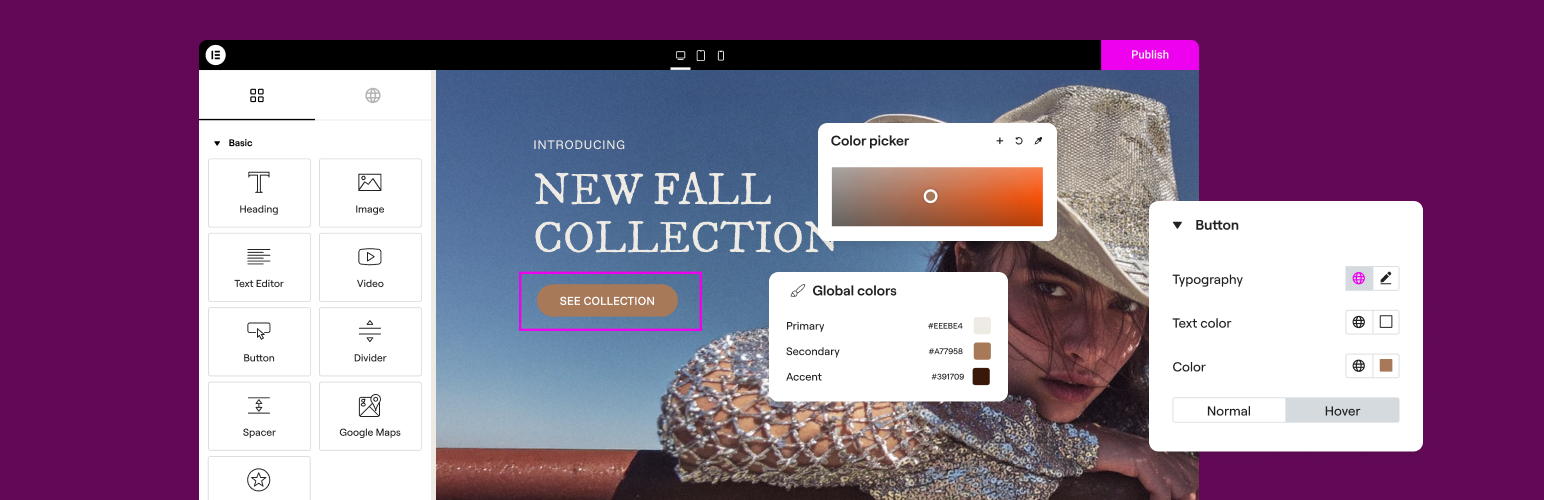
The Elementor Website Builder has it all: drag and drop page builder, Atomic Editor, pixel perfect design, global and reusable style systems, mobile r …
Elementor Website Builder

The facts

Rating
4.5★ from 7,297
Active installs
10M+
Price
Free
Last updated
27 Aug 2026
Added
May 2016
Requires WP
6.8
Tested up to
WP 7.1
Requires PHP
7.4
Downloads
882,372,901

Our analysis

AI-assisted

Elementor Website Builder is a WordPress plugin that allows you to create websites using a no-code, drag-and-drop interface. It offers tools for building, optimizing, and managing websites with features like AI-powered creation, image optimization, and performance enhancements.

This plugin is suitable for users looking to build professional websites without needing coding skills. It includes a variety of widgets, templates, and design tools to help you achieve a polished look across devices.

Best for: This plugin is best for individuals or businesses wanting to create professional websites without coding knowledge.

What it does well

  • No-code drag-and-drop editor
  • Extensive template library for quick setups
  • Over 40 free widgets available
  • AI integration for content creation
  • Responsive design capabilities

Where it falls short

  • Limited information on specific features and functionalities

Verdict

Elementor Website Builder provides a robust set of tools for website creation, making it a good choice for those seeking an intuitive design experience.

From the developer

Elementor's own description of Elementor Website Builder, lightly tidied.

The #1 no code drag & drop WordPress Website builder powering 22m+ websites worldwide, now with AI.

Elementor, the leading WordPress website creation platform, empowers you to build professional, pixel-perfect websites seamlessly with its no-code, drag-and-drop Atomic Editor.

Supporting the full website lifecycle, Elementor enables you to confidently build, optimize, and manage your website with extended capabilities such as AI-powered creation, image optimization, transactional email delivery, accessibility tools, performance boosters, and more.

Now in version 4 – the Atomic Editor! Introducing a new generation of performance-first atomic building blocks that allow you to control every atomic part with no limits or locked layouts. Define your global design systems and reusable components once, and they apply everywhere instantly – turning hours or even days of work into single clicks.

Unlock all features with Elementor One.

Need fast and secure cloud hosting for your Elementor site? Try out Elementor Host Powered by Google Cloud & Cloudflare. 4.9/5 TrustPilot score.

🌟 Create professional stunning websites

  • Intuitive drag & drop builder: Build any website with our no-code, drag-and-drop Editor. Achieve design precision with full control over layout and style.
  • Pixel-perfect design tools: Upload SVGs, apply masks, gradients, box shadows, headline effects, shape dividers, and use built-in CSS controls for advanced customization.
  • Template Library: Apply complete website kits for instant setups, or choose from a vast library of single pages, blocks, and pop-up templates.
  • Advanced widgets: Access over 40 FREE widgets, including heading, image, text editor, video, button, gallery, carousels, and more.
  • AI capabilities: Revolutionize your design and content creation process with native AI integration. Instantly create sections, text, code, and images.

🗝️ Key features

  • Design system: Use Variables and Classes for consistent colors, typography, and design elements, ensuring a cohesive, professional look that updates everywhere globally.
  • Responsive design: Optimize your design for every device with custom breakpoints, ensuring a seamless desktop, tablet, and mobile experience.
  • Mask shapes: Turning any element, like an image or video, into whatever shape you desire to create standout designs.
  • CSS transform: Use CSS Transform to rotate, scale, and skew elements, adding dynamic styling to your site.
  • Entrance animations: Add entrance animations to elements to create engaging and interactive user experiences.
  • Revision history: Elementor’s Revision History feature enables users to track and revert to previous versions of their designs, providing peace of mind and flexibility during the creative process.
  • Developer-friendly: Equipped with extensive documentation, API, developer tools, and custom code areas, Elementor offers a conducive environment for developers to extend its capabilities and create custom solutions.
  • Floating buttons: Enhance user interaction with customizable, floating action buttons that stay in view as users scroll.
  • Components [Pro]: Reuse the same building blocks across pages and sites, and update them everywhere they appear. Including controlled content editing, allowing collaborators and clients to update only exposed content properties without breaking layout or styling.
  • Theme Builder [Pro]: Design every part of your site—headers, footers, posts, and archives—for complete control over appearance.
  • Popup Builder [Pro]: Create eye-catching popups with Elementor’s Popup Builder, equipped with advanced targeting and triggering options to optimize user engagement and conversions.
  • Forms [Pro]: Design and integrate custom forms, utilizing advanced features and integrations to capture and manage submissions effectively.
  • WooCommerce Builder [Pro]: Integrate Elementor with WooCommerce to design custom product pages, shop layouts, archives, carts, checkout pages, my account, and more, enhancing your store’s visual appeal and functionality.
  • Dynamic Content [Pro]: Leverage dynamic content capabilities to create personalized and interactive web experiences by connecting your designs to various data sources.
  • Notes [Pro]: Enhance team collaboration by using Elementor’s Notes feature to leave feedback and comments directly on the design interface.
  • Custom Code [Pro]: Insert custom code to extend the functionality of your site, offering flexibility for advanced customizations.
  • Custom CSS [Pro]: Apply Custom CSS to fine-tune the styling of elements, ensuring precise control over the design aspects.
  • Motion effects [Pro]: Add advanced motion effects to elements for a more dynamic and engaging user experience.
  • Custom fonts and icons [Pro]: Upload and use custom fonts and icons to match your brand’s identity.

😍 Elementor FREE widgets

Unlock the potential of Elementor with our comprehensive suite of free widgets and tools, designed to empower your website creation process and elevate your design capabilities:

  • Heading: Add eye-catching headlines.
  • Image: Control the size, opacity and more.
  • Text Editor: Just like the WordPress text editor.
  • Video: Add YouTube, Vimeo, VideoPress, Dailymotion or self-hosted videos.
  • Button: Create interactive buttons.
  • Link in Bio: Build link in bio components to promote your business / services.
  • Image Box: A box with image, headline and text.
  • Testimonials: Customer testimonials.
  • Icon: Place one or more of 600+ icons available.
  • Icon Box: An icon, headline, and text with one widget.
  • Social Icons: Link to your social pages with the Facebook/X (formerly Twitter) icons.
  • Image Gallery: Display your images in a grid.
  • Image Carousel: Create rotating carousels or sliders for chosen images.
  • Icon List: Use any icon to create a bullet list.
  • Counter: Show numbers in an escalating manner.
  • Progress Bar: Include an escalating progress bar.
  • Nested Tabs: Display content in vertical or horizontal tabs.
  • Nested Accordion: Display any type of content in collapsible sections.
  • Rating: Display how many stars (or another icon) other visitors gave.
  • Alert: Include a colored alert box to draw visitor’s attention.
  • HTML: Insert code into the page.
  • Shortcode: Insert shortcodes from any plugin into the page.
  • Menu Anchor: Link any menu to this anchor.
  • Read More: Set the Read More cut-off for the excerpt in archive pages.
  • Sidebar: Add sidebars onto the page.
  • Google Maps: Embed maps into the page.
  • SoundCloud: Add SoundCloud audio bits.
  • Divider: Separate content with a designed divider.
  • Spacer: Add space between elements.
  • Text Path: Attach your text to a path.
  • And counting…

🚀 Enhance your website

High-performing websites: Website performance impacts your visitors’ experience and search result ranking. Elementor, in partnership with Google Chrome, continuously enhances performance without compromising design.

Key features include:

Read the full description on the official page →

Tagged as

Alternatives

Other plugins for building pages visually.

ElementsKit Elementor Addons

Join millions who empower their websites with ElementsKit Elementor Addons. Get templates, & 100+ widgets...

Free 1M+ installs 4.9★ (2,036)
Starter Templates

The growing library of 300+ ready-to-use templates that work with all WordPress themes including Astra, Hello,...

Free 1M+ installs 4.9★ (4,745)
Website Builder by SeedProd

Easy Drag & Drop Page Builder. A complete solution to create a WordPress Website, Custom Themes, Landing P...

Free 700k+ installs 4.9★ (4,699)
Page Builder by SiteOrigin

Build responsive page layouts using the widgets you know and love using this simple drag and drop page builder...
Free 400k+ installs 4.8★ (1,005)
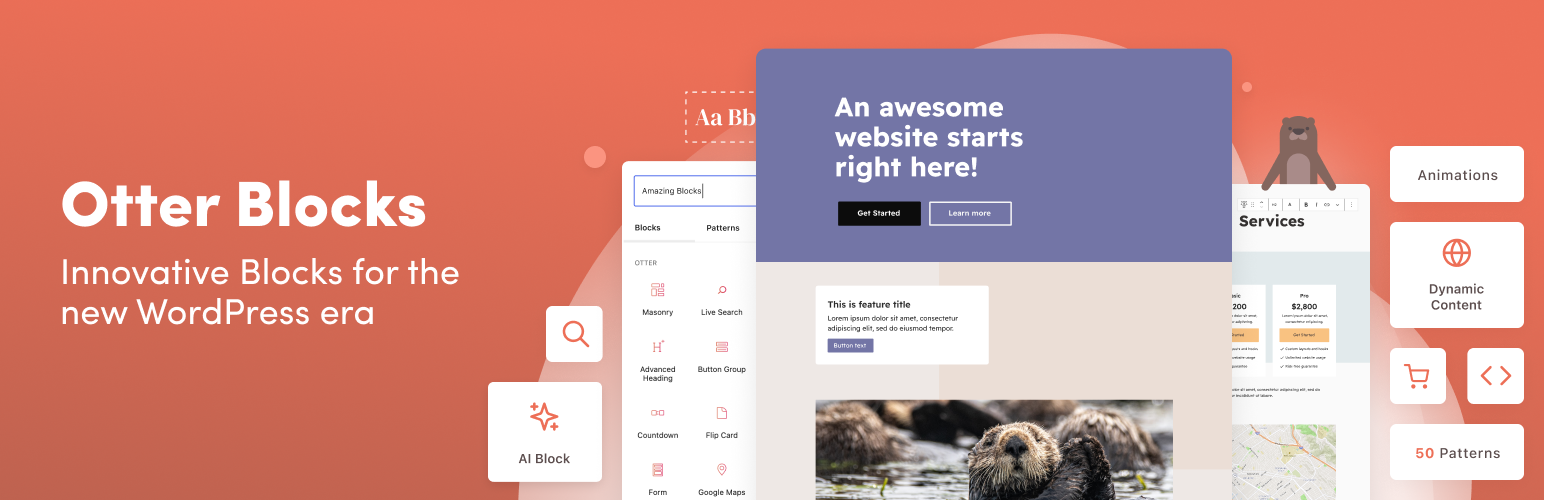
Otter Blocks

Quickly create WordPress pages with 20+ blocks, 100+ ready-to-import designs, and advanced editor extensions....

Free 300k+ installs 4.7★ (249)
Kadence Blocks

20+ Gutenberg Blocks with endless options, enabling top-notch efficiency for high-performance dynamic website...

Free 600k+ installs 4.8★ (331)