
WPThumbs
Themes Plugins By purpose By industry Best-of lists Fix it guides
Free Plugin by Nexcess v3.7.9.1

Kadence Blocks

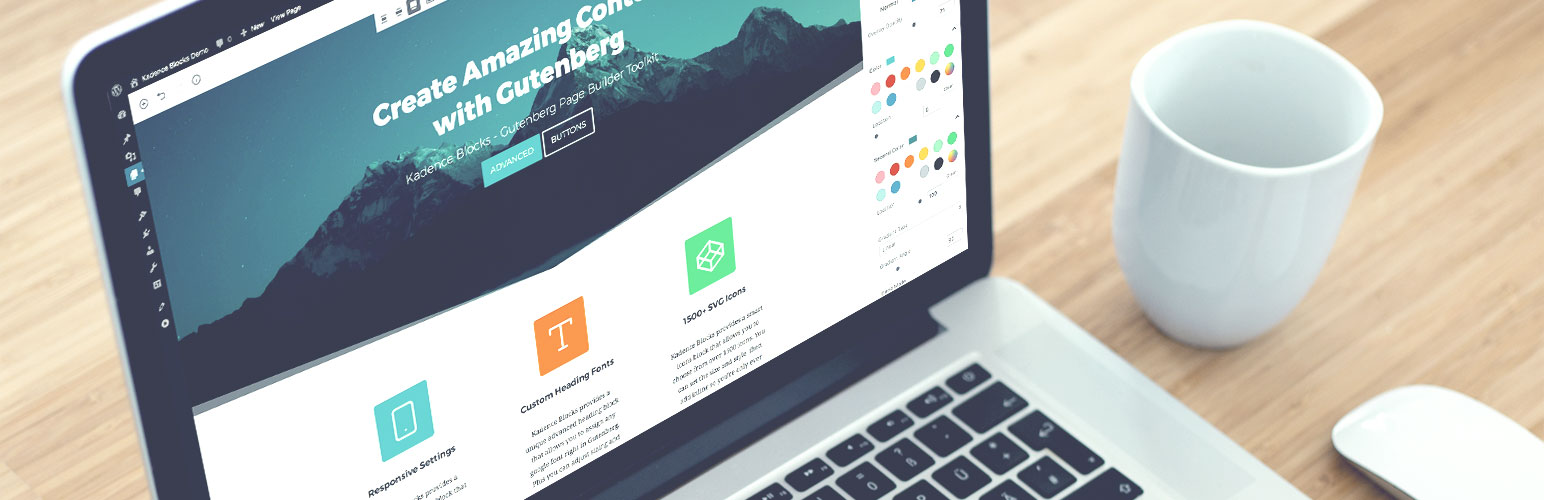
20+ Gutenberg Blocks with endless options, enabling top-notch efficiency for high-performance dynamic website creation.
Kadence Blocks

The facts

Rating
4.8★ from 331
Active installs
600k+
Price
Free
Last updated
12 Aug 2026
Added
Aug 2018
Requires WP
6.6
Tested up to
WP 7.0.4
Requires PHP
7.4
Downloads
40,421,335

Our analysis

AI-assisted

Kadence Blocks is a WordPress plugin that enhances the Gutenberg block editor with custom blocks and design controls. It allows you to create professional websites without needing to write code, focusing on performance and accessibility.

This toolkit is suitable for various types of websites, including landing pages and blogs. It offers a streamlined workflow directly within the WordPress editor, providing tools for creating visually appealing layouts.

Best for: This plugin is best for users looking to enhance their WordPress sites with custom blocks and design options.

What it does well

  • Extends the Gutenberg editor with custom blocks
  • Focuses on performance and accessibility
  • Suitable for various website types, including blogs and landing pages
  • Offers advanced design controls without coding
  • Includes a variety of blocks for different content types

Where it falls short

  • Limited information on specific features and performance metrics

Verdict

Kadence Blocks provides a robust set of tools for users wanting to create custom layouts in WordPress. It is particularly useful for those who prefer working within the Gutenberg editor.

From the developer

Nexcess's own description of Kadence Blocks, lightly tidied.

Kadence Blocks extends the WordPress block editor with powerful custom blocks and advanced design controls, helping you build fast, accessible, and professional websites, without writing code.

Each block is built with performance, accessibility, and flexibility in mind, giving you the tools to create visually impressive layouts while maintaining clean, optimized output.

Whether you’re building landing pages, blogs, or full websites, Kadence Blocks provides a streamlined, modern workflow that rivals traditional page builders, directly inside the native WordPress editor.

Custom Blocks Include

  • Accordion – Create beautiful accordions! Each panel can contain any other block and customized title styles, content background, and borders.
  • Advanced Button – Create an advanced button or a row of buttons. Style each one, including hover controls. Plus, you can use an icon and display them side-by-side.
  • Advanced Form – Our powerful form block allows you to easily create a contact or marketing form and style it within the block editor.
  • Advanced Gallery – Create stunning photo galleries, carousels, and sliders! Customize links, captions, image sizes and more for optimal performance.
  • Advanced Text – Create a heading or paragraph and define sizes for desktop, tablet and mobile along with font family, colors, etc. Use Inline AI editor to improve writing, fix spelling and grammar errors, change tone, etc.
  • Countdown – Increase your conversions by adding a sense of urgency to your offering with a countdown. Pro includes evergreen campaigns as well.
  • Count Up – Include an animated number counter to pages and posts. This can potentially add interest to what would otherwise be boring numbers on a screen.
  • Info Box – Create an info box containing an icon or image and, optionally, a title, description, and learn more text. Style static and hover separately.
  • Icon – Choose from over 1500+ SVG icons to add into your page and style the size, colors, background, border, etc. You can also add multiple icons side-by-side.
  • Icon List – Add beautiful icons to your lists and make them more engaging and attract viewers’ attention. Over 1500 icons to choose from and unlimited styles.
  • Lottie Animation – You can import lottie animations into your site. You can choose how the animation plays and control animation speeds, loops, etc.
  • Posts – Display a clean grid of posts anywhere on your site, great for your homepage where you want to tease your blog.
  • Progress Bar – Show progress visually, including how much of a goal has been met, satisfaction rates, and many other use cases.
  • Row Layout – Create rows with nested blocks in columns or as a container. Give style to your rows with a background, overlay, padding, etc.
  • Section – Design sections of content in Row Layout blocks. Add any block to the section and design it using block settings.
  • Show More – Easily add previews to content with nested blocks of any type. Adjust preview size by device type, apply a fade out, customize advanced buttons, and more.
  • Spacer / Divider – Easily create a divider and determine the space around it, or just create some space in your content. You can even define the height per screen size.
  • Table of Contents – Quickly navigate to headings within your post or page by automatically creating anchor links and a smooth scroll.
  • Tabs – Create custom vertical or horizontal tab layouts with advanced styling controls. Each tab content is an empty canvas able to contain any other blocks.
  • Testimonials – Create confidence in your brand or product by showing off beautiful and unique testimonials. Display as a carousel or a grid.

Video Tutorial

Key Block Features

  • Content & Layout Flexibility: Build complex layouts with nested rows, responsive controls, and advanced spacing options, all within the block editor.
  • Design Library: Overcome creative blocks and assemble a site in no time. Our Design Library offers hundreds of pre-built patterns and pages tailored to your unique brand
  • Intelligent Load: Kadence Blocks won’t slow down your website because it only loads CSS or Javascript when you need it- and only for the blocks you are using on a specific page.
  • Responsive Controls: Tweak your design for each screen size. Edit tablet and mobile settings while previewing in WordPress editor.
  • Typography Controls: Choose from 900+ Google fonts and design your site with complete typography control.
  • Color & Background Controls: Gradients, overlays, parallax backgrounds, borders, etc. You can control all the design settings!
  • Configurable Defaults: Make development a breeze. Once the default settings are defined, every time you add a block those settings will automatically be applied.
  • Setting Visibility Controls: Hide block settings from certain user roles so they can focus on content and you can keep them out of the block designs.
  • Spacing Controls: Control paddings and margins for your blocks in whatever units you like. Customize responsively for precision spacing and design.

Connect With Our Community

Naturally, the web creation process comes along with endless questions, creative ideas, and is ripe for collaborative opportunities. That’s where our thriving Facebook community, with over 12,000 members and counting, becomes an invaluable resource.

Whether seeking answers to specific questions, looking for constructive feedback on your website, or eager to uncover innovative ways to leverage Kadence tools, our community is here to support and inspire you.

Check out some tutorials by creators who love Kadence (and think you should, too 🙂):

Get More from Kadence WP

Enhance your page building experience even more with these additional Pro Blocks:
* Advanced Query Loop
* Advanced Slider
* Image Overlay
* Modal
* Post Grid/Carousel
* Product Carousel
* Repeater
* Split Content
* Video Popup
* …and more!

Read the full description on the official page →

Tagged as

Alternatives

Other plugins for building pages visually.

ElementsKit Elementor Addons

Join millions who empower their websites with ElementsKit Elementor Addons. Get templates, & 100+ widgets...
Free 1M+ installs 4.9★ (2,036)
Elementor Website Builder

The Elementor Website Builder has it all: drag and drop page builder, Atomic Editor, pixel perfect design, glo...

Free 10M+ installs 4.5★ (7,297)
Starter Templates

The growing library of 300+ ready-to-use templates that work with all WordPress themes including Astra, Hello,...

Free 1M+ installs 4.9★ (4,745)
Website Builder by SeedProd

Easy Drag & Drop Page Builder. A complete solution to create a WordPress Website, Custom Themes, Landing P...
Free 700k+ installs 4.9★ (4,699)
Page Builder by SiteOrigin

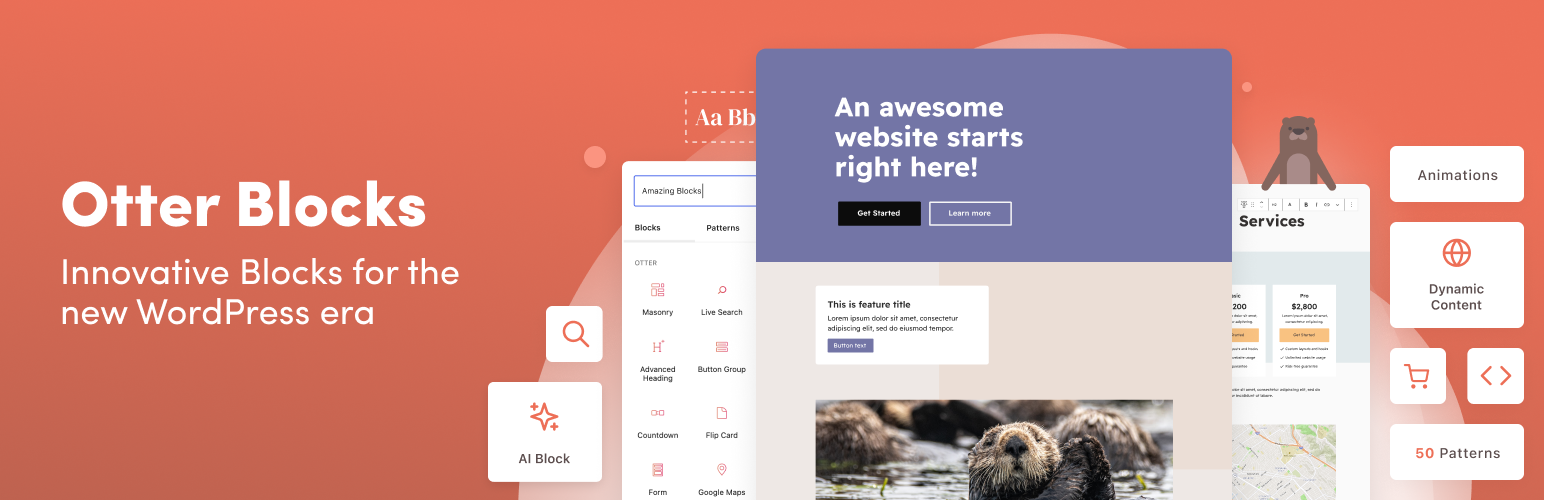
Build responsive page layouts using the widgets you know and love using this simple drag and drop page builder...
Free 400k+ installs 4.8★ (1,005)
Otter Blocks

Quickly create WordPress pages with 20+ blocks, 100+ ready-to-import designs, and advanced editor extensions....

Free 300k+ installs 4.7★ (249)