
SEOPress
93WordPress SEO plugin with AI SEO metadata, schema, XML sitemap, redirections & Search Console. Privacy-fir...
Free
300k+ installs 4.8★ (1,246)
Allows you to collapse and expand the WordPress admin theme menus (Appearance > Menus).
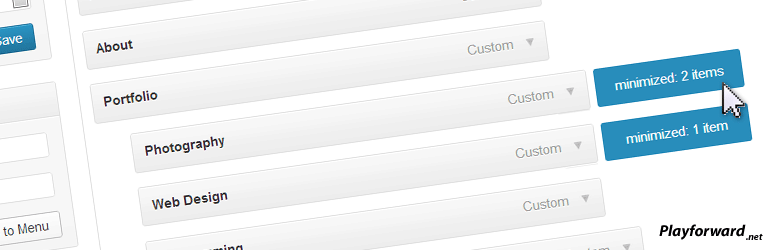
Expandable Menus is a WordPress plugin that enhances the menu management experience in the admin dashboard. It allows you to double-click to expand and collapse menu trees, which is useful for handling large menus with multiple sub-items. The plugin saves your minimized menu state using cookies, so your preferences persist across sessions.
This plugin is suitable for users who manage complex menus and want to streamline their workflow in the WordPress admin area. It requires JavaScript and a compatible browser for full functionality.
Best for: This plugin is best for WordPress users who manage large and complex menus.
What it does well
Where it falls short
Expandable Menus provides a simple way to manage large menus in WordPress, but its outdated status may limit compatibility with newer versions.
Maxaud's own description of Expandable Menus, lightly tidied.
When creating a menu under the “Appearance -> Menus” tab it allows you to double click to expand and collapse a menu tree.
This is particularly useful for large menus or menus with many different sub trees that take up screen space.
Minimized menus will be saved as a cookie so when you return they should be minimized again.
Requirements
Future releases:
Other plugins for customising wp-admin.
WordPress SEO plugin with AI SEO metadata, schema, XML sitemap, redirections & Search Console. Privacy-fir...

Duplicate post, post order, image resize, email via SMTP, admin menu editor, custom css / code, disable gutenb...

Admin UI for creating custom content types like post types and taxonomies

LoginPress is a Custom Login Page Customizer plugin allows you to easily customize the layout of login, admin...

Lets you edit the WordPress admin menu. You can re-order, hide or rename menus, add custom menus and more.

Customise dashboard panels and branding, hide menus plus lots more.