
Members
94The best WordPress membership and user role editor plugin. User Roles & Capabilities editor helps you rest...
Free
300k+ installs 4.9★ (1,274)
Quickly export and download your WooCommerce product orders as a CSV with product, line item, order, and customer data.
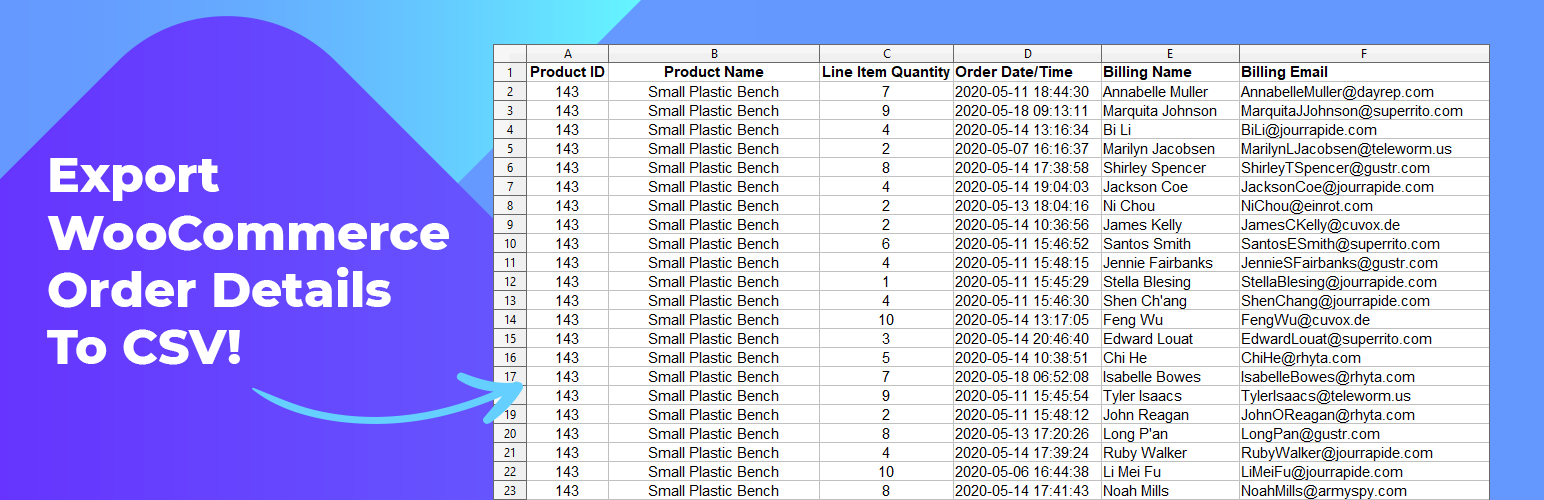
Export Order Items for WooCommerce is a WordPress plugin that allows you to export order details from your WooCommerce store. It simplifies the order fulfillment process and helps generate accounting reports by enabling downloads in CSV format.
The plugin can sort and filter orders based on various criteria, such as order ID, product ID, and order status. It includes 18 data fields for reporting and is designed for users who need to manage and analyze their WooCommerce order data efficiently.
Best for: This plugin suits WooCommerce store owners who need to export and report on order data.
What it does well
Where it falls short
Export Order Items for WooCommerce is a straightforward tool for exporting order details, ideal for users looking for basic reporting capabilities without the need for advanced features.
BerryPress's own description of Export Order Items for WooCommerce, lightly tidied.
Export the order details for each sale in your WooCommerce store. Simplify order fulfillment, generate accounting reports in a few clicks, and download into CSV format for readability and universal compatibility with Export Order Items.
Export Order Items is simple to set up and works for generating order reports straight out of the box.
We wanted to make exporting WooCommerce orders a fast simple process so we streamlined the process with checkboxes, dropdowns, and toggles. Set your date range, choose how it should be sorted, pick what order status should be included, and set what fields you want to be added in your report.
“All I needed was a way to pull customer information along with product sales. And this plugin did exactly that right out of the box. Thanks!”
-fiberlyone
“The Export Order Items plugin has easy to use functions where you can select the categories you want to have in your report – awesome!”
-rist
Customize your report with the toggle control settings, configure the formatting, and download your orders as a CSV spreadsheet. Email as an attachment, print it off for order fulfillment, or import it to your favorite spreadsheet software for analysis.
Over 95% of our users find the free version is perfect for their store. Upgrade to Pro if you need more targeted reporting, advanced options, other formats, and unlimited presets for saving all kinds of report layouts.
Looking to automate your reports, share them on the frontend of your site, or create in-depth sales reports? We have more free and premium reporting tools for WooCommerce.
Other plugins for moving data.
The best WordPress membership and user role editor plugin. User Roles & Capabilities editor helps you rest...

Manage all your WordPress updates, including individual updates, automatic updates, logs, and loads more. This...

Redux is a simple, truly extensible, and fully responsive options framework for WordPress themes and plugins....

🌠 Shorten, brand, and track any URL on your own domain. Keep your links — and your data — where they belong....

Export WooCommerce orders to Excel, CSV, XML, JSON, PDF and HTML. Best free order export plugin for WooCommerc...

Easily export or import your WordPress customizer settings!