
WPThumbs
Themes Plugins By purpose By industry Best-of lists Fix it guides
Free Plugin by Artistudio v2.21.0

Floating Awesome Button (Sticky Button, Popup, Toast) & 200+...

Floating Awesome Button (FAB) helps website owner, getting more conversion, by adding interactive element such as (Sticky Button, Popup, Toast, etc)
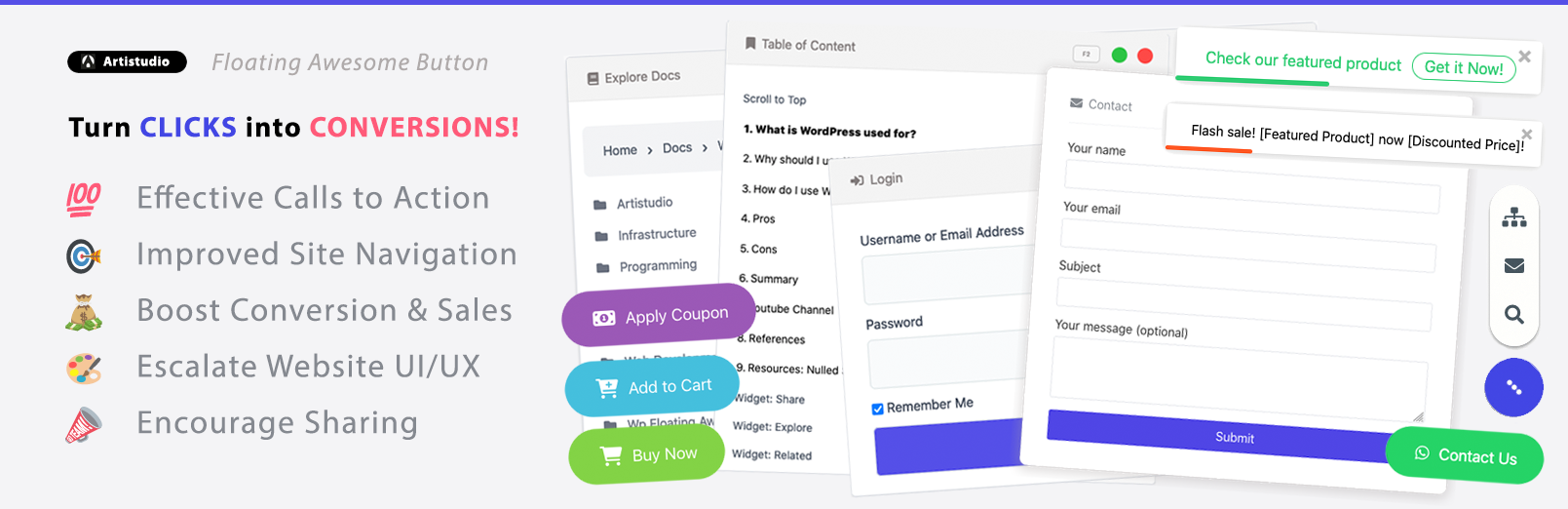
Floating Awesome Button (Sticky Button, Popup, Toast) & 200+...

The facts

Rating
5★ from 5
Active installs
700+
Price
Free
Last updated
11 Dec 2025
Added
Nov 2021
Requires WP
4.5
Tested up to
WP 6.9.0
Requires PHP
5.6
Downloads
34,495

Our analysis

AI-assisted

Floating Awesome Button is a WordPress plugin designed to enhance user engagement and conversions on websites. It features a floating button that remains visible as users scroll, making it easy for them to take action, such as signing up for emails or contacting support. The plugin also includes social media buttons, toast notifications, and popups to deliver messages and connect with visitors effectively.

This plugin is suitable for website owners looking to improve user interaction and drive conversions through various interactive elements. It can be used for different purposes, including marketing promotions, social media engagement, and improving site navigation.

Best for: Website owners aiming to increase visitor engagement and conversions.

What it does well

  • Always visible floating button for easy access
  • Includes social media links for audience connection
  • Offers toast notifications for quick messages
  • Supports popups for engaging content delivery
  • Free to use from the WordPress.org directory

Where it falls short

  • Limited information on specific customisation options
  • No details on user support or documentation

Verdict

Floating Awesome Button provides useful interactive features for enhancing website functionality. It is a practical choice for those looking to engage users more effectively.

From the developer

Artistudio's own description of Floating Awesome Button (Sticky Button, Popup, Toast) & 200+..., lightly tidied.

For any website owner, getting more conversions means turning visitors into customers. A Floating Awesome Button (FAB) is a great way to do this. Think of it as a helpful, interactive button that follows your visitors as they browse your site. It keeps important actions, right in front of them, no matter where they scroll.

Here’s why a FAB is so effective:

  • It’s always visible. Unlike a button that’s stuck at the bottom of a page, a FAB stays on the screen. This makes it easy for visitors to click whenever they’re ready to take an action.
  • It grabs attention. A FAB uses eye-catching elements like a popup or toast to deliver a message at the perfect moment. For example, you can show a special offer just as a visitor is about to leave your site.
  • It’s versatile. You can use a FAB for many different goals. You could add a sticky button for a “Contact Us” form, a popup for an email signup, or a toast notification to announce a new product.

🤩 Social media links & buttons

A great way to connect with your audience and make your website more useful is by using social media links and buttons. These are small, clickable icons or text buttons that let your visitors do all sorts of things, like follow you on social media, get in touch with you, or even buy your products.

Your website can use these buttons for many purposes. Here’s a simple breakdown of what they can do:

  • Connect on Social Media: These buttons are for your main social media profiles. With a single click, your visitors can go to your page on platforms like Facebook, Instagram, LinkedIn, or YouTube. This makes it easy for them to follow you and stay updated.
  • Communicate Instantly: These buttons help your visitors get in touch with you right away. For example, you can add a WhatsApp button for customer questions, a Phone button for direct calls, or an Email button to open a new message draft.
  • Improve Website Navigation: These buttons make your site easier to use. For instance, a Scroll to Top button lets visitors quickly get back to the top of a long page, a Print button helps them print an article, or a Latest Post button takes them to your newest content.

🍞 Toast Notifications & Alerts

A Toast notification is a simple, quick message that pops up on a website for a short time and then disappears on its own. Think of it like a small alert that “toasts” up from the corner of the screen to give a visitor some fast information without getting in their way.

Here’s a breakdown of the different ways you can use these helpful alerts:

  • Promotions and Offers: You can use a toast to let people know about special deals or new content. For example, a Download Ebook Toast can offer a free guide, a Free Consultation Toast can invite a visitor to a meeting, or a Latest Post Toast can highlight your newest blog article.
  • Special Events and Holidays: Toasts are perfect for celebrating with your audience. You can have a Happy Holiday Toast during the festive season, an April Fools’ Day Toast for a fun joke, or a World Environment Day Toast to show your support for a cause.
  • User-Specific Messages: You can make your website feel more personal by showing toasts only to certain people. A Welcome Toast for Registered User can greet a customer by name, while other toasts can be set to only appear on Desktop or Mobile devices.

🎯 Popup Features

A popup is a special window that appears on top of your website’s main content. Unlike a simple toast notification, a popup is designed to get your visitor’s full attention. It’s a great tool for making sure your most important messages are seen.

Here’s a look at the different kinds of popups you can use to improve your website:

  • Promotional Popups: These are perfect for special offers. You can use a Discount Popup to show a coupon code, a Limited Time Offer Popup to create a sense of urgency, or a Popup eBook to get visitors to sign up for your newsletter in exchange for a free download.
  • User-Friendly Popups: Popups can also make your website easier to use. A Search Popup gives visitors a quick way to find what they’re looking for, a Login Popup lets users sign in without leaving the page they’re on, and a Social Sharing Popup makes it easy for them to share your content.
  • Behavior-Based Popups: These are popups that appear at just the right moment. For instance, a Popup Exit Intent will only show up when a visitor is about to leave your site, giving you one last chance to grab their attention with a special offer. You can also set a Popup Time Delay to have a popup appear after a few seconds, once a visitor has had a chance to read your content.

🛒 WooCommerce Features

Read the full description on the official page →

Tagged as

Alternatives

Other plugins for popups and optins.

Popup Maker

Want to boost sales & marketing efforts? Use your favorite forms & builder. Unlimited popups & imp...

Free 700k+ installs 4.9★ (4,504)
Firelight Lightbox

Formerly Easy Fancybox. The most popular WordPress lightbox plugin. Simple, fast, and responsive. Opens images...

Free 200k+ installs 4.8★ (355)
My Sticky Bar

Create a welcome notification bar for your website. Also, My Sticky Bar plugin can make your menu or header st...

Free 100k+ installs 4.9★ (1,196)
Depicter

Build Stunning Slider and Popup. Exit intent Popup, Image slider carousel, video slider carousel, post slider...

Free 80k+ installs 4.6★ (234)
Poptin

Poptin

90

Free email automation, email campaigns, exit intent popup builder, gamified popups with spin the wheel, contac...

Free 20k+ installs 4.9★ (694)