
WPThumbs
Themes Plugins By purpose By industry Best-of lists Fix it guides
Free Plugin by Russell Jamieson v1.17

Genesis Club Lite

Mobile Responsive Logos, Hamburger Menus, Animated Top Bars, FAQ Accordions, User Signatures, Google Calendars and much more for Genesis sites

Genesis Club Lite

The facts

Rating
5★ from 20
Active installs
900+
Price
Free
Last updated
18 Jun 2017
Added
Jul 2013
Requires WP
3.1.0
Tested up to
WP 4.8.30
Downloads
41,592

Our analysis

AI-assisted

Genesis Club Lite is a WordPress plugin designed for use exclusively with Genesis child themes. It allows you to enable specific modules for custom post types, providing features like an accordion for FAQs, a responsive top bar for marketing messages, and options to customize the display of logos and post metadata.

This plugin is suitable for users of Genesis child themes who want to enhance their site's functionality without adding unnecessary bloat. It offers a range of customization options to improve user engagement and site aesthetics.

Best for: This plugin suits users of Genesis child themes looking to enhance their site's features and appearance.

What it does well

  • Organized into separate modules for selective loading
  • Includes an accordion feature for FAQ pages
  • Responsive top bar for marketing messages
  • Customizable display options for logos and post metadata
  • Supports various screen sizes with tailored messages

Where it falls short

  • Only compatible with Genesis child themes
  • Limited information on support and updates

Verdict

Genesis Club Lite provides useful tools for customizing Genesis child themes, but its compatibility is limited to that framework.

From the developer

Russell Jamieson's own description of Genesis Club Lite, lightly tidied.

IMPORTANT: This plugin can ONLY be used with Genesis child themes

WHAT’S NEW: New analytics features and Facebook Comments Widget – see http://www.diywebmastery.com/4907/genesis-club-lite-back-on-track

SUPPORT: For priority support and bonus features try https://genesisclubpro.com

FEATURES:

Genesis Club Lite is organized into separate modules so you can just load the modules you need.

DASHBOARD MODULE:

  • Switch on only the modules you need – there is no bloat in this plugin
  • Enable the plugin selectively for any custom post types you have defined

ACCORDION MODULE:

  • Apply the accordion feature to your FAQ pages
  • Can add special scroll to top with bump for themes with fixed header sections so the answers is always visible at the top of the scrolling section of the page immediately beneath the fixed header
  • Enable the Accordion on your FAQ archives pages to show all the post title (the questions) with the post content (the answer) revealed on clicking each title
  • Added the arrows class that styles accordion with up and down arrows when the accordion is open or closed

BAR MODULE:

  • Add a responsive top bar for your marketing messages
  • Can use different messages for desktop, laptop, notepad and mobile sized devices
  • Can control timing of when the bar appears and if and when it disappears
  • Can add a shadow and a subtle(ish) bounce effect to attract visitor attention on arrival of the bar
  • Can apply bar to footer instead of header
  • Added setting to hide bar on home page
  • Added setting to show bar only on the home page
  • In Genesis Club Post Settings you can switch the Top Bar off for selected posts and on for selected pages
  • In Genesis Club Archive Settings you can switch the Top Bar off for selected archives –NEW–

DISPLAY MODULE:

  • Include responsive clickable logo image in the title instead of text and tagline with settable ALT tag
  • Exclude logo from Pinterest sharing
  • Change “read more…” label
  • Change “read more” prefix (default is …)
  • Add custom class for “read more” text (e.g. make the link look like a button)
  • Change commentary label “Leave A Reply” in HTML5 sites and “Speak Your Mind” in XHTML sites
  • Remove comment form notices
  • Change breadcrumb labels such as “You are here” and “Archives for”
  • Remove postinfo and postmeta from all standard pages
  • Remove postinfo and postmeta from all archive pages
  • Control the post info and post meta on your archive pages
  • Change or remove the content in the postinfo and postmeta sections at the top and bottom of each post
  • Selectively include post dates so your site does not appear out of date using new shortcodes: [genesis_club_recent_update] and [genesis_club_post_dates]
  • Add extra widget areas at the top or foot of the “entry” on single posts/pages (i.e. above the post title or below the post comments)
  • Add extra widget areas at the top or foot of the “entry content” on posts/pages (i.e. below the post info or before the post comments)
  • Add extra widget areas at the top or foot of each archive page
  • Add extra widget areas at the top or foot of the “content” on any page
  • Customize your WordPress login with a background image, logo, user label and button color.
  • Set background color and opacity on WordPress login form
  • Set button color and button text color on WordPress login form –NEW–
  • Add clearfix class which can be placed on the container of floated elements so anything that comes after is unaffected
  • Use dropcaps class to create a big capital letter on the first paragraph on the page
  • Single click to add screen_reader_text support for old themes
  • Single click to remove unwanted emoji support
  • Disable breadcrumbs on specific archives
  • Specify an except image to use for all posts on your archive images (if you require a consistent look)
  • Control the sort order of your archive pages
  • Control the post info and post meta on your archive pages
  • Redirect your archive page to another page
  • Hide features on selected pages or posts: e.g the page title, various widget areas, breadcrumbs, or to disable auto-paragraphing, or to exclude the page from the site search. For example, you may want to not have landing pages, “thank you” pages and any download pages appear on a site search

FONTS MODULE:

  • Easy to add Google Fonts
  • Easy to use Google Font Effects

GOOGLE CALENDAR MODULE:

Read the full description on the official page →

Tagged as

Alternatives

Other plugins for widgets and sidebars.

ElementsKit Elementor Addons

Join millions who empower their websites with ElementsKit Elementor Addons. Get templates, & 100+ widgets...

Free 1M+ installs 4.9★ (2,036)
Royal Addons for Elementor

Elementor templates, Header footer builder, Elementor Post Grid, Woocommerce Grid builder, Slider, Forms, Gall...

Free 600k+ installs 4.8★ (611)
Custom Sidebars

Flexible sidebars for custom classic widget configurations on any page or post. Create custom sidebars with ea...
Free 100k+ installs 4.7★ (1,028)
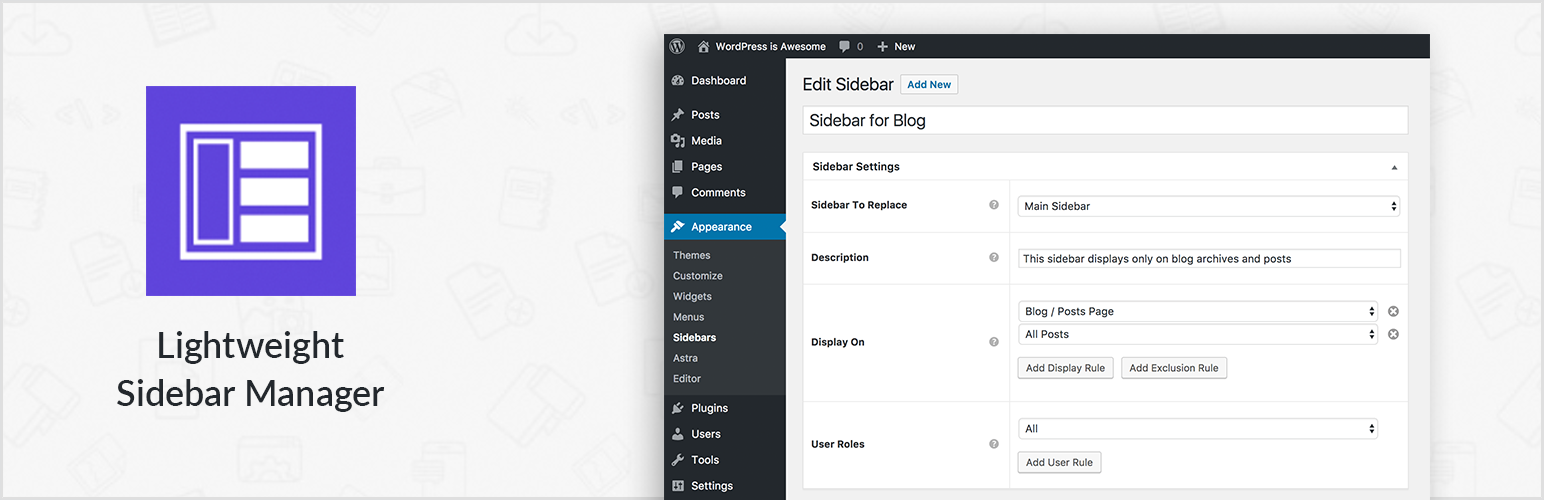
Lightweight Sidebar Manager

Create new sidebar areas and display them conditionally on certain pages. Works with all themes.
Free 80k+ installs 4.2★ (21)
WDesignKit

3000+ Elementor & Gutenberg Templates, AI Widget Builder, AI Code Snippets, MCP Workflow, Cloud Workspace...
Free 30k+ installs 4.8★ (12)
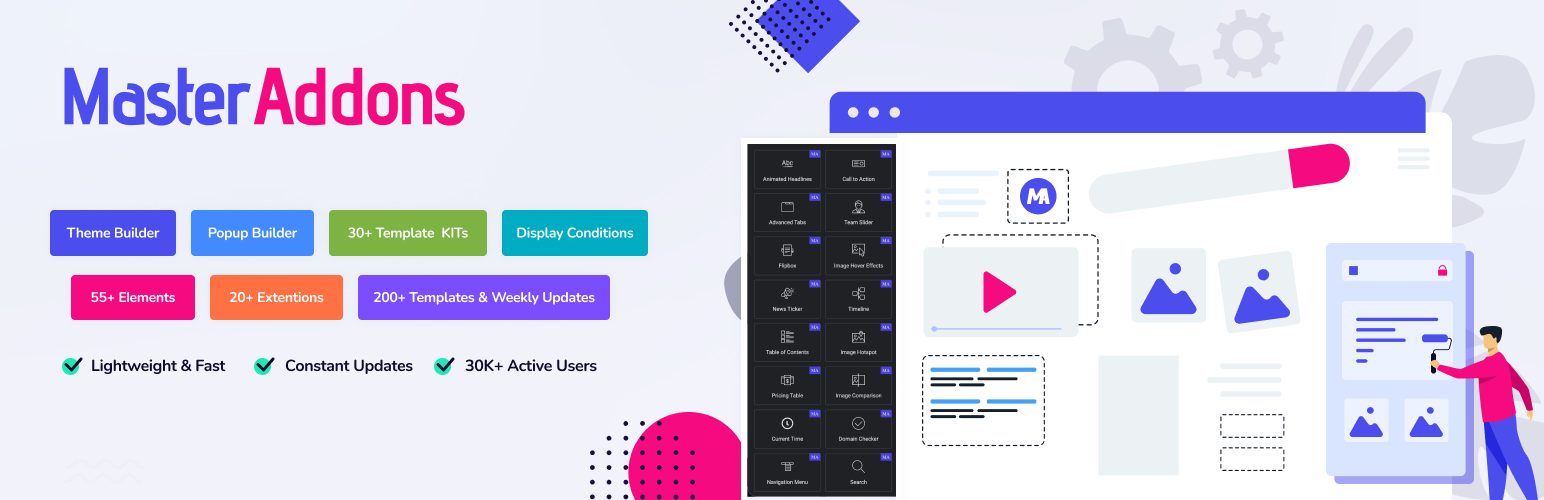
Master Addons for Elementor

The complete Elementor addons plugin: 55+ widgets for Elementor, Mega Menu Builder, Popup Builder, Widget Buil...

Free 30k+ installs 4.5★ (212)