
FluentCRM
91The easiest and fastest Email Marketing, Newsletter, Marketing Automation Plugin & CRM Solution for WordPr...
Free
80k+ installs 4.8★ (249)
Gravity Forms Insightly Add-on sends Gravity Forms entries to Insightly.

WP Gravity Forms Insightly is a WordPress plugin that integrates Gravity Forms with Insightly CRM. It automatically sends form submissions to Insightly when a contact form is submitted, allowing for streamlined data management between the two platforms.
The plugin supports secure connection via Oauth 2.0 and enables users to map Gravity Forms fields to Insightly object fields. Users can also filter which entries are sent to Insightly and view logs of submissions for tracking purposes.
Best for: This plugin is suitable for users who need to connect Gravity Forms with Insightly CRM for efficient data handling.
What it does well
Where it falls short
WP Gravity Forms Insightly offers a straightforward solution for integrating form submissions with Insightly, but details on advanced features are lacking.
CRM Perks's own description of WP Gravity Forms Insightly, lightly tidied.
Gravity Forms Insightly Add-on automatically sends form submissions to Insightly when anyone submits a contact form. Learn more at crmperks.com
Connect insightly account
Connect Gravity Forms to Insightly account by safe and secure Oauth 2.0. Additionally, you can connect multiple insightly accounts to Gravity Forms.
Mapping Insightly fields
Simply select any Insightly object(Lead, Contact etc) then map gravity forms form fields to Insightly object fields.
Manually send entries to Insightly
Automatically Send gravity forms submissions to Insightly when user submits form. Also, you can manually send gravity forms enrtries to Insightly CRM.
Filter Insightly Gravity Forms Entries
Either send all gravity forms entries to Insightly or filter entries sent to Insightly based on user input. For example , only send that entry to Insightly which contains work email address.
Send Data As Insightly object Notes
if a contact form has fields which can not be mapped to any Insightly Object(Lead, Contact etc) fields, So you can send such fields as Insightly Object note.
Insightly Gravity Forms logs
View a detailed log of each gravity forms entry whether sent or not sent to Insightly and easily resend any gravity forms entry to Insightly CRM.
Hubspot Error Reporting
Other plugins for automating marketing.
The easiest and fastest Email Marketing, Newsletter, Marketing Automation Plugin & CRM Solution for WordPr...

Free email automation, email campaigns, exit intent popup builder, gamified popups with spin the wheel, contac...

Create high-converting WooCommerce checkout pages, WooCommerce thank you pages & sales funnels with the hi...

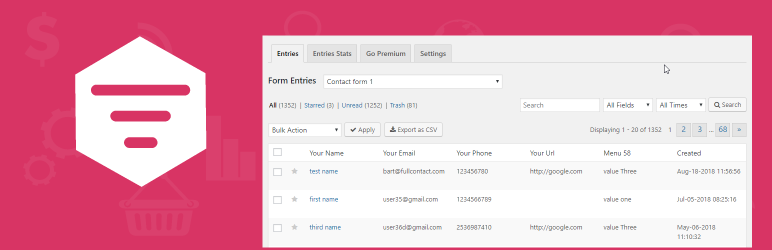
Saves Contact Form 7, WPforms,Elementor Forms, CRM Perks Forms and many other contact form submissions to data...

Email Marketing, Newsletter, Email Automation, Forms, Pop Up, SMS, Abandoned Cart made easy for WordPress &...