
FluentCRM
91The easiest and fastest Email Marketing, Newsletter, Marketing Automation Plugin & CRM Solution for WordPr...
Free
80k+ installs 4.8★ (249)
This Contact Form 7 extension seamlessly syncs with GoHighLevel CRM for streamlined lead management and enhanced follow-up.

GHL Contact Form 7 Bridge is a WordPress plugin that integrates Contact Form 7 with Go High Level CRM. It allows you to send form submission data, such as name, email, and phone number, directly to Go High Level for lead management. This plugin is suitable for users who want to streamline their lead management process, whether they operate a small business or a larger organisation.
The plugin uses OAuth 2.0 for authentication and sends data upon form submission. It supports managing multiple projects and allows for the addition of tags to forms, enhancing the organisation of leads within the CRM system.
Best for: This plugin is best for businesses and agencies looking to enhance their lead management through Contact Form 7 and Go High Level CRM integration.
What it does well
Where it falls short
GHL Contact Form 7 Bridge provides a straightforward solution for integrating form submissions with Go High Level CRM, making it a useful tool for lead management. However, users should ensure they understand the setup requirements for optimal use.
ibsofts's own description of GHL Contact Form 7 Bridge, lightly tidied.
🌐 Official Website | 📖 Documentation | 💁 Support
This plugin sends Contact Form 7 Data to Go High Level on form submission.
If you are not aware, of what GHL is, please review here
This plugin description contains affiliate links. If you click on a link and purchase a HighLevel (GoHighLevel) subscription, I may receive a commission at no additional cost to you. I only recommend products and services I genuinely believe in and that provide value. My endorsement of HighLevel is based on my honest assessment of the platform’s capabilities for businesses and agencies.
This Go High Level extension is a valuable tool for users who want to integrate their Contact Form 7 with Go High Level CRM. This extension provides a simple and efficient way to transfer form data to Go High Level CRM, enabling users to manage their leads and follow up with potential customers more effectively. Whether they are managing a small business or a large organization, this extension can help users streamline their lead management process and improve their overall workflow.
☑️ Connect GHL Locations for subaccounts.
☑️ Send leads on the connected accounts in GHL CRM.
☑️ Manage multiple projects simultaneously.
☑️ Increase process efficiency.
☑️ Add multiple tags on specific forms according to one’s choice.
☑️ Add global tags for all the forms.
☑️ Provide customization options.
☑️ Free to use.
☑️ While creating a form in Contact Form 7 always use the same fields value which you map in the mapping fields section in plugin settings.
☑️ Add tags in the form to get better results in GHL.
☑️ Check the documentation for more information. Click Here
This plugin sends form data (name, email, phone number) from Contact Form 7 submissions to Go High Level CRM (LeadConnector). The data is sent to Go High Level to create or update a contact record.
Service Used: Go High Level CRM (LeadConnector)
Data Sent: Form name, email, phone number.
When Data is Sent: Data is sent when a Contact Form 7 submission is made on your site.
Purpose: To sync form submissions with Go High Level CRM for lead management.
Authentication: The plugin authenticates with Go High Level using OAuth 2.0.
Access Token: An access token is used to authenticate API requests. This token expires after 24 hours.
Refresh Token: When the access token expires, a refresh token is used to request a new access token without requiring the user to reauthenticate. The refresh token is automatically used by the plugin to ensure seamless operation.
API Endpoints Used:
Token Endpoint: https://services.leadconnectorhq.com/oauth/token
This endpoint is used to obtain the initial access token and refresh the token when expired.
Contact Upsert Endpoint: https://services.leadconnectorhq.com/contacts/upsert
Location Endpoint: https://services.leadconnectorhq.com/locations/{location_id}
Other plugins for automating marketing.
The easiest and fastest Email Marketing, Newsletter, Marketing Automation Plugin & CRM Solution for WordPr...

Free email automation, email campaigns, exit intent popup builder, gamified popups with spin the wheel, contac...

Create high-converting WooCommerce checkout pages, WooCommerce thank you pages & sales funnels with the hi...

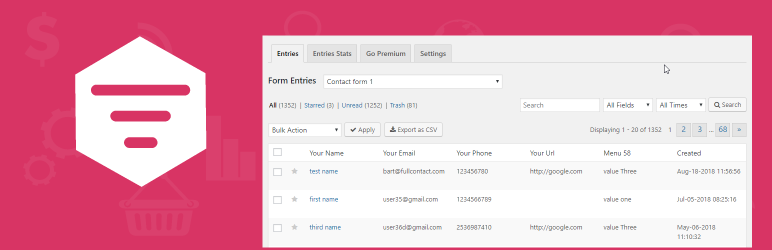
Saves Contact Form 7, WPforms,Elementor Forms, CRM Perks Forms and many other contact form submissions to data...
Email Marketing, Newsletter, Email Automation, Forms, Pop Up, SMS, Abandoned Cart made easy for WordPress &...