
Members
94The best WordPress membership and user role editor plugin. User Roles & Capabilities editor helps you rest...
Free
300k+ installs 4.9★ (1,274)
Accordion , FAQ & Docs builder with Drag and Drop features. Helpie Accordion FAQ plugin works with Helpie Knowledge Base , Woocommerce & Elementor
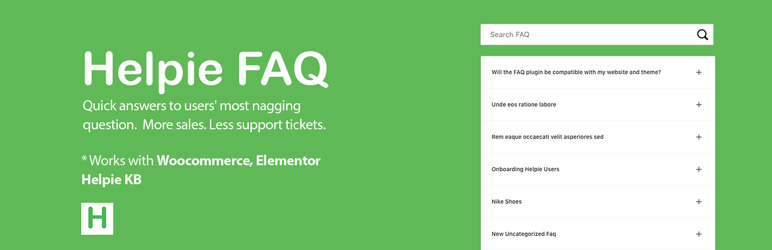
Helpie FAQ is a WordPress plugin designed for creating and managing FAQs and accordion-style content on your website. It allows you to create FAQ posts, assign categories and tags, and display them using shortcodes or widgets. The plugin is suitable for users looking to enhance their site with a structured FAQ section and offers integration with WooCommerce and Elementor.
You can use Helpie FAQ to display FAQs in various styles, including a responsive accordion format. It also provides features like inline search, bulk adding of FAQs, and sorting options, making it a versatile tool for website owners who want to improve user experience through easily accessible information.
Best for: This plugin is best for WordPress site owners who need to create a comprehensive FAQ section.
What it does well
Where it falls short
Helpie FAQ offers a solid solution for managing FAQs on WordPress sites, particularly for those using WooCommerce or Elementor. While it has useful features, further details on advanced customisation could enhance its appeal.
Essekia's own description of Helpie FAQ, lightly tidied.
Accordion, FAQ & Docs – Helpie FAQ is an advanced WordPress FAQ Plugin for effortlessly creating, editing, and embedding FAQs and Accordions on your WordPress website. You can create a stunning Docs pages easily (Coming Soon).
You can create FAQ posts, assign them categories & tags and use responsive Toggle or Accordion-style, and display FAQs anywhere on the website.
FAQs can be grouped and filtered using FAQ categories and tags and displayed using shortcodes, Elementor page builder, or as a widget in the theme.
There is a basic shortcode builder with which you can add FAQs to all pages and posts. It has a FAQ block for Gutenberg Editor.
You can use it as a general-purpose WordPress Accordion Plugin too.
Display all FAQs in simple accordion style using the shortcode given below:
[helpie_faq]
Note : We’ve launched a new free WordPress contact form database and automation plugin called Tablesome to save contact form submissions, create responsive data tables, import and export tables as CSV & XLSX files, automatically export data to Mailchimp, Notion, Google Sheets and more.
Do give it a try!
See the video to Get Started: Installation, Activation, Adding FAQs and Using Shortcodes
Easily add a large number of questions and answers to create FAQ pages in the backend and embed them on any page or post with a shortcode.
You can drag or drop to order the FAQs. You can add Categories to FAQs created in FAQ Groups.
Other plugins for moving data.
The best WordPress membership and user role editor plugin. User Roles & Capabilities editor helps you rest...

Manage all your WordPress updates, including individual updates, automatic updates, logs, and loads more. This...

Redux is a simple, truly extensible, and fully responsive options framework for WordPress themes and plugins....

🌠 Shorten, brand, and track any URL on your own domain. Keep your links — and your data — where they belong....

Export WooCommerce orders to Excel, CSV, XML, JSON, PDF and HTML. Best free order export plugin for WooCommerc...

Easily export or import your WordPress customizer settings!