
Members
94The best WordPress membership and user role editor plugin. User Roles & Capabilities editor helps you rest...
Free
300k+ installs 4.9★ (1,274)
Bulk import and export WordPress users and WooCommerce customers from CSV, including roles, passwords and any custom meta.
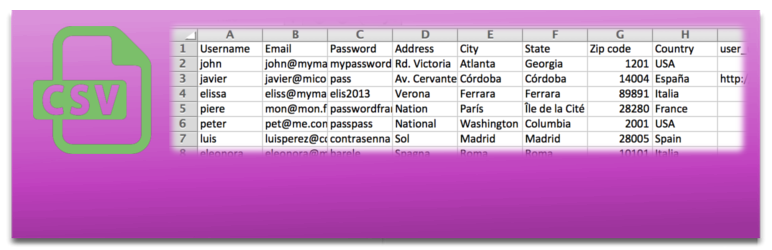
The Import and Export Users and Customers plugin allows you to import, export, and migrate WordPress users and WooCommerce customers using CSV files. It supports bulk creation or updates of users and can carry over roles, passwords, and custom meta fields. You can also schedule automatic imports and send customizable email notifications to new users.
This plugin is suitable for site administrators who need to manage large numbers of users or customers, such as those running membership sites, e-commerce stores, or community forums. It integrates with various other plugins, making it versatile for different use cases.
Best for: This plugin suits WordPress site administrators managing large user bases or customer lists.
What it does well
Where it falls short
The plugin provides robust functionality for importing and exporting users, making it a useful tool for many WordPress site owners. Its compatibility with various plugins enhances its utility.
Javier Carazo's own description of Import and export users and customers, lightly tidied.
Try it out on your free dummy site: Click here => https://demo.tastewp.com/import-users-from-csv-with-meta
Import, export and migrate WordPress users and WooCommerce customers from a CSV file. Bulk-create or update thousands of users in seconds, schedule automatic recurring imports from a local file or URL, and carry over roles, passwords and any custom meta field. Works with WooCommerce, BuddyPress, Advanced Custom Fields, Paid Membership Pro, WooCommerce Memberships, WooCommerce Subscriptions and many more.
Moreover this plugin is compatible with many other plugins to be able to import and include them data, subscriptions, memberships, etc. Take a look:
If you have some problem or doubt:
Once the plugin is installed you can use it. Go to Tools menu and there, there will be a section called Insert users from CSV. Just choose your CSV file and go!
You can generate CSV file with all users inside it, using a standar spreadsheet software like: Microsoft Excel, LibreOffice Calc, OpenOffice Calc or Gnumeric.
You have to create the file filled with information (or take it from another database) and you will only have to choose CSV file when you “Save as…” the file. As example, a CSV file is included with the plugin.
Plugin will automatically detect:
Other plugins for moving data.
The best WordPress membership and user role editor plugin. User Roles & Capabilities editor helps you rest...

Manage all your WordPress updates, including individual updates, automatic updates, logs, and loads more. This...

Redux is a simple, truly extensible, and fully responsive options framework for WordPress themes and plugins....

🌠 Shorten, brand, and track any URL on your own domain. Keep your links — and your data — where they belong....

Export WooCommerce orders to Excel, CSV, XML, JSON, PDF and HTML. Best free order export plugin for WooCommerc...

Easily export or import your WordPress customizer settings!