
Members
94The best WordPress membership and user role editor plugin. User Roles & Capabilities editor helps you rest...
Free
300k+ installs 4.9★ (1,274)
Show the currently logged in user name and avatar

Logged In As is a WordPress plugin that displays the currently logged-in user's name or other metadata in the site's menu. It replaces a specified menu item with custom text that can include user metadata such as first name, last name, or nickname, and optionally adds a user avatar. The settings for the target menu, replacement text, and avatar size can be configured in the plugin's options menu.
This plugin is designed to enhance user experience on membership sites, as it requires visitors to be logged in to function. It has been tested with several membership plugins, making it suitable for those using Meta Membership, Ultimate Member, or MemberPress, among others.
Best for: This plugin is best for membership sites that want to personalise the user experience.
What it does well
Where it falls short
Logged In As is a straightforward plugin for displaying user information in the menu, suitable for enhancing membership site functionality.
jerrystewart99's own description of Logged In As, lightly tidied.
An easy-to-use lightweight WordPress Plugin that can show the currently logged in user name or other metadata.
Replaces a target menu item with alternate txt which can also include usermeta. User metadata would typically include ‘first-name’, ‘last-name’, ‘nickname’ etc
Any available usermeta may be used.
Optionally decorates the menu item with a user avatar. The avatar size is adjustable.
The target menu, the replacement text and the avatar are all set on the options menu which is found in [Settings|Logged In As]
Designed with the intention of being used in conjunction with a Membership plugin.
The website visitor must be logged in for this plugin to work.
Has been tested with Meta Membership, Ultimate Member and MemberPress membership plugins but others may work too.
Other plugins for membership sites.
The best WordPress membership and user role editor plugin. User Roles & Capabilities editor helps you rest...

Build membership sites with tiered plans, content restriction, drag-&-drop custom registration & login...

Membership & community plugin with user profiles, registration & login, member directories, content re...
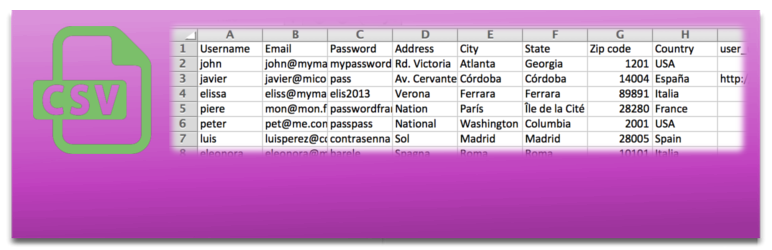
Bulk import and export WordPress users and WooCommerce customers from CSV, including roles, passwords and any...

Simple membership plugin adds membership functionality to your site. Protect members only content using conten...

Number one WordPress forum plugin with AI features. Full-fledged forum solution with modern forum design. Comm...