
Members
94The best WordPress membership and user role editor plugin. User Roles & Capabilities editor helps you rest...
Free
300k+ installs 4.9★ (1,274)
WordPress session manager — limit concurrent user logins, stop account sharing, force logout active sessions, and manage every signed-in device.

Loggedin is a WordPress plugin designed for managing user login sessions. It allows you to set limits on the number of concurrent sessions a user can have, helping to prevent account sharing on membership sites, online courses, and other platforms where user access needs to be controlled.
The plugin integrates with WordPress's authentication system and provides options to log out the oldest session, log out all other sessions, or block new logins when the session limit is reached. It is suitable for various types of sites, including membership platforms, online learning environments, and corporate intranets.
Best for: This plugin is best for membership sites, online courses, and any platform needing to manage user login sessions effectively.
What it does well
Where it falls short
Loggedin provides a straightforward solution for managing user sessions in WordPress, making it a useful tool for sites that require strict access control.
Joel James's own description of Loggedin, lightly tidied.
Loggedin is a session manager for WordPress — it gives you control over the login sessions your users hold, and the tools to end them when you need to.
At its core, Loggedin caps the number of simultaneous WordPress sessions a user account is allowed to hold. When the cap is reached, you choose what happens next — log out the oldest device, log out every other device, or block the new login outright. It’s the lightweight, no-bloat way to stop account sharing on membership sites, LMS courses, paid communities, and any WordPress install where one paid account shouldn’t be open on five devices at once.
The plugin hooks straight into WordPress’s standard authentication pipeline and uses the native WP_Session_Tokens API, so it works on every host, with every theme, and alongside every login plugin you might already run. No cron jobs, no background polling, no third-party services.
A “session” in WordPress is the authenticated token created the moment a user logs in — one per browser, per device. Two browsers on the same laptop count as two sessions; a phone and a desktop count as two. Closing a tab does not end a session — the token lives server-side until the user explicitly signs out or another login displaces it.
Loggedin watches every login attempt:
There’s a one-click Force Logout panel in the admin to clear every session for a specific user when someone’s locked out by the cap and can’t reach their other devices. Identify the user by ID, email, or username — all three work.
WP_Session_Tokens API. Stock WordPress, Redis, Memcached — all supported (the Logout Oldest mode needs the default user-meta storage; the other modes work everywhere).wp loggedin sessions list <user>, wp loggedin sessions destroy <user>, wp loggedin settings set maximum 3. Ideal for bulk operations, deploy scripts and headless installs.Extend Loggedin with these official add-ons:
Other plugins for membership sites.
The best WordPress membership and user role editor plugin. User Roles & Capabilities editor helps you rest...

Build membership sites with tiered plans, content restriction, drag-&-drop custom registration & login...

Membership & community plugin with user profiles, registration & login, member directories, content re...
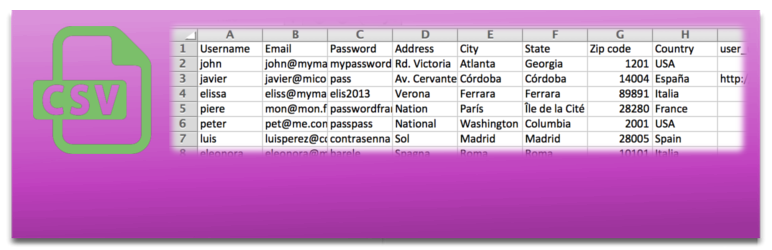
Bulk import and export WordPress users and WooCommerce customers from CSV, including roles, passwords and any...

Simple membership plugin adds membership functionality to your site. Protect members only content using conten...

Number one WordPress forum plugin with AI features. Full-fledged forum solution with modern forum design. Comm...