
Yoast SEO
98Real-time SEO guidance, schema, and AI built in. Help search engines and AI systems understand your content. A...
Free
10M+ installs 4.8★ (27,819)
SAML SSO (Single Sign On) for WordPress Login with Okta, Entra ID/Azure AD, GSuite, Salesforce & All SAML IdPs. Free Unlimited SSO [24/7 Support]
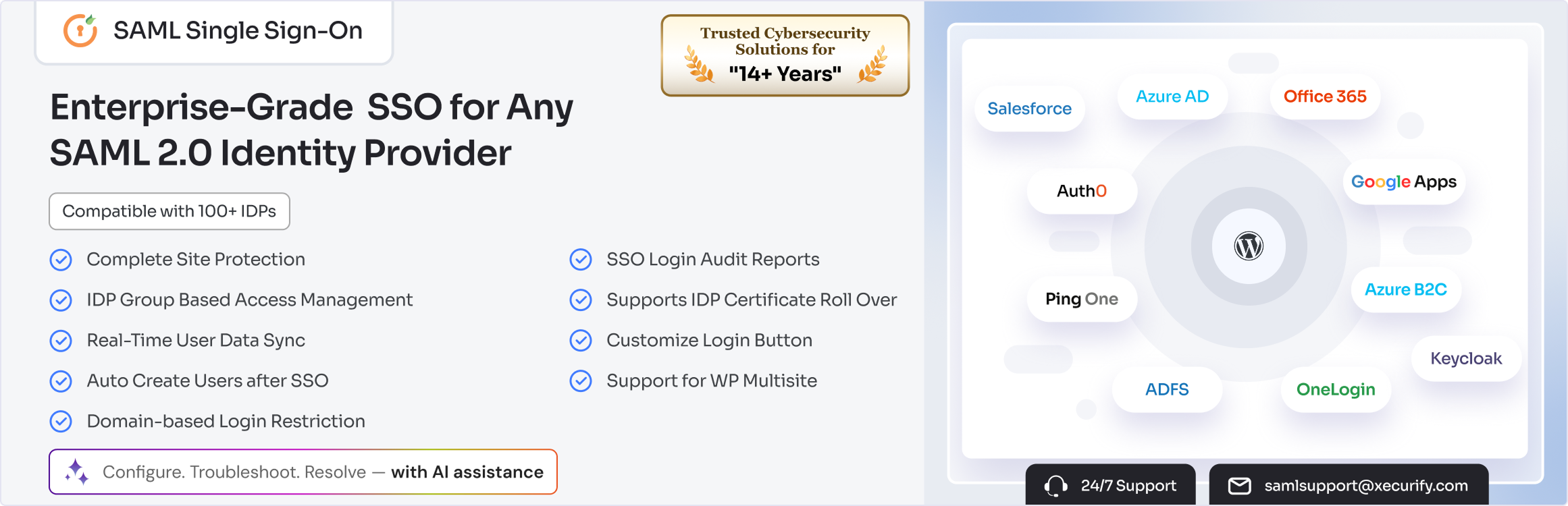
The SAML Single Sign On – SSO Login plugin allows users to authenticate on WordPress sites using their existing accounts from various Identity Providers (IDPs) such as Microsoft Azure AD, Google Apps, and Okta. This plugin simplifies the login process by enabling Single Sign On (SSO) capabilities, allowing users to access the site without the need for separate WordPress credentials.
It is suitable for organizations that require centralized access management and wish to restrict site access to verified employees. The plugin also features AI-assisted configuration and troubleshooting to streamline setup and resolve issues efficiently.
Best for: This plugin is best for organizations needing secure access management for their WordPress sites.
What it does well
Where it falls short
The SAML Single Sign On plugin offers a practical solution for simplifying user authentication on WordPress, particularly for businesses and institutions that use multiple Identity Providers.
miniOrange's own description of SAML Single Sign On, lightly tidied.
SAML SSO (Single Sign On) for WordPress Login with Okta, Entra ID/Azure AD, GSuite, Salesforce & All SAML IdPs. Free Unlimited SSO [24/7 Support]
With the miniOrange WordPress SAML SSO plugin, you can enable Single Sign On (SSO) for your WordPress site. This means users can sign in with their existing accounts from Identity Providers (IDPs) like Microsoft Azure AD/ Entra ID, Google Apps Login (Gsuite Login), Okta, Salesforce Login, Keycloak, Shibboleth, OneLogin, ADFS, Auth0 Login, Office 365 Login, and others without creating separate WordPress usernames and passwords.
The SAML plugin also offers AI-assisted plugin configuration, troubleshooting, and LLM-readable error logs to quickly resolve SAML SSO login issues.
The SAML plugin makes your WordPress site function as a SAML-compliant Service Provider (SP) by using the SAML 2.0 protocol to securely exchange authentication data with your chosen Identity Provider (IDP). Once users are authenticated by the IDP, they automatically gain access to your WordPress site and its resources.
Instant Secure Authentication
Users access WordPress immediately using their existing Identity Provider (IDP) credentials without managing WordPress-specific passwords.
Centralized Access Management
Control everyone’s WordPress access through your SAML Identity Provider (IDP) security policies.
Organization-Only Access
Restrict WordPress access exclusively to verified employees through SAML Identity Provider (IDP) authentication and MFA.
AI-Powered SSO SAML Configuration & Troubleshooting
Use AI Abilities to configure WordPress SAML SSO, manage role mapping and user provisioning, and quickly fix supported SAML errors using AI tools like ChatGPT, Claude, Cursor, or Perplexity. Simplify setup, reduce troubleshooting time, and manage SSO workflows using natural language.
Smart User Provisioning
Automatically create WordPress accounts and assign roles based on Identity Provider (IDP) groups and user data.
Reduced Administrative Overhead
Eliminate manual user creation, password resets, role assignments, and access management tasks.
Flexibility Across Different Identity Providers (IDP)
Our SAML plugin works with 100+ IDPs. Enterprises can set up Azure AD login into WordPress for employees, while universities use WordPress Okta SSO, Google Apps SSO (Gsuite Login), Salesforce SSO, Shibboleth SSO, OneLogin SSO, ADFS SSO, Keycloak SSO, Office 365 Login, Auth0 SSO, Azure B2C SSO (Azure AD B2C login) or any other SAML IDPs of their choice.
🌐Official Website | 🛠️Setup Guide | 🎁Free Full-Feature Trial | 💎Pricing Plans | 🧩Integrations & Addons | 📧 Office 365 Integrations | 🤝Support | SAML SSO Abilities
Step 1: Install Our WordPress SAML SSO Plugin
Download the WordPress SAML SSO (Single Sign On) plugin from the WordPress plugin directory and install it on your WordPress site.
Step 2: Share Your WordPress Site’s Metadata from the WP SAML Plugin with the Identity Provider (IDP)
Provide the Service Provider (SP), i.e., your WordPress site’s metadata URL or file, to your Identity Provider (IDP) to register your WordPress site as a trusted Service Provider (SP).
Step 3: Import Your Identity Provider’s (IDP) Metadata into the SAML SSO Plugin
Next, upload the IDP’s metadata URL or file to your WordPress site in the plugin settings to enable secure SAML authentication.
Other plugins for AI features.
Real-time SEO guidance, schema, and AI built in. Help search engines and AI systems understand your content. A...

The best WordPress contact form plugin. Drag & Drop form builder to create beautiful contact forms, paymen...

Grow your organic traffic and AI visibility with powerful SEO tools, XML sitemaps, Schema automation, and buil...

Translate WordPress with Google Translate multilanguage plugin using AI translation. Complete multilingual SEO...

AIOSEO is the WordPress SEO plugin. Boost SEO rankings with AI SEO tools, schema, meta descriptions, XML sitem...

Elementor Carousel, Mega Menu, Posts List/Slider, WooCommerce Widgets, Display Conditions, AI Abilities, Prema...