
Members
94The best WordPress membership and user role editor plugin. User Roles & Capabilities editor helps you rest...
Free
300k+ installs 4.9★ (1,274)
ONLYOFFICE DocSpace plugin allows users to access ONLYOFFICE DocSpace from WordPress and add DocSpace rooms and files to the WordPress pages.
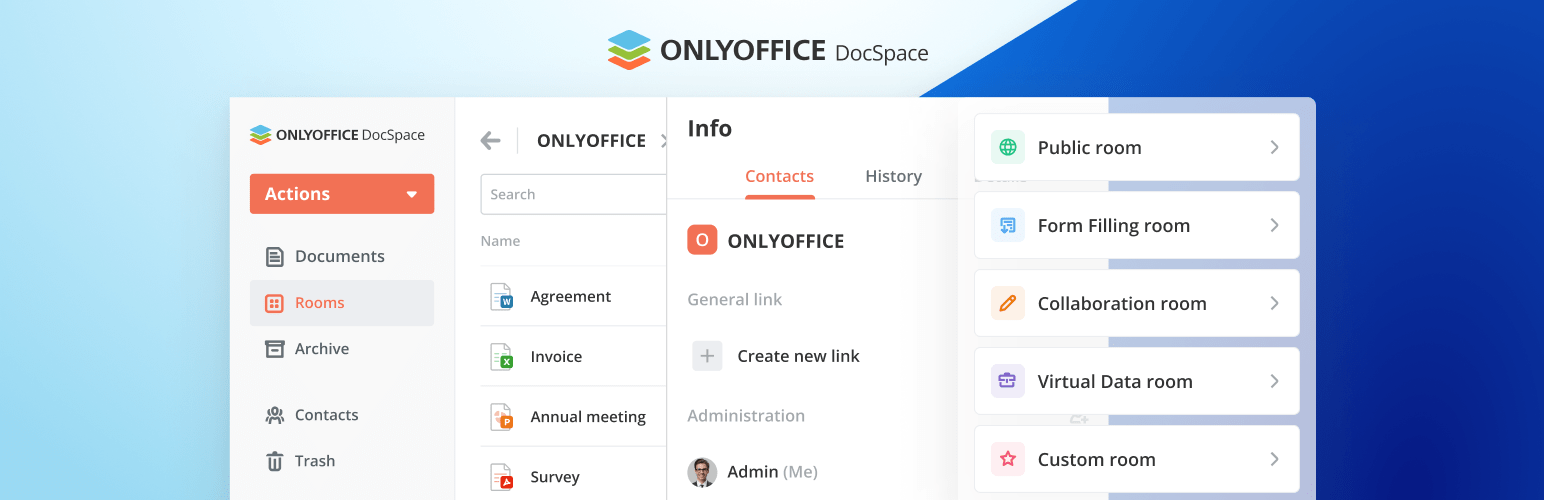
ONLYOFFICE DocSpace is a WordPress plugin that integrates ONLYOFFICE DocSpace into your WordPress site, allowing you to create collaborative rooms for editing office documents. You can add DocSpace rooms and files to WordPress pages while managing user accounts between WordPress and DocSpace.
The plugin requires a connection to your ONLYOFFICE DocSpace account for setup. Once connected, a WordPress administrator can export users to DocSpace and manage user groups directly from the WordPress dashboard. This plugin is suitable for users who need document collaboration features within their WordPress environment.
Best for: This plugin suits WordPress users looking for document collaboration tools integrated into their site.
What it does well
Where it falls short
ONLYOFFICE DocSpace offers useful features for document management and collaboration, but its effectiveness may depend on the user's familiarity with configuration and integration processes.
onlyoffice's own description of ONLYOFFICE DocSpace, lightly tidied.
With ONLYOFFICE DocSpace plugin, you are able to use ONLYOFFICE DocSpace right within WordPress to create rooms, edit and collaborate on office docs, as well as you can add DocSpace rooms and files stored within these rooms to the WordPress pages when creating posts.
Plugin installation and configuration
At first, go to your ONLYOFFICE DocSpace (sign in / sign up) -> “Settings -> Developer Tools – > JavaScript SDK”. There, enter your WordPress site address in the “Embed DocSpace as iframe” section.
A WordPress administrator can install the plugin via the Marketplace: https://wordpress.com/plugins/onlyoffice-docspace.
If you want to install the plugin via your WordPress administrative dashboard, navigate to the Plugins section and click “Add New”. Then, click “Upload Plugin” and select the zipped plugin.
Once ready, go to the plugin settings and specify the DocSpace address in the “Connection settings”.
Log in as DocSpace Admin
If DocSpace is successfully connected (as described above), the Log in as DocSpace Admin section appears on the Settings page. The DocSpace admin needs to log in here to perform the following actions:
After logging in using the Log in as DocSpace Admin option, the “Sign in” button will change to “Sign out”. Clicking this button on behalf of the designated DocSpace admin will disable any further user management actions (as outlined in the above list). The “Sign out” button is accessible to any user with permissions to the Settings page. For instance, if another DocSpace admin (admin 2) wishes to perform actions in the plugin on behalf of the initial admin (admin 1), they can unlink admin 1’s account in this section. Admin 2 can then log in by entering their credentials in Log in as DocSpace Admin.
User export (Optional)
Once the DocSpace admin is successfully authorized, an optional “User Export” block becomes available on the Settings page.
Clicking the “Open User List” button will redirect you to the WordPress Users page, where you can export users from WordPress to DocSpace. These users are exported under the authority of the DocSpace admin currently logged in via the Settings page. This means that any WordPress administrator can perform the export, as long as the DocSpace admin is authorized within the DocSpace plugin settings.
WordPress Users
The WordPress Users page introduces a DocSpace Account column once DocSpace is connected. This column indicates the connection status between WordPress user accounts and their corresponding DocSpace accounts. If the column contains a value, it signifies an established connection. Conversely, a dash indicates no connection has been made yet. Once the DocSpace administrator is authorized, the “Export to DocSpace” action becomes accessible.
Exporting users from WordPress to DocSpace
Other plugins for moving data.
The best WordPress membership and user role editor plugin. User Roles & Capabilities editor helps you rest...

Manage all your WordPress updates, including individual updates, automatic updates, logs, and loads more. This...

Redux is a simple, truly extensible, and fully responsive options framework for WordPress themes and plugins....

🌠 Shorten, brand, and track any URL on your own domain. Keep your links — and your data — where they belong....

Export WooCommerce orders to Excel, CSV, XML, JSON, PDF and HTML. Best free order export plugin for WooCommerc...

Easily export or import your WordPress customizer settings!