
Members
94The best WordPress membership and user role editor plugin. User Roles & Capabilities editor helps you rest...
Free
300k+ installs 4.9★ (1,274)
PilotPress allows you to have a website, membership site, customer center, and a partner center integrated together with ONTRAPORT.

PilotPress is a WordPress plugin that integrates ONTRAPORT's capabilities into your WordPress site, allowing you to create and manage membership sites. It enables you to handle purchases, subscriptions, and affiliate networks, as well as insert various ONTRAPORT forms. The plugin also supports content protection based on membership levels and tracks page views within ONTRAPORT.
To use PilotPress, you need an ONTRAPORT paid account, as data from your WordPress installation is sent through their API. The plugin is suitable for those looking to implement a membership system on their WordPress site, particularly for managing user access to content and subscriptions.
Best for: This plugin suits users looking to set up membership sites with integrated ONTRAPORT functionalities.
What it does well
Where it falls short
PilotPress offers specific features for managing memberships and content protection but requires an ONTRAPORT account, which may limit its accessibility for some users.
ONTRAPORT's own description of PilotPress, lightly tidied.
PilotPress is a WordPress plug-in that brings the power of ONTRAPORT to the WordPress platform, specifically:
Please note that an ONTRAPORT paid account is required for this plugin to function. Data from your WordPress installation will be sent through our API hosted on api.ontraport.com.
Below are instructions on how to protect content in your membership site. There are two ways to do this:
First, you can drip content out over time (in a week-by-week type format).
Second, you can choose to reveal more content based on your customers’ membership levels like Silver, Gold, and Platinum etc. You will first need to have either added the Pilotpress plugin to your existing WordPress site or have started a new WordPress site within ONTRAPORT. Watch the ‘Protect and Release Content’ video to learn how to do both.
Setting the Minimum Membership Level to view a page or post on your WordPress site
Once you have created your membership levels (which you did during the WordPress site creation or when you added the plugin to your existing site), you will notice that those membership levels also appeared in the right-hand margin of your WordPress posts / pages under “PilotPress Options.” These options are used to limit access to the specified page or post. This is where you will set a minimum membership level to view the page or post. Check off the levels that you want, check the ‘Show in Navigation’ box if you want this page title to appear in your navigation menu, and finally set your ‘On Error’ redirect. The ‘On Error’ redirect is that page that your users will be sent to in the case that they don’t have the proper membership levels.
For time release posts or pages, you will set the minimum membership needed to view the post off to the right, and then create a sequence right within ONTRAPORT that members will be automatically subscribed to when they sign up for your site. As they move along on the sequence, say from week 1, to week 2, their membership level will change accordingly and they will be able to view the next week’s content.
Setting up your system to release new content
Go into the Admin menu, then into “WordPress Integration”. (Make sure you’ve created membership levels for your website. If you haven’t, do that first).
Next, go to the Admin menu once again and click on “Product and Order Forms” to set up a new product if you haven’t done so already.
The product, in this case, is the membership to your membership site. If you were selling a silver, gold, and platinum membership to your site, each of those would be its own separate product, and, each should have its own order form. If on the other hand, you’re selling only one level of membership, you would only need to create one product. Note that if certain membership levels are free, or membership to the entire site is free, then you would simply set up a smartform for people to fill out to become members rather than an order form. You should also note that when you’re creating your membership level products, you must indicate that the product is a digital product, set the product as a subscription, and set a subscription price and time.
Then, when you create your order form, you will set it so the order form itself subscribes your contacts to the sequence that will first send them a welcome email containing their login info, and which will also control their membership levels (if there are any). For example, moving them along from week to week, or month to month, etc.
For now, title the sequence something like “membership progression sequence” if you’re planning to have this be a week-by-week content, or simply “membership login info”, if you’re going with the silver, gold, platinum format or simply a one membership level format. Set this sequence to be a ‘step’ sequence. You will go back and actually flesh out the steps of the sequence afterward in the autopilot tab.
Create an Order Form that has an Active Response Rule which makes new members to your site
Now, you will make a new active response rule that is located on an order form and it will actually turn this new contact into a member of your membership site, once they submit the order form. If you’re unclear of what an active response rule is, please watch the video on active response rules.
Now it’s time to go into the autopilot tab and flesh out your “Membership Progression Sequence”, so it will deliver your new customers’ login info and move them along from week 1, to week 2, etc.
Other plugins for membership sites.
The best WordPress membership and user role editor plugin. User Roles & Capabilities editor helps you rest...

Build membership sites with tiered plans, content restriction, drag-&-drop custom registration & login...

Membership & community plugin with user profiles, registration & login, member directories, content re...
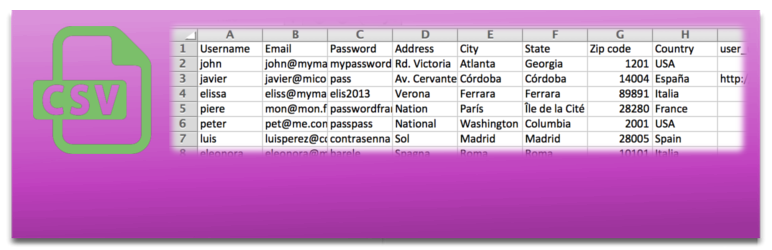
Bulk import and export WordPress users and WooCommerce customers from CSV, including roles, passwords and any...

Simple membership plugin adds membership functionality to your site. Protect members only content using conten...

Number one WordPress forum plugin with AI features. Full-fledged forum solution with modern forum design. Comm...