
Members
94The best WordPress membership and user role editor plugin. User Roles & Capabilities editor helps you rest...
Free
300k+ installs 4.9★ (1,274)
Enhance your WordPress site's user experience with the Remove WP Admin Bar. Easily customize admin bar visibility for a cleaner interface.

Remove WP Admin Bar is a WordPress plugin that allows you to control the visibility of the WordPress admin bar based on user roles. This is particularly useful for sites where the admin bar may distract or confuse non-admin users, such as membership sites, WooCommerce stores, and client websites.
The plugin enables you to hide the admin bar for specific user roles without needing to write any code. It features a straightforward settings page for quick configuration and supports both default and custom user roles.
Best for: This plugin is suitable for membership sites, e-commerce stores, and client-managed WordPress installations.
What it does well
Where it falls short
Remove WP Admin Bar provides a straightforward solution for managing the admin bar's visibility, making it a practical choice for specific user role management.
Dhrumil Kumbhani's own description of Remove WP Admin Bar, lightly tidied.
Remove WP Admin Bar is a lightweight and powerful WordPress plugin that allows you to control the visibility of the WordPress admin bar based on user roles.
The WordPress admin bar (toolbar) appears on the front end for logged-in users. While it is useful for administrators and editors, it can be distracting, unnecessary, or confusing for subscribers, customers, contributors, or clients.
This plugin gives you full control over who can see the admin bar — without writing a single line of code.
Perfect for membership sites, WooCommerce stores, client websites, LMS platforms, multi-author blogs, and agency-managed WordPress installations.
The admin bar may:
• Distract front-end users
• Break design consistency
• Interfere with custom themes
• Confuse customers or subscribers
• Impact user experience on membership sites
With Remove WP Admin Bar, you can create a clean, professional, and distraction-free front-end experience.
Choose exactly which user roles can see the admin bar and which cannot. Supports all default WordPress roles and custom user roles.
Hide the admin bar for non-admin users to maintain a polished website design.
Simple settings page. No coding required. Enable or disable admin bar visibility in seconds.
Other plugins for membership sites.
The best WordPress membership and user role editor plugin. User Roles & Capabilities editor helps you rest...

Build membership sites with tiered plans, content restriction, drag-&-drop custom registration & login...

Membership & community plugin with user profiles, registration & login, member directories, content re...
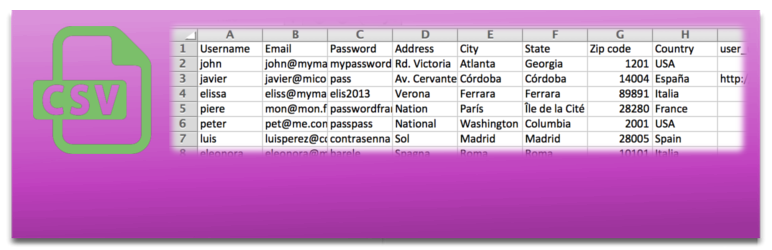
Bulk import and export WordPress users and WooCommerce customers from CSV, including roles, passwords and any...

Simple membership plugin adds membership functionality to your site. Protect members only content using conten...

Number one WordPress forum plugin with AI features. Full-fledged forum solution with modern forum design. Comm...