
Create bulk, wholesale, and quantity-based pricing in WooCommerce with flexible tables, role-based pricing, an...
Free
10k+ installs 4.7★ (103)
Drag and drop Gutenberg table blocks plugin for WordPress block editor to easily create customizable, responsive tables that boost engagement and conv …

RioVizual is a WordPress plugin designed for creating various types of tables, including comparison tables, pricing tables, and pros & cons boxes, directly within the Gutenberg block editor. It features a drag-and-drop interface that allows users to build customizable, responsive tables without needing coding skills.
The plugin offers a library of pre-designed templates and extensive customization options for styling tables. It is suitable for users looking to enhance their websites with engaging table formats, particularly in sectors like wedding planning, events, and product comparisons.
Best for: This plugin is best for WordPress users who need to create tables for comparison, pricing, or pros and cons in a straightforward manner.
What it does well
Where it falls short
RioVizual provides a user-friendly solution for creating various types of tables in WordPress, making it a practical choice for those in need of such functionality.
wprio's own description of RioVizual, lightly tidied.
RioVizual is the all-in-one Gutenberg table plugin designed for creating comparison tables, pricing tables, and pros & cons boxes directly in the block editor.
It allows you to drag and drop elements to build customizable, responsive & SEO-friendly tables with multiple columns and rows. With advanced styling and formatting options, RioVizual helps enhance user engagement and boost conversion.
Get Pro | View Table Builder Demo | View Pricing Table Demo | View Pros & Cons Demo | Read Documentation
RioVizual includes the following highly customizable Gutenberg blocks:
Table Builder Block: Create fully customizable and responsive tables with drag-and-drop functionality in the Gutenberg editor. (Learn More)
Pricing Table Block: Easily compare pricing plans for your products or services with customizable pricing tables. (Learn More)
Pros & Cons Block: Highlight the benefits and drawbacks of products or services with attractive pros and cons tables. (Learn More)
With RioVizual, you can also access a library of pre-designed table templates, streamlining the process of creating stunning comparison tables, pricing tables, and pros & cons boxes in the Gutenberg block editor.
Easy Drag-and-Drop Interface: Create comparison tables, pricing tables, and pros & cons boxes in minutes with Gutenberg.
No Coding Skills Needed: Build professional, customizable tables without any coding knowledge.
Extensive Template Library: Choose from 50+ pre-designed templates for quick table creation.
Fully Responsive Design: Ensure tables look great on all devices, from desktop to mobile.
Advanced Customization Options: Customize fonts, colors, borders, and more to match your website’s design.
Optimized for Performance and SEO: Built with clean, optimized code and structured data support.
Drag-and-drop table builder specifically for the Gutenberg block editor.
12 versatile table elements (text, image, button, list, icon, shortcode, media & text, icon list, icon button, dual button, star rating, divider) to create dynamic tables in WordPress. (More elements coming soon!)
29 pre-designed table templates to jumpstart your table creation process.
Right-click options for adding, deleting, copying, cutting, pasting, duplicating, and moving elements.
Comprehensive cell manipulation: insert, delete, copy, cut, paste, and more for rows and columns.
Design flexibility: style cells and elements individually or in groups.
Dynamic cell type adjustment: switch between body, header, or footer cells with ease.
Fully responsive design: make tables adapt to different screen sizes automatically.
Improved mobile viewing: make tables scrollable or stackable for smaller screens.
Customizable cell width: set fixed or flexible widths for all cells.
Freeze options: lock the first row or column for better navigation.
Cell merging and splitting: merge multiple cells into one or split them back while preserving content.
HTML tag customization: switch cell tags between “td” and “th.”
Multi-cell selection: use Ctrl to select multiple cells or Shift for selecting a range.
Extensive border settings: choose from different border types (solid, dotted, dashed, double, groove, ridge, inset, outset) for each cell.
Other plugins for pricing tables.
Create bulk, wholesale, and quantity-based pricing in WooCommerce with flexible tables, role-based pricing, an...

Stop Losing Customers Due to Confusing Pricing - Transform confused visitors into paying customers with crysta...

Pricing Table Plugin - Easy Pricing Tables Lets You Create A Beautiful, Responsive Pricing Table In 2 Minutes....

Elementor addons with 34 free widgets: galleries, sliders, form styler, carousels, pricing tables, countdowns,...
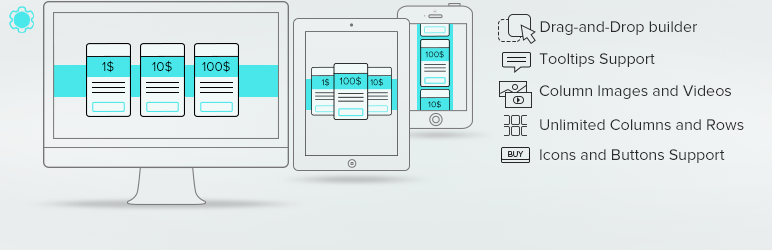
Pricing Table generator by Supsystic allows you to create responsive pricing tables or comparison table withou...

Addon for Elementor Page builder. It provides the set of widgets to create different kinds of content like pri...