
Members
94The best WordPress membership and user role editor plugin. User Roles & Capabilities editor helps you rest...
Free
300k+ installs 4.9★ (1,274)
Copy Protection plugin is activated it disables the right click, copy paste, content selection and copy shortcut keys

Secure Copy Content Protection and Content Locking is a WordPress plugin designed to protect your website's content from being copied or plagiarised. Once activated, it disables various methods of copying content, including right-clicking, keyboard shortcuts, and even developer tools. This plugin is aimed at website owners who want to safeguard their unique content from theft and web scraping.
The plugin is user-friendly and can be installed directly from your WordPress dashboard. It offers features such as password protection and content paywalls, making it suitable for those looking to monetise their content while ensuring its security. It works on both PC and mobile devices, providing comprehensive protection across platforms.
Best for: This plugin suits website owners who want to protect their content from theft and monetise it effectively.
What it does well
Where it falls short
Secure Copy Content Protection and Content Locking provides a straightforward solution for content protection. It is particularly useful for those concerned about plagiarism and looking to secure their intellectual property.
Ays Pro's own description of Secure Copy Content Protection and Content Locking, lightly tidied.
WordPress Copy Protection plugin is aimed at protecting web content from being plagiarized.
As soon as Copy Protection plugin is activated it disables the right click, copy paste, content selection and copy shortcut keys on your website thus preventing content theft as well as web scraping, which are very popular nowadays. Besides all the abovementioned copy methods Copy Protection allows to disable inspect elements and provides a protected site, where no copyright infringement may occur.
Secure your website content in easy steps – you just need to download and install the plugin from your WordPress dashboard. Thanks to its beginner-friendly interface, you can easily enable copy protection and be ready against copy attacks.
Note, that this plugin protects content both on PC and mobile devices. Very easy and quick to use, this plugin will prevent plagiarism on your websites and preserve your unique and individual approaches. Moreover, you can make money by selling your copyright and getting revenue from your content.
What function does the plugin have? By choosing post type you will have a function on the page to protect content selection. So the plugin prevents copy. In any case, if you use the plugin you cannot see copy paste in your site. This is an anti-copy plugin. And the one weapon for content protection is the plugin.
Features
PRO Features
How disable right click on a website? You just need to install a plugin.
Other plugins for membership sites.
The best WordPress membership and user role editor plugin. User Roles & Capabilities editor helps you rest...

Build membership sites with tiered plans, content restriction, drag-&-drop custom registration & login...

Membership & community plugin with user profiles, registration & login, member directories, content re...
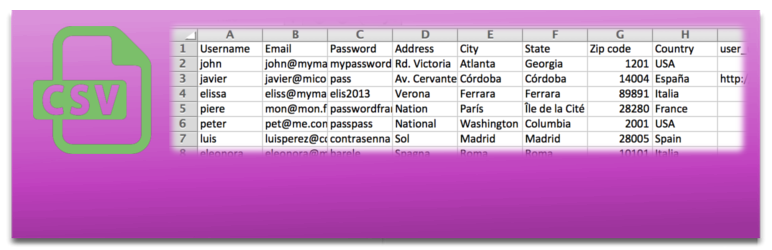
Bulk import and export WordPress users and WooCommerce customers from CSV, including roles, passwords and any...

Simple membership plugin adds membership functionality to your site. Protect members only content using conten...

Number one WordPress forum plugin with AI features. Full-fledged forum solution with modern forum design. Comm...