
WPThumbs
Themes Plugins By purpose By industry Best-of lists Fix it guides
Free Plugin by PARETO Digital v2.0.3

Send Users Email

Send Users Email provides a way to send email to all system users either by selecting individual users or user roles.
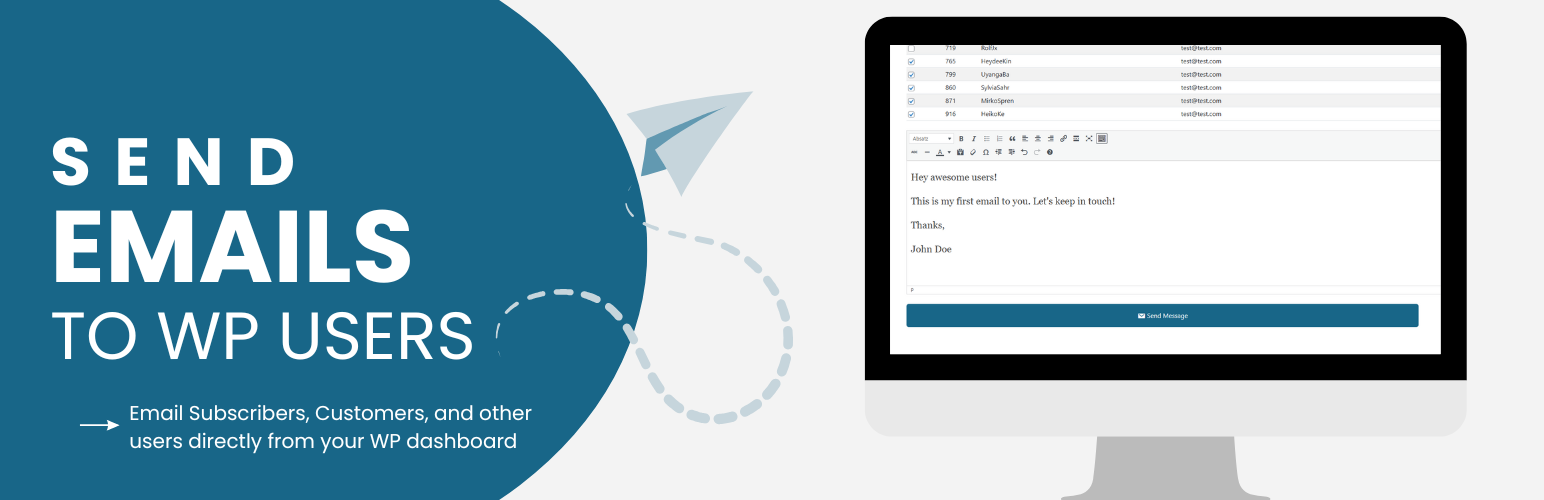
Send Users Email

The facts

Rating
4.5★ from 28
Active installs
5k+
Price
Free
Last updated
16 Aug 2026
Added
Oct 2021
Requires WP
5.7
Tested up to
WP 7.1
Requires PHP
7.4
Downloads
141,693

Our analysis

AI-assisted

Send Users Email is a WordPress plugin designed to turn your user base into a mailing list. It allows you to compose and send emails to individual users, specific user roles, or external email addresses without needing a separate mailing list service.

The free version includes features such as personalization placeholders, custom CSS styling, and a 15-day log of sent emails. It is suitable for those who need to send one-off announcements or support emails directly from their WordPress site.

Best for: This plugin suits WordPress site owners who want to communicate directly with their users via email.

What it does well

  • Sends emails to individual users or user roles
  • Includes personalization options for emails
  • Custom CSS for branding emails
  • Error logging for troubleshooting delivery issues
  • No separate mailing list service required

Where it falls short

  • Limited to one-off emails in the free version
  • Advanced features require a PRO version

Verdict

Send Users Email provides a straightforward solution for sending emails to your WordPress users. While the free version is useful for basic needs, more advanced email marketing features are available in the PRO version.

From the developer

PARETO Digital's own description of Send Users Email, lightly tidied.

Send Users Email turns your WordPress user base into a mailing list. Compose a message once and send it straight to individual users, entire roles, or a single external email address — no separate mailing list service required.

The free version covers everything you need for one-off announcements and support emails: personalized placeholders, custom CSS styling, social media links in the footer, branded headers, and a 15-day log of everything sent (plus any delivery errors) for troubleshooting.

The PRO version turns the plugin into a full email marketing tool: an email queue that paces sends to stay within your provider’s limits, scheduling for future delivery, custom user groups and external contact lists, a library of pre-designed templates (or your own custom HTML template), subject-line placeholders, per-user email subscription opt-out, your own SMTP server for better deliverability, and extended 90-day logs.

This plugin uses the wp_mail function to send emails, so it works alongside any other email plugin (e.g. SMTP plugins) that also hooks into wp_mail.

PRO Version (Free Trial) for emailing groups, external lists and batch campaigns

📚 Documentation | 🌟 PRO Features | 🔥 Get PRO

Free Version Features

  • Send to Individual Users: Select one or more specific users from your site and send them a personalized email.
  • Send to User Roles: Send a single email to everyone in a chosen role (Administrator, Editor, Subscriber, etc.), or combine multiple roles in one send.
  • Send to a Single Email Address: Quickly compose and send a one-off email to any external address, without it needing to be a registered user.
  • Personalization Placeholders: Insert tags such as the recipient’s username, first/last name, display name, user ID, or email address so every message feels personal.
  • Subject & Body via the WordPress Editor: Compose your message with the familiar WordPress rich text (TinyMCE) editor.
  • Custom CSS for Email Styling: Add your own CSS in Settings to restyle the default responsive email template to match your brand.
  • Branded Email Header: Set a logo, custom email title, and tagline that appears at the top of every email.
  • Social Media Icons: Add links to your social profiles (Facebook, Twitter/X, LinkedIn, Instagram, etc.) shown in the email footer.
  • From / Reply-To Settings: Configure the sender name, sender email, and reply-to address used for outgoing emails.
  • Role-Based Sending Permissions: Decide which roles, besides Administrators, are allowed to send emails through the plugin.
  • Email Preview: Preview how an email will look — including placeholder substitution — before sending it.
  • Error Logging: Failures from wp_mail are automatically logged with details so you can diagnose delivery problems.
  • Email Logs (15 Days): Sent emails and errors are kept for 15 days, viewable by date from the admin area.

PRO Features

  • All Free Features Included: Everything above, plus the tools below.
  • Email Queue System: Send large batches of email gradually (a configurable number every 5 minutes via WP-Cron) to stay within your provider’s sending limits and improve deliverability.
  • Use Queue by Default: Optionally make every send go through the queue automatically, without choosing it each time.
  • Email Scheduling: Schedule queued emails to go out at a specific future date and time instead of immediately.
  • Queue Activity & Logs: Track queue throughput with activity charts and a dedicated 30-day queue email log, with automatic cleanup of old queue records.
  • User Groups: Create custom groups of users (independent of WordPress roles) and add members via a searchable multi-select, then email a group directly.
  • External Lists: Build and manage contact lists of email addresses that aren’t WordPress users — import them in bulk via CSV and email the whole list.
  • Email Templates: Save reusable templates (subject + message) so recurring emails can be sent again in a couple of clicks.
  • Pre-Designed Email Themes: Choose from 15+ ready-made color and layout styles (Blue, Green, Dark Mode, Modern, Serif, Plain Text, and more) — no CSS required.
  • Bring Your Own HTML Template: Upload a fully custom HTML/CSS email layout and set it as your default template.
  • Default Email Theme: Pick which theme or custom template loads automatically for every new email you compose.
  • Subject Line Placeholders: Personalize subject lines with the same placeholder tags used in the email body.
  • Per-Email Title & Tagline: Override the global header title/tagline on a per-email basis when you need a different look for a specific campaign.
  • Email Subscription Management: Let users opt in or out of your emails from their profile, with the option to override their preference on a specific send.
  • Your Own SMTP Server: Configure a custom or third-party SMTP server (host, port, credentials, TLS/SSL) for more reliable delivery than default PHP mail.
  • Extended Email Logs: Keep a configurable history of sent emails — 90 days by default — for auditing and review.
  • Clutter-Free UI: A streamlined, modern admin interface designed to keep larger campaigns easy to manage.

📚 Documentation | 🌟 PRO Features | 🔥 Get PRO

Also check out our other plugins on WordPress.org:
– YASR – Star Rating Plugin for WordPress
Google Reviews Plugin for WordPress

Credits

Read the full description on the official page →

Tagged as

Alternatives

Other plugins for email marketing.

MC4WP: Mailchimp for WordPress

The #1 Mailchimp plugin for WordPress. Allows you to add a multitude of newsletter sign-up methods to your sit...
Free 1M+ installs 4.8★ (1,497)
Hostinger Reach

Launch and grow your email marketing effortlessly with Hostinger Reach. Collect contacts, sync subscribers, an...

Free 1M+ installs 5★ (6)
FluentCRM

The easiest and fastest Email Marketing, Newsletter, Marketing Automation Plugin & CRM Solution for WordPr...

Free 80k+ installs 4.8★ (249)
Poptin

Poptin

90

Free email automation, email campaigns, exit intent popup builder, gamified popups with spin the wheel, contac...

Free 20k+ installs 4.9★ (694)
MailPoet

Send beautiful newsletters from WordPress. Collect subscribers with signup forms, automate your emails for Woo...

Free 500k+ installs 4.4★ (1,432)