
Yoast SEO
98Real-time SEO guidance, schema, and AI built in. Help search engines and AI systems understand your content. A...
Free
10M+ installs 4.8★ (27,819)
Backup, restore, update & monitor WordPress sites — plus edit live sites with Claude, ChatGPT, and Cursor via SiteSkite AI.
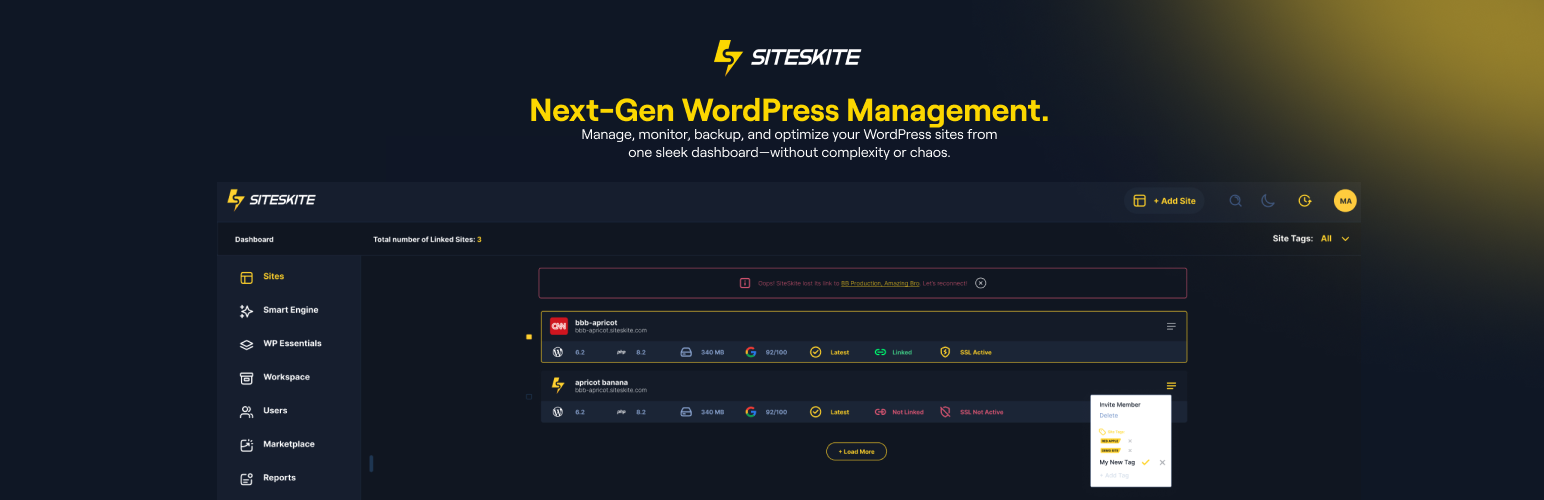
SiteSkite MCP AI is a WordPress plugin designed for managing multiple WordPress sites from a single dashboard. It allows you to automate backups, updates, and monitoring, while also enabling live site edits using AI assistants like Claude, ChatGPT, and Cursor. This plugin is suitable for agencies, developers, and site owners who need to streamline their WordPress operations.
The plugin connects to your sites via a secure API key, ensuring you maintain control over installations and maintenance actions. With features like vulnerability detection, team management, and performance tracking, SiteSkite MCP AI aims to simplify workflows and enhance site management efficiency.
Best for: Agencies, developers, and site owners managing multiple WordPress sites.
What it does well
Where it falls short
SiteSkite MCP AI provides a comprehensive solution for WordPress site management, focusing on automation and AI integration. It may be beneficial for those looking to streamline their workflows across multiple sites.
SiteSkite's own description of SiteSkite MCP AI, lightly tidied.
SiteSkite is a WebOps for WordPress built for agencies, developers, and site owners who manage one site or many.
Connect your sites for backups, updates, monitoring, sandboxes, and team workflows — and, with SiteSkite AI, edit a live WordPress site using assistants like Claude, ChatGPT, and Cursor. Live on-site edits with WordPress AI do not use SiteSkite AI Site Studio credits.
Whether you manage 1 site or 100+, SiteSkite simplifies WordPress maintenance and scales with your workflow.
Important: SiteSkite only manages your website after you connect it with a secure API key.
Plugin installs, activations, and maintenance actions are initiated from your SiteSkite account so you stay in control.
✔️ Manage multiple WordPress sites from one dashboard
✔️ Automate backups and restore anytime
✔️ Edit live sites with AI (Claude, ChatGPT, Cursor) via SiteSkite MCP
✔️ Choose Off, WordPress AI, or Platform AI per linked site
✔️ Create pages, menus, forms, and page-builder layouts with WordPress AI
✔️ Privacy-minded SiteSkite AI Chat for portal workflows
✔️ Advanced Site Recovery: keep working even after many fatal errors
✔️ Snapshot and incremental backups
✔️ Create blueprints for rapid deployment
✔️ Launch sandbox sites
✔️ Spin up new sites from existing backups (on SiteSkite servers)
✔️ Store backups in your own cloud (bring your own storage)
✔️ Vulnerability detection guard
✔️ Monitor uptime and site health across all sites
✔️ Bulk update, activate, deactivate, and delete plugins/themes
✔️ Roll back plugin and theme versions safely
✔️ Add team members and organize sites into workspaces
✔️ WP Canvas tools (maintenance mode, debug, search & replace, indexing, WP Reset, and more)
✔️ Manage WP admin users and roles
✔️ Track Core Web Vitals performance
✔️ Install curated plugin presets with WP Essentials
✔️ White-label the plugin for agency clients
✔️ Automated reports for your customers
✔️ Clear views for error, debug, and custom logs
✔️ and much more…
Built to simplify workflows and scale your WordPress operations without stress.
Get started in minutes.
Connect once at https://mcp.siteskite.com, sign in with your SiteSkite account, and use Quick Connect for Claude or ChatGPT (Cursor and other clients supported too). This gives your assistant the whole platform — every connected site, plus backups, sandboxes, and logs.
No account? SiteSkite MCP is free to use without one. Open SiteSkite → AI MCP → Connect in wp-admin and connect Claude, ChatGPT, or Cursor straight to this one site. No sign-up, no API key, nothing metered. You approve each app in your own WordPress admin and can cut it off there at any time. Sign in later and the same connector gains the platform tools and the rest of your sites.
Per site, pick how AI works:
– Off — AI will not change that site
– WordPress AI — edit the live website (pages, menus, forms, Gutenberg, Elementor, WPBakery, and more)
– Platform AI — SiteSkite portal tools (backups, sandboxes, AI Site Studio, and more)
Only one mode can be active at a time.
With WordPress AI you can:
– Create, edit, and publish pages
– Install and toggle plugins
– Edit with the WordPress block editor (keep the Block Editor Queue page open while the assistant works)
– Build Elementor and WPBakery layouts
– Manage menus and add images from a URL
– List forms and create Contact Form 7 forms
You stay in control:
– Turn individual AI actions on or off in Abilities
– Switch Advanced Power Tools off if you would rather withhold deeper server-side actions (PHP, WP-CLI, files)
– Add site notes in Context so the AI follows your preferences
– Use Skills (ready-made playbooks) for Gutenberg, Elementor, WPBakery, and more
Other plugins for AI features.
Real-time SEO guidance, schema, and AI built in. Help search engines and AI systems understand your content. A...

The best WordPress contact form plugin. Drag & Drop form builder to create beautiful contact forms, paymen...

Grow your organic traffic and AI visibility with powerful SEO tools, XML sitemaps, Schema automation, and buil...

Translate WordPress with Google Translate multilanguage plugin using AI translation. Complete multilingual SEO...

AIOSEO is the WordPress SEO plugin. Boost SEO rankings with AI SEO tools, schema, meta descriptions, XML sitem...

Elementor Carousel, Mega Menu, Posts List/Slider, WooCommerce Widgets, Display Conditions, AI Abilities, Prema...