
Advanced management for images, register new sub-sizes, sub-sizes details, regenerate and cleanup files.
Free
8k+ installs 4.7★ (58)
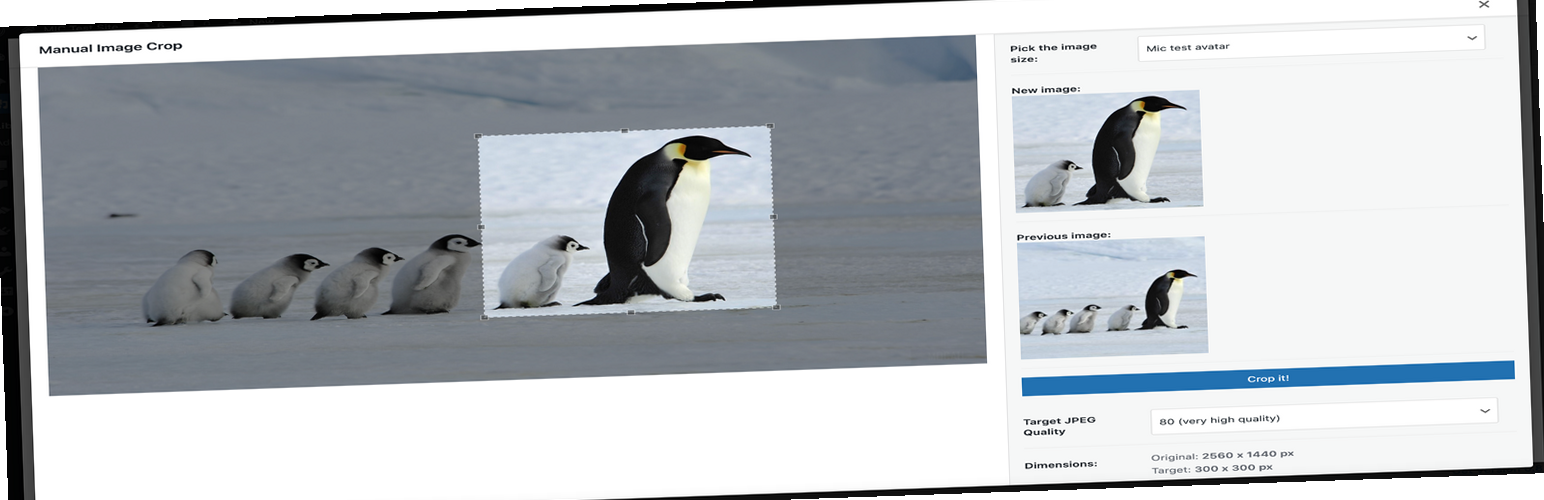
Manually Crop and Resize thumbnail images that are uploaded in the Media section.

Thumbnail Editor is a WordPress plugin that allows you to manually edit thumbnail images created by WordPress when you upload images to the Media Library. It addresses issues that may arise from automatic cropping, which can result in poorly cropped thumbnails. The plugin provides a user-friendly interface for making adjustments to these thumbnails, ensuring they look better on your site.
This plugin is suitable for users who want more control over the appearance of their thumbnail images, particularly those who frequently upload images and are concerned about the quality of the automatically generated thumbnails. It supports common image formats such as JPG, JPEG, GIF, and PNG.
Best for: This plugin suits WordPress users who need to improve the quality of their thumbnail images.
What it does well
Where it falls short
Thumbnail Editor provides a straightforward solution for editing thumbnails, making it a useful tool for users concerned about image presentation on their site.
aviplugins.com's own description of Thumbnail Editor, lightly tidied.
When images are uploaded in the WordPress Media library section WordPress creates some thumbnails of that image. The size of these thumbnail images can be mentioned in the Settings->Media section.
But there can be some big issues with these thumbnails. WordPress Crop/Resize these images dynamically when you upload an image. When thumbnails are CROPPED it is very much possible that it gets CROPPED from the wrong section of the uploaded image. This can produce some BAD looking thumbnail images. Which doesn’t look good in frontend of the site. This plugin will allow you to update those thumbnail images manually. The thumbnail image edit interface that this plugin provides is simple and very easy to use.
The shortcodes and functions are provided in the image editor page of the plugin.
Image editor links can be found in WordPress Media Library.
Image files that can be edited are JPG, JPEG, GIF and PNG
Checkout the PRO version features here. PRO version costs only USD 2.00
Other plugins for farms and agricultural businesses.
Advanced management for images, register new sub-sizes, sub-sizes details, regenerate and cleanup files.
Plugin allows you to manually crop all the image sizes registered in your WordPress theme (in particular featu...

"Crop Thumbnails" made it easy to get exacly that specific image-detail you want to show in your fea...

ACF field that allows user to crop image to a specific aspect ratio or pixel size

Dynamically generate only needed image sizes for only needed images, with manually selected focal point for cr...

WP SmartCrop will crop your images on-the-fly to match your CSS, keeping the main focal point in view.