
The Elementor Website Builder has it all: drag and drop page builder, Atomic Editor, pixel perfect design, glo...
Free
10M+ installs 4.5★ (7,297)
Short Code to grab any URL parameter from the Query String and display it or display conditional content.
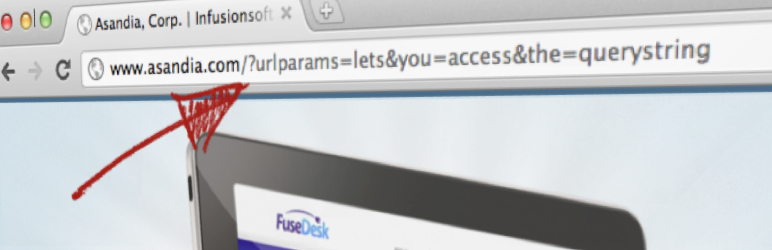
URL Params is a WordPress plugin that enables access to URL parameters in the query string. It allows you to personalize content on landing pages by using shortcodes to display values from the URL or set default values when parameters are missing.
The plugin is particularly useful for creating personalized experiences, such as greeting users by name or pre-filling form fields based on URL data. It supports multiple parameters and offers options for conditional content display based on the presence or value of those parameters.
Best for: This plugin suits users looking to enhance landing pages with personalized content based on URL parameters.
What it does well
Where it falls short
URL Params offers a straightforward solution for personalizing content on WordPress sites. It is useful for those who want to create a more engaging user experience.
Jeremy B. Shapiro's own description of URL Params, lightly tidied.
The URL Params WordPress Plugin allows you to access URL parameters in the Query String of the URL.
The plugin even allows you to specify a default value in the shortcode if the parameter isn’t set, so if you want to say “Hello, FirstName” and FirstName isn’t set, it could say something like “Hello, Friend!”
To specify a backup url parameter, enter multiple parameters seperated by commas. The plugin will check for each parameter, in order, until a matching one is found and return that. Failing finding any of the parameters you listed, the default will be returned. For example, you can specify [urlparam param="FirstName, First, name" default="Friend" /] to check for FirstName, and if not found, then First, if not found, then name, and if not, then just return “Friend”.
If the parameter is a date, you can also specify the dateformat option using a PHP friendly date format, for example [urlparam param="somedate" dateformat="F Js" /]. Note that PHP only returns dates formatted in English regardless of locale settings.
This is great if you have personalized links, like from Infusionsoft or Keap, as it lets you personalize a landing page with a persons name.
You can also use this to pre-fill out form fields for folks based on the querystring. For example, if their first name is passed in the URL, your landing page can greet the viewer by name and pre-fill their name on a form.
Use the shortcode urlparam with the optional parameter of “default”. For example [urlparam param="FirstName" /] or [urlparam param="FirstName" default="Friend"/].
For conditional content use [ifurlparam][/ifurlparam]. For example, [ifurlparam param="FirstName"]Hey, I know you, [urlparam param="FirstName"]![/ifurlparam] would greet known visitors, but display nothing to users without a FirstName in the query string.
If you want to show content when a value does NOT exist, you can set empty in [ifurlparam]. For example [ifurlparam param="FirstName" empty="1"]Welcome to the site, visitor![/ifurlparam] would greet visitors without a FirstName in the query string, but display nothing for visitors with FirstName in the query string.
If you want to show content only to visitors with a specific value in their query string, you can set is in [ifurlparam]. For example, [ifurlparam param="FirstName" is="Bob"]Hi, Bob![/ifurlparam], would only greet visitors with the FirstName param set to Bob.
If you want to have urlparam return an HTML attribute, for example to use in pre-setting the value of input or hidden input fields, pass in the optional attr parameter. You might set a value attribute for an input field like so: <input type="text" name="firstname" [urlparam attr="value" param='FirstName']> or you might set a src attribute for an image tag like so: <img [urlparam attr="src" param='imgurl']>
If you want urlparam to return an entire HTML tag, for example in creating an input field, pass in the optional htmltag parameter. For example, [urlparam htmltag="input" type="text" name="firstname" id="first" attr="value" param="FirstName" default="Bob" /] will produce something like <input type="text" name="firstname" id="first" value="Bob" />
To help protect your site against Reflected Cross Site Scripting, we sanitize output with esc_html() which prevents any HTML tags from being passed in and displayed. This would prevent someone from passing in javascript, for example, and having it execute on your site.
Starting in the WordPress 4.2.3 security auto-update, you can no longer include shortcodes in HTML attributes. Previous to this WordPress update, you could set a field value like this: <input type="text" name="firstname" value="[urlparam param='FirstName']">. Now you have to set it like this: <input type="text" name="firstname" [urlparam attr="value" param='FirstName']> or [urlparam htmltag="input" type="text" name="firstname" attr="value" param="FirstName" /]. If you are still using this shortcode the old way, unfortunately, WordPress simply won’t process the shortcode and will return the full shortcode text unprocessed.
Other plugins for landing pages.
The Elementor Website Builder has it all: drag and drop page builder, Atomic Editor, pixel perfect design, glo...

Easy Drag & Drop Page Builder. A complete solution to create a WordPress Website, Custom Themes, Landing P...

Templately is an AI-powered WordPress templates cloud for Elementor and Gutenberg that offers 6,500+ ready tem...

1 WordPress funnel builder & WooCommerce checkout plugin. Boost AOV with one-click upsells, order bumps &a...

Beautiful Coming soon, Maintenance or Landing page on your website, packed with premium features for free.

A modern video and audio player for courses, landing pages, marketing, and testimonials — with captions, brand...