
Create bulk, wholesale, and quantity-based pricing in WooCommerce with flexible tables, role-based pricing, an...
Free
10k+ installs 4.7★ (103)
A beautiful, fully customizable pricing table for Gutenberg. Display your pricing plans with features, buttons, and highlighted recommended.

WBD Pricing Tables is a WordPress plugin designed for the Gutenberg block editor, enabling you to create pricing tables and comparison layouts without coding. It offers customizable options for displaying pricing plans, including features like call-to-action buttons and responsive design. This plugin is suitable for freelancers, agencies, SaaS businesses, and WooCommerce websites that need to showcase pricing information clearly.
The plugin allows you to add up to three pricing plans in a grid format, with various customization options for plan details, colors, and layouts. It is lightweight and optimised for speed, ensuring that it works well with any WordPress theme and is responsive on all devices.
Best for: This plugin suits freelancers, agencies, and SaaS businesses looking to create professional pricing tables.
What it does well
Where it falls short
WBD Pricing Tables offers a straightforward solution for creating pricing layouts in WordPress. It is particularly useful for users of the Gutenberg editor who need a responsive and easy-to-customise pricing table.
wpbranddigital's own description of WBD Pricing Tables, lightly tidied.
Pricing Tables Block for Gutenberg is a powerful and easy-to-use WordPress pricing table plugin that helps you create stunning pricing tables, pricing comparison tables, and pricing plans layouts directly inside the block editor.
Live Demos | Pricing | Support
Whether you’re building SaaS pricing pages, product comparison tables, or service plans — this Gutenberg pricing table block gives you full control without any coding.Lightweight, fast, and fully responsive — works with every WordPress theme.
🚀 Perfect for freelancers, agencies, SaaS, startups, and WooCommerce websites.
Free Templates – Add up to 3 pricing plans displayed side by side in a responsive grid.
Customizable Plan Details — Set plan name, price, currency symbol, billing period, and description for each plan.
Feature Lists — Add unlimited features per plan with optional checkmark or cross icons to indicate included/excluded features.
Call-to-Action Buttons — Customize button text and URL for each plan with option to open links in a new tab.
Featured/Recommended Plan — Highlight a plan as “recommended” with a badge and visual emphasis.
Color Customization — Choose header background color, header text color, button color, button text color, and featured plan accent color.
Layout Options — Choose between 1 to 4 columns layout.
Responsive Design — Plans stack gracefully on smaller screens.
Live Preview — See all changes in real time within the editor.
If you need even more features, styling options, or premium support, you can upgrade to the Pro version:
Five Premium Templates
Comparison pricing table block
Advanced Styling & Layout Controls
Priority Support — Dedicated help within 24 hours
Why Choose This Pricing Table Block Plugin?
Use Cases
WBD Pricing Tables helps you create structured and readable pricing sections using the WordPress Block Editor.
Other plugins for pricing tables.
Create bulk, wholesale, and quantity-based pricing in WooCommerce with flexible tables, role-based pricing, an...

Stop Losing Customers Due to Confusing Pricing - Transform confused visitors into paying customers with crysta...

Pricing Table Plugin - Easy Pricing Tables Lets You Create A Beautiful, Responsive Pricing Table In 2 Minutes....

Elementor addons with 34 free widgets: galleries, sliders, form styler, carousels, pricing tables, countdowns,...
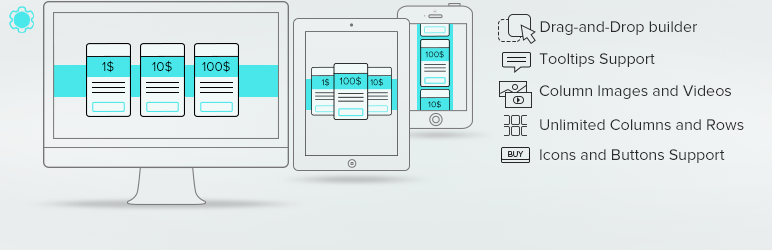
Pricing Table generator by Supsystic allows you to create responsive pricing tables or comparison table withou...

Addon for Elementor Page builder. It provides the set of widgets to create different kinds of content like pri...