
Members
94The best WordPress membership and user role editor plugin. User Roles & Capabilities editor helps you rest...
Free
300k+ installs 4.9★ (1,274)
WP Copy Content Protection wordpress plugin protects the content from being stolen by content thieves. It disables the right-mouse click and disables …

WP Copy Content Protection is a WordPress plugin designed to prevent content theft on your website. It offers several methods to block copying, including disabling keyboard commands and mouse actions, allowing copy with empty text, or appending copyright warnings to copied content. The plugin operates in the background without adding significant server load.
This plugin is suitable for website owners who want to protect their content from being copied or plagiarised. It provides flexibility in how you wish to enforce content protection, catering to different user needs.
Best for: Website owners looking to safeguard their content from theft.
What it does well
Where it falls short
WP Copy Content Protection provides various options for content protection, making it a practical choice for those concerned about plagiarism. However, the effectiveness of these methods may vary depending on user behaviour.
Atul Bansal's own description of WP Copy Content Protection, lightly tidied.
WP Copy Content Protection plugin provides various ways to protect the content of your website from being stolen by content-thieves.
After installation, you can change the settings of the WP Copy Content Protection plugin from the ‘WP Copy Content Protection’ option in the ‘Settings’ menu in your WordPress Dashboard.
WP Copy Content Protection plugin blocks copying of its contents to content-thieves. This plugin allows you to copy-protect the content of your WordPress website in following ways:
** Disable Mouse and Keyboard Commands (Ctrl+A/Ctrl+C/Ctrl+X/Ctrl+S/Ctrl+P, etc.) **
When this option is selected, WP Copy Content Protection will not allow copying of the content of your website by mouse or by keyboard commands (Ctrl+A/Ctrl+C/Ctrl+X/Ctrl+S/Ctrl+P, etc.). User will also be not able to highlight the text from your website. text selection, Drag and Drop, viewing source code etc. everything will be blocked. Thus, complete stealing of your content will be blocked by content-thieves.
Anyone will not be able to copy your content by any command or by going in view-source etc. You just relax, your website is safe from copy-paste sickness.
** Allow Copy but Empty Copied Text **
With this option selected, WP Copy Content Protection will allow user to select the content from your website but when he will try to paste the same content anywhere then nothing will get pasted.
Actually, WP Copy Content Protection wordpress plugin acts smartly and it looks to user that he is able to copy content but in real sense, he will not get anything to copy. The copied text will be blank always.
** Allow Copy but append Copyright Warning with your Article Link **
With this option selected, WP Copy Content Protection plugin will allow copying the data. However, the plugin will append your Copyright Warning and it also appends your post’s or page’s link beneath the copied content. So, you are getting a link-back from copy-paste content. You can change the the warning message as per your wish.
** DISABLE Copy Protection Completely (Restores your site to default state) **
With this option selected, WP Copy Content Protection plugin will do nothing, i.e., it will restore your website to default state. It is as simple as normal websites behave. Now, content-thieves can steal your content. So, if you want to disable the copy-protection for few days then you can select this option. There is NO need to deactivate or uninstall the plugin.
WP Copy Content Protection plugin works in the background of your website and does not add any extra load on server. **
** This plugin works on all WordPress websites. It is very light-weight plugin, with only minimal coding added. No jquery, no extra coding. It is best Content Protection Plugin that saves you from Plagiarism. ALong with, it does not add any load on your server.
Other plugins for membership sites.
The best WordPress membership and user role editor plugin. User Roles & Capabilities editor helps you rest...

Build membership sites with tiered plans, content restriction, drag-&-drop custom registration & login...

Membership & community plugin with user profiles, registration & login, member directories, content re...
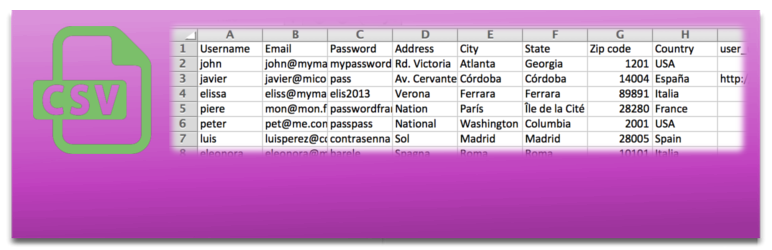
Bulk import and export WordPress users and WooCommerce customers from CSV, including roles, passwords and any...

Simple membership plugin adds membership functionality to your site. Protect members only content using conten...

Number one WordPress forum plugin with AI features. Full-fledged forum solution with modern forum design. Comm...