
FluentCRM
91The easiest and fastest Email Marketing, Newsletter, Marketing Automation Plugin & CRM Solution for WordPr...
Free
80k+ installs 4.8★ (249)
Privacy first marketing automation built for WordPress. Capture, manage, and grow your leads with powerful forms and dynamic content.

WP Mautic is a WordPress plugin that integrates Mautic tracking capabilities into your website. It allows you to track visitor information and embed Mautic forms using shortcodes without needing to edit your site's source code. After configuration, the plugin automatically injects the necessary tracking script into your site, enabling data collection from your visitors.
This plugin is suitable for users who want to enhance their marketing automation efforts by leveraging Mautic's tracking and form functionalities. It is particularly useful for website owners looking to manage leads and improve their analytics without extensive technical knowledge.
Best for: This plugin suits website owners seeking to implement Mautic tracking and forms for marketing purposes.
What it does well
Where it falls short
WP Mautic provides a straightforward way to integrate Mautic's tracking and form functionalities into a WordPress site, making it a practical choice for users focused on marketing automation.
Mautic's own description of WP Mautic, lightly tidied.
Mautic WordPress Plugin injects Mautic tracking script and image in the WP website. Your Mautic instance will be able to track information about your visitors. You can also insert Mautic content inside your website using different shortcodes.
Once installed, the plugin must appared in your plugin list :
And that’s it !
Tracking script works right after you finish the configuration steps. That means it will insert the mtc.js script from your Mautic instance. You can check HTML source code (CTRL + U) of your WP website to make sure the plugin works. You should be able to find something like this:
<script>
    (function(w,d,t,u,n,a,m){w['MauticTrackingObject']=n;
        w[n]=w[n]||function(){(w[n].q=w[n].q||[]).push(arguments)},a=d.createElement(t),
        m=d.getElementsByTagName(t)[0];a.async=1;a.src=u;m.parentNode.insertBefore(a,m)
    })(window,document,'script','http://yourmauticsite.com/mtc.js','mt');

    wpmautic_send();
</script>
If you need to send custom attributes within Mautic events, you can use the wpmautic_tracking_attributes filter.
add_filter('wpmautic_tracking_attributes', function($attrs) {
    $attrs['preferred_locale'] = $customVar;
    return $attrs;
});
The returned attributes will be added to Mautic payload.
Other plugins for automating marketing.
The easiest and fastest Email Marketing, Newsletter, Marketing Automation Plugin & CRM Solution for WordPr...

Free email automation, email campaigns, exit intent popup builder, gamified popups with spin the wheel, contac...

Create high-converting WooCommerce checkout pages, WooCommerce thank you pages & sales funnels with the hi...

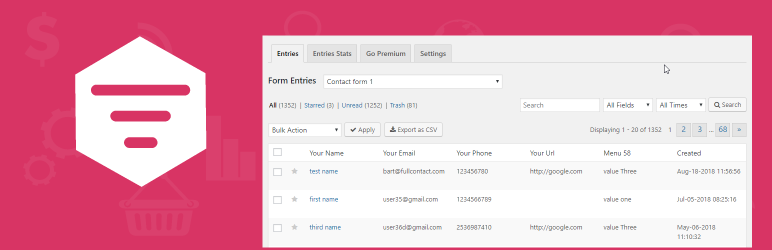
Saves Contact Form 7, WPforms,Elementor Forms, CRM Perks Forms and many other contact form submissions to data...

Email Marketing, Newsletter, Email Automation, Forms, Pop Up, SMS, Abandoned Cart made easy for WordPress &...