
Ad Inserter
94Manage Google AdSense ads, banners, ad rotation, sticky widgets, AMP ads, ads.txt, tracking, header and footer...
Free
300k+ installs 4.9★ (2,428)
ACF Beautiful Flexible: Transform ACF's flexible layouts list into a beautiful popup.
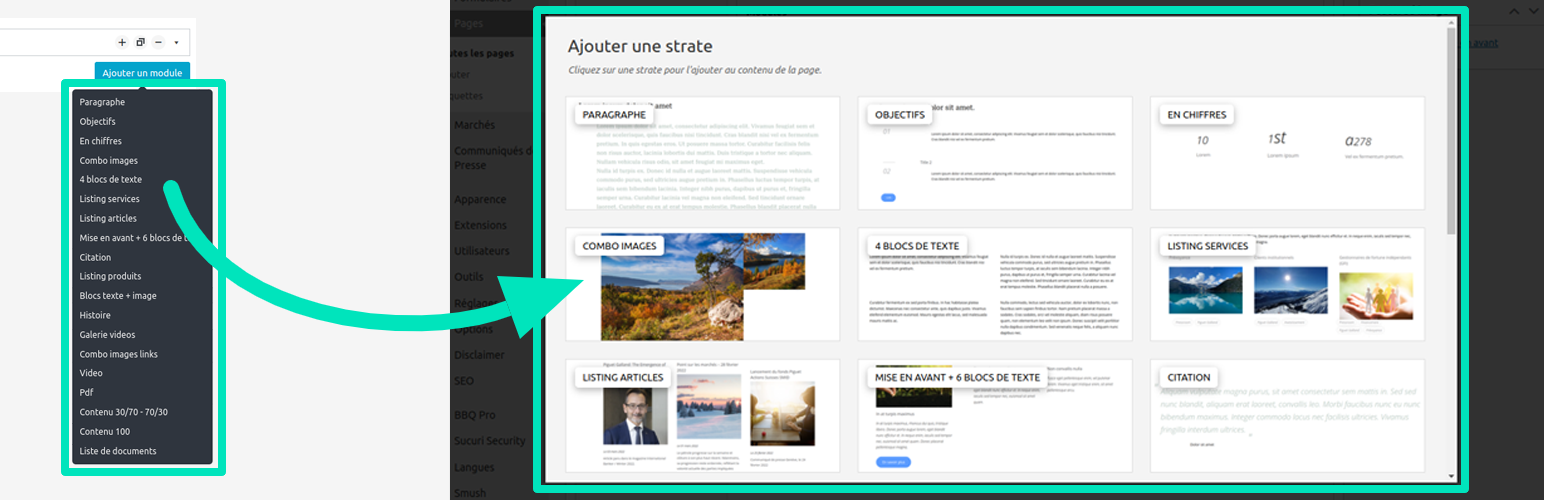
ACF Beautiful Flexible is a WordPress plugin designed to enhance the user interface of Advanced Custom Fields (ACF) by allowing you to customise images used within flexible content fields. The plugin requires you to provide images in specific sizes and naming conventions to replace the default random images.
This plugin is suitable for developers or site owners who use ACF and want to improve the visual appeal of their flexible content layouts. It offers basic functionality for customising images but does not guarantee support from the author.
Best for: This plugin suits WordPress developers looking to enhance ACF flexible content layouts.
What it does well
Where it falls short
ACF Beautiful Flexible provides a straightforward way to customise images in ACF, but its limited features and lack of support may not meet everyone's needs.
Maxime Culea's own description of ACF Beautiful Flexible, lightly tidied.
To use ACF Beautiful Flexible, simply activate the plugin to improve the ACF flexible UI. By default, it uses random images, but the idea is to customize them by adding your own.
push_2_light) with no underscores but dashes (push-2-light.[extension])..jpg, .jpeg, .png and .gif.They should more likely be situated into your theme wp-content\themes\my-theme\assets\acf-beautiful-flexible\. But if you have a child-theme and added images into it, these will overwrite those from parent-theme.
The following directories will be solved according to order: plugin’s folder, child theme’s folder, theme’s folder.
Also note that you can filter this path to gather all your images into a same folder :
add_filter( ‘acf_beautiful_flexible.images_path’, $path );
Finally, you could filter all images like this :
add_filter( ‘acf_beautiful_flexible.images’, $images );
I, Maxime Culea, have created this plugin which I only maintain. I do not guarantee some free support. Also, thank others listed in the credits.
Consider reporting an issue and be patient.
Any code suggestions? I am on GitHub as well!
Other plugins for custom content structures.
Manage Google AdSense ads, banners, ad rotation, sticky widgets, AMP ads, ads.txt, tracking, header and footer...

ACF helps customize WordPress with powerful, professional and intuitive fields. Proudly powering over 2 millio...

Checkout Field Editor (Checkout Manager) for WooCommerce – The best WooCommerce checkout manager plugin to man...

Easily reorder posts, pages, custom post types, and taxonomies with intuitive drag-and-drop sorting in the Wor...

The #1 user-rated activity log plugin for event logging, activity monitoring and change tracking.

Admin UI for creating custom content types like post types and taxonomies