Admin Bar Editor
Take full control of your WordPress admin bar: hide items, reorder menus, and design a cleaner toolbar for every user.
The facts
- Rating
- 4.3★ from 20
- Active installs
- 3k+
- Price
- Free
- Last updated
- 29 Aug 2026
- Added
- Feb 2011
- Requires WP
- 5.0
- Tested up to
- WP 7.1
- Requires PHP
- 7.0
- Downloads
- 81,994
Our analysis
AI-assistedAdmin Bar Editor is a WordPress plugin that allows you to customize the WordPress toolbar for both backend and frontend use. It enables you to hide unnecessary items, reorganize menus, and disable the frontend admin bar through a drag-and-drop interface, making it easier for users to access the tools they need.
This plugin is suitable for site owners, agencies, freelancers, and teams managing membership or community sites, as it helps streamline the admin bar experience based on user roles. By providing a cleaner and more focused toolbar, it aims to enhance usability for both technical and non-technical users.
Best for: This plugin suits site owners, agencies, and teams looking to simplify the WordPress admin bar for various user roles.
What it does well
- ✓Visually customisable admin bar with drag-and-drop interface
- ✓Ability to hide clutter and keep essential shortcuts
- ✓Role-based toolbar experiences for different user types
- ✓Instant application of changes upon saving settings
- ✓Free version includes all necessary features for simplification
Where it falls short
- •Limited information on advanced styling options in the free version
- •No details on Pro features or additional capabilities
Verdict
Admin Bar Editor provides a straightforward way to enhance the usability of the WordPress toolbar, particularly for those managing multiple user roles. It is a useful tool for anyone looking to declutter their admin experience.
From the developer
Pixar Labs's own description of Admin Bar Editor, lightly tidied.
Admin Bar Editor lets you visually customize the WordPress toolbar (admin bar) for both backend and frontend so you can keep what matters and hide what does not.
You can quickly disable the frontend admin bar, turn off specific toolbar items, and reorganize menus with a clean drag-and-drop interface – no code required. This makes the toolbar faster to use for you, your team, and your clients.
Why customize the WordPress admin bar?
The default admin bar often gets cluttered with links from themes, plugins, and WordPress core. This can:
- Distract non-technical users with unnecessary options.
- Slow down power users who need quick access to key tools.
- Look confusing on membership, LMS, or WooCommerce sites where many users log in.
Admin Bar Editor gives you precise control over what appears in the toolbar so each role sees a clean, focused experience.
Who is Admin Bar Editor for?
- Site Owners & Bloggers – Hide clutter, keep only the shortcuts you actually use.
- Agencies & Freelancers – Deliver white-labeled, role-based toolbars for client sites.
- Membership, LMS & Community Sites – Simplify the frontend admin bar for members and instructors.
- Product & Support Teams – Create focused dashboards for editors, authors, and support users.
How Admin Bar Editor works
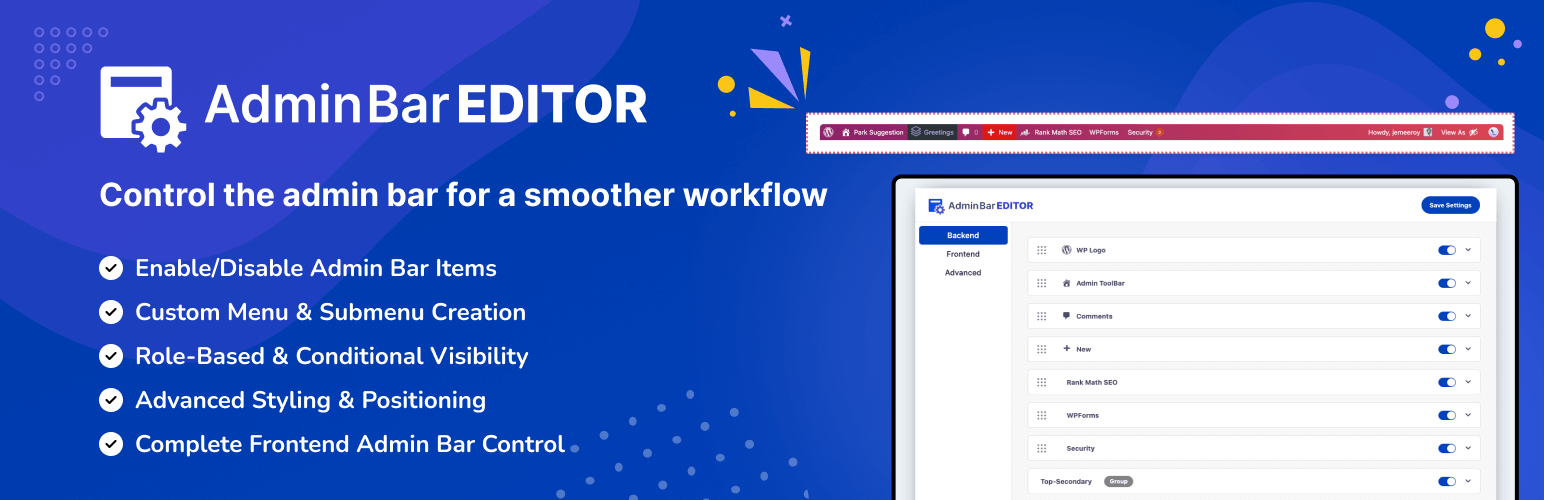
The plugin adds an AdminBar Editor page in your dashboard with three main sections: Backend, Frontend, and Advanced.
- In Backend, you control the admin bar that appears inside wp-admin. You can toggle core items like the WordPress logo, site name, comments, updates, and the “New” menu, and adjust submenu visibility.
- In Frontend, you manage the toolbar shown on the public side of your site, including a global switch to disable the frontend admin bar.
- In Advanced, you can change the admin bar position (top or bottom) and, in Pro, style colors, gradients, and button appearance.
All changes are applied instantly when you save settings and can be adjusted at any time.
Why Admin Bar Editor is different
- Focuses specifically on toolbar usability instead of being a general admin theme.
- Uses a simple, visual layout with toggles and drag-handles so non-technical users can edit the bar safely.
- Built with role-based workflows in mind, so administrators can create different toolbar experiences for different user types (with Pro).
- Designed to be lightweight and compatible with modern WordPress sites, including popular themes and plugins.
Free Features
The free version includes everything you need to clean up and simplify the WordPress admin bar.