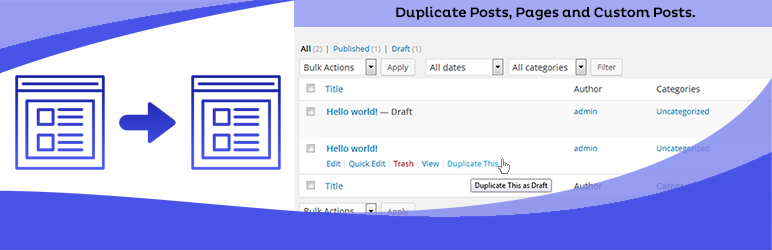
Duplicate Posts, Pages and Custom Posts easily using single click
Free
3M+ installs 4.8★ (465)
Fully automatic sidebar menus.
Advanced Sidebar Menu is a WordPress plugin that automatically generates sidebar menus based on the parent/child relationship of your pages or categories. It simplifies menu management by displaying only relevant items for the current section of your site, eliminating the need for manual updates.
The plugin provides blocks for displaying menus, including options for pages and categories. This makes it suitable for users who want a dynamic sidebar menu that adapts to the content being viewed, enhancing navigation without additional effort.
Best for: This plugin is best for WordPress users looking to create dynamic and context-sensitive sidebar menus.
What it does well
Where it falls short
Advanced Sidebar Menu offers a straightforward solution for managing sidebar navigation. It is particularly useful for sites with complex page structures or categories.
Mat Lipe's own description of Advanced Sidebar Menu, lightly tidied.
Uses the parent/child relationship of your pages or categories to generate menus based on the current section of your site. Assign a page or category to a parent, and Advanced Sidebar Menu will do the rest for you.
Keeps the menu clean and usable. Only related items display, so you don’t have to worry about keeping a custom menu up to date or displaying links to items that don’t belong.
Blocks are available to display menus where you need them. Look for the “Advanced Sidebar – Pages” block, or the “Advanced Sidebar – Categories” block. Widgets are also available for page builders or sites using classic widgets.
Developed and Supported by OnPoint Plugins.
The official documentation for the plugin may be found here.
An interactive demonstration of the generated menu structure may be found here.
You may also use the Live Preview to use a playground site to test the plugin.
When your users view a page or category, the Advanced Sidebar Menu plugin will calculate the related content based on what you have selected using the standard WordPress parent selectors.
The menu will be different for every page that displays the Advanced Sidebar Blocks because the menu is generated specifically to the current page.
Depending on “Pages” block options, the menu will display:
Depending on “Categories” block options, the menu will display:
Other plugins for dating sites.
Duplicate Posts, Pages and Custom Posts easily using single click

HappyAddons packs Header Footer Builder, Megamenu, Single Post, Archive Page, & 500+ Ready Templates into...

Site metrics and social media analytics for Instagram, Facebook, YouTube, LinkedIn, X Twitter. The single best...
Disable admin notices and hide dashboard notifications from plugins, themes and core. Hide all notices, select...
Password protect WordPress pages and posts by user roles or with multiple passwords; protect your entire websi...
SAML SSO (Single Sign On) for WordPress Login with Okta, Entra ID/Azure AD, GSuite, Salesforce & All SAML...