
WPThumbs
Themes Plugins By purpose By industry Best-of lists Fix it guides
Free Plugin by Nick Diego v3.7.1

Block Visibility

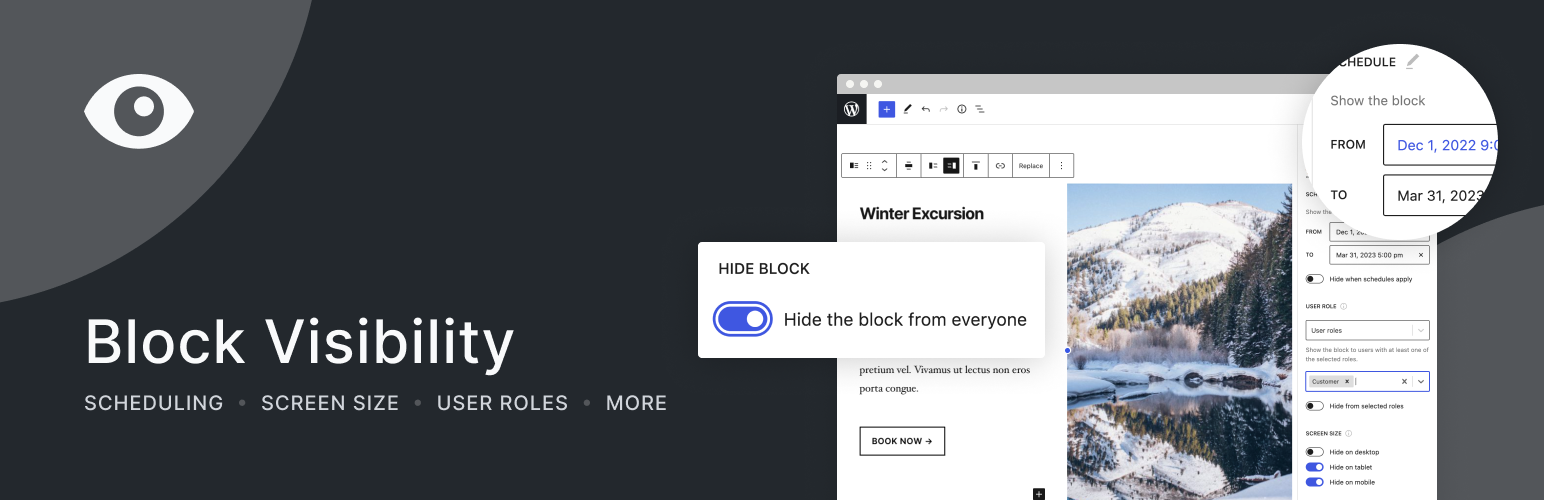
Easily show or hide any WordPress block. Schedule block visibility. Restrict blocks to specific screen sizes, user roles, post types, and more.
Block Visibility

The facts

Rating
4.9★ from 106
Active installs
40k+
Price
Free
Last updated
18 Jan 2026
Added
Aug 2020
Requires WP
6.5
Tested up to
WP 6.9.7
Requires PHP
7.4
Downloads
655,584

Our analysis

AI-assisted

Block Visibility is a WordPress plugin designed to control the visibility of blocks in the Gutenberg editor. It allows you to create dynamic content by setting specific conditions for when and to whom blocks are displayed. This is useful for personalising user experiences, managing content visibility, and enhancing marketing efforts.

The plugin supports various visibility conditions, including user roles, screen sizes, and scheduled display times. It works with any WordPress block, allowing you to easily integrate it into your existing workflow without needing to learn a new interface. This plugin is suitable for website owners looking to improve engagement and conversions through tailored content delivery.

Best for: Website owners and marketers looking to enhance content visibility and user engagement.

What it does well

  • Free to use from the WordPress.org directory
  • Supports a wide range of visibility conditions
  • Works with all WordPress blocks in the Gutenberg editor
  • Allows scheduling of content visibility
  • Enables personalisation based on user roles and attributes

Where it falls short

  • No information on specific pricing or premium features
  • Limited details on user experience or support

Verdict

Block Visibility offers a robust solution for managing block visibility in WordPress. It is particularly useful for those wanting to tailor content to specific audiences or conditions.

From the developer

Nick Diego's own description of Block Visibility, lightly tidied.

Easily create dynamic content in WordPress that will increase conversions, enhance the user experience, and improve your workflow.

With this no-code solution, control which blocks are visible on your website and who can see them. Schedule content to show or hide at a specific time. Display exclusive promotions to your customers or members. Restrict blocks to specific user roles, screen sizes, query strings, WooCommerce products, EDD downloads, ACF fields, WP Fusion tags, and more.

Block Visibility is built exclusively for the WordPress Editor (Gutenberg) and is designed to work with any WordPress block. This includes blocks natively provided by WordPress, third-party blocks, and even block-based widgets.

Create Conditional Blocks in Seconds!

Work directly in the WordPress Editor with blocks you’re already familiar with. There is no external editor or new interface to learn. In seconds, you can transform static blocks into conditional and personalized content.

It takes just 3 simple steps:

  1. Create your content using any WordPress block.
  2. Select the desired visibility conditions.
  3. Save the page/post and marvel at the results!

Packed With Features

Visibility Controls determine whether a block should be visible to users on the front end of your website. Features include:

  • Hide blocks from all users.
  • Schedule when content should be visible using a start and end date/time.
  • Conditionally display blocks based on screen size (Desktop, Tablet, Mobile, and more)
  • Only show blocks to logged-in users.
  • Only show blocks to logged-out users.
  • Only show blocks to users with specific roles (Administrator, Subscriber, Customer, Member, etc.)
  • Only show blocks to specific users. Great for personalization.
  • Show or hide dynamic blocks based on URL query strings. Great for marketing campaigns!
  • Show or hide blocks based on their location and “attributes” of their location (post type, taxonomy, archive, etc.)
  • Display blocks based on a website visitor’s referral source (domain/URL).
  • Support for all post and user metadata (custom fields).
  • Display blocks based on HTML cookies.
  • WooCommerce: Show or hide blocks based on products, cart contents, customer purchase history, and more.
  • Advanced Custom Fields (ACF): Control the visibility of block content based on ACF fields.
  • Easy Digital Downloads: Show or hide blocks based on downloads, cart contents, customer purchase history, and more.
  • WP Fusion: Combine Block Visibility with the power of WP Fusion to conditionally show or hide content based on data from your favorite CRM or marketing automation platform.

PLUS: Powerful Settings allow you to customize Block Visibility to your needs or those of your clients.

  • Visibility Presets allow you to control multiple blocks at once.
  • Globally disable any visibility control.
  • Restrict visibility controls to specific block types.
  • Set permissions so only certain users have access to visibility conditions.
  • Configure up to 4 different breakpoints to optimize the screen size controls.
  • Disable contextual indicators and other plugin utilities.
  • Customize the contextual indicator color to enhance theme compatibility.
  • Enable Full Control Mode 🚀 (See the FAQs).
  • Remove all plugin settings on uninstall.

Why Do I Need This?

While there are countless applications for conditional blocks, here are a few examples to get you started:

  • Use as a content management tool. Hide new blocks while working on them, but keep the page published.
  • Temporarily hide seasonal content on your website rather than having to delete it.
  • Schedule time-sensitive promotional content or event information to display automatically.
  • Show or hide specific content on desktops, tablets, or mobile devices.
  • Restrict content so it’s only visible to your customers, members, or subscribers.
  • Display messaging to logged-out users, encouraging them to subscribe to your blog.
  • Create unique marketing campaigns using query string parameters to display personalized messaging (See it in action)
  • Conditionally display elements in the Site Editor using advanced visibility logic.
  • Increase visitor engagement and conversions with dynamic content and personalization.

Why Choose Block Visibility?

Read the full description on the official page →

Tagged as

Alternatives

Other plugins for custom content structures.

Ad Inserter

Manage Google AdSense ads, banners, ad rotation, sticky widgets, AMP ads, ads.txt, tracking, header and footer...

Free 300k+ installs 4.9★ (2,428)
Advanced Custom Fields

ACF helps customize WordPress with powerful, professional and intuitive fields. Proudly powering over 2 millio...

Free 2M+ installs 4.5★ (1,438)
Simple Custom Post Order

Easily reorder posts, pages, custom post types, and taxonomies with intuitive drag-and-drop sorting in the Wor...

Free 300k+ installs 4.8★ (569)
WP Activity Log

The #1 user-rated activity log plugin for event logging, activity monitoring and change tracking.

Free 300k+ installs 4.7★ (488)
Custom Post Type UI

Admin UI for creating custom content types like post types and taxonomies

Free 1M+ installs 4.6★ (276)
