
WPCode
93Easily add code snippets in WordPress. Insert header & footer scripts, add PHP code snippets with conditio...
Free
3M+ installs 4.9★ (1,873)
Adds a debug menu to the admin bar that shows query, cache, and other helpful debugging information.
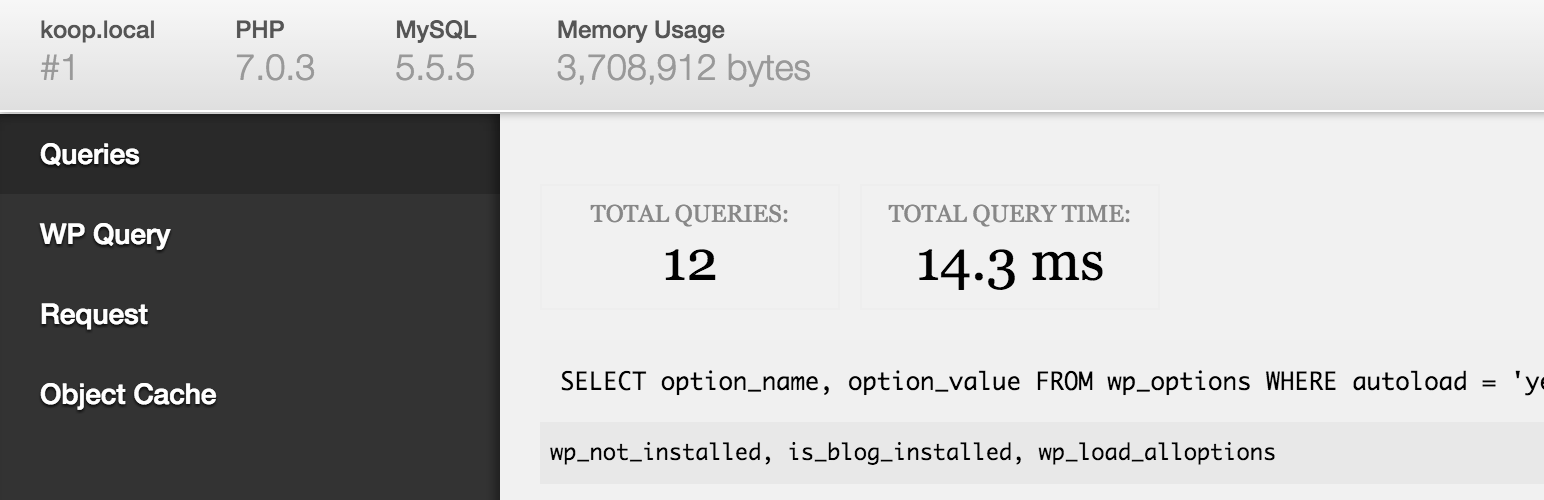
Debug Bar is a WordPress plugin designed for developers, adding a debug menu to the admin bar. It provides information on queries, cache, and other debugging details, which can be particularly useful when troubleshooting issues on a site.
When WP_DEBUG is enabled, the plugin tracks PHP warnings and notices, making them easier to identify. Additionally, it can track MySQL queries if SAVEQUERIES is activated, allowing developers to gain deeper insights into their site's performance.
Best for: This plugin is best suited for WordPress developers needing debugging tools.
What it does well
Where it falls short
Debug Bar offers essential debugging capabilities for developers, but its utility is primarily for those familiar with WordPress configuration.
WordPress.org's own description of Debug Bar, lightly tidied.
Adds a debug menu to the admin bar that shows query, cache, and other helpful debugging information.
A must for developers!
When WP_DEBUG is enabled it also tracks PHP Warnings and Notices to make them easier to find.
When SAVEQUERIES is enabled the mysql queries are tracked and displayed.
To enable these options, add the following code to your wp-config.php file:
define( 'WP_DEBUG', true );
define( 'SAVEQUERIES', true );
Add a PHP/MySQL console with the Debug Bar Console plugin.
There are numerous other add-ons available to get more insight into, for instance, the registered Post Types, Shortcodes, WP Cron, Language file loading, Actions and Filters and so on. Just search the plugin directory for ‘Debug Bar’.
Other plugins for developer tooling.
Easily add code snippets in WordPress. Insert header & footer scripts, add PHP code snippets with conditio...

Easily add tracking code snippets, conversion pixels, or other scripts required by third party services for an...

Duplicate post, post order, image resize, email via SMTP, admin menu editor, custom css / code, disable gutenb...

Create custom "Shortcodes" easily for HTML, JavaScript, CSS code snippets and use the shortcodes wit...

Add PHP code to your pages and posts easily using shortcodes.

An easy, clean, and simple way to enhance your site with code snippets.