
Ad Inserter
94Manage Google AdSense ads, banners, ad rotation, sticky widgets, AMP ads, ads.txt, tracking, header and footer...
Free
300k+ installs 4.9★ (2,428)
All the power of WordPress, without a blog.
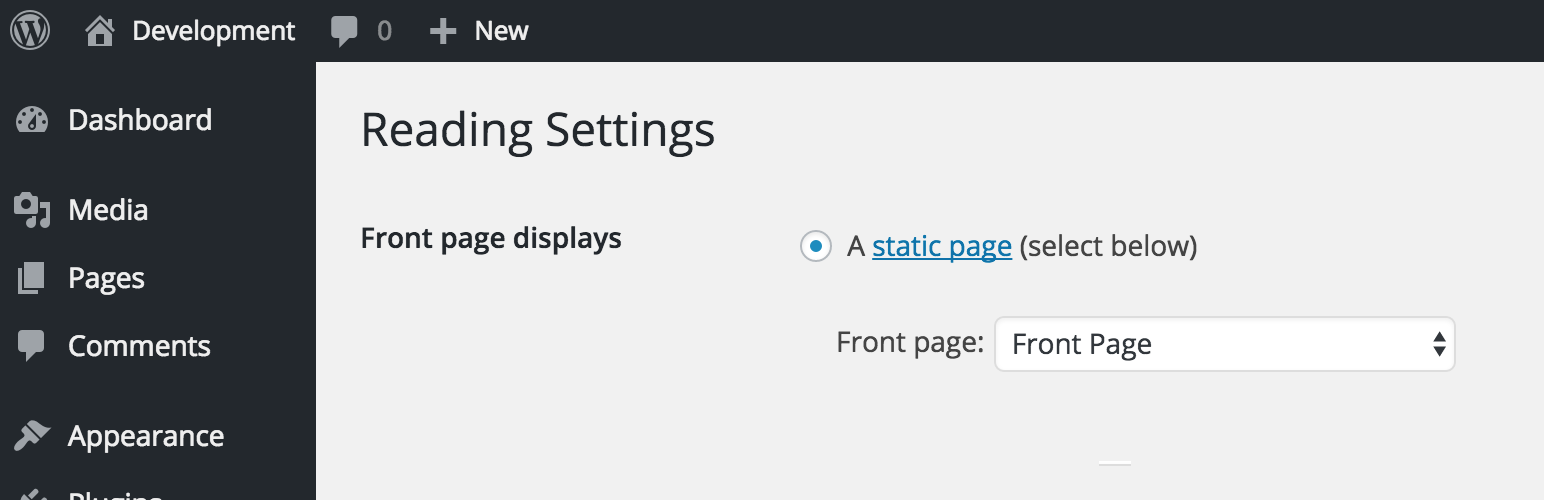
Disable Blog is a WordPress plugin designed to remove the built-in blogging features from your site. Once activated, it disables the core 'post' type, hides related admin pages and settings, and redirects URLs to ensure a blog-less experience. Users must select a static page as the home page for the plugin to function correctly.
This plugin is suitable for those who want to create a website that solely utilises pages and custom post types, without any blog content. It does not delete existing blog data, but such content will not be accessible while the plugin is active.
Best for: This plugin suits users looking to create a website without any blogging features.
What it does well
Where it falls short
Disable Blog effectively removes blogging capabilities from WordPress, making it a practical choice for users focused on pages and custom post types. It is a straightforward solution for those wanting a blog-less site.
Joshua David Nelson's own description of Disable Blog, lightly tidied.
Build a blog-less WordPress site.
Disable Blog is a comprehensive plugin to disable the built-in blogging functionality on your site. You’ll be free to use pages and custom post types without a blog.
The blog is “disabled” when the plugin is activated, which removes support for the core ‘post’ type, hides blog-related admin pages/settings, and redirects urls on both the public and admin portions of the site. Refer to the GitHub readme file for a detailed functionality list.
You need to select a page to act as the home page. If Settings > Reading > “Front Page Displays” is not set to show a page, then this plugin will not function correctly. Not doing so will mean that your post page can still be visible on the front-end of the site. It’s not required, but it is recommended you select a page for the “posts page” setting, this page will be automatically redirected to the static “home page.”
This plugin will not delete any of your site’s data, however existing blog related content will not be accessible while this plugins is active. This includes posts, categories, tags, and related comments.
If you have content and wish to remove it, either delete that content prior to activation or deactivate this plugin, delete it, and re-active.
Comments remain enabled, unless the ‘post’ type is the only type supporting comments (pages also support comments by default, so the comments section won’t disappear in most cases). If you’re looking to disable comments more thoroughly, check out the Disable Comments plugin.
These are disabled unless they are supported by a custom post type.
This plugin includes extensive support for custom post types and taxonomies. If you are using a custom post type that supports the built-in category and/or post_tag taxonomies, they will be visible and accessible through that post type.
This plugin is maintained for free but please reach out and I will assist you as soon as possible. You can visit the WordPress.org support forums or create an issue on the GitHub repository.
Other plugins for custom content structures.
Manage Google AdSense ads, banners, ad rotation, sticky widgets, AMP ads, ads.txt, tracking, header and footer...

ACF helps customize WordPress with powerful, professional and intuitive fields. Proudly powering over 2 millio...

Checkout Field Editor (Checkout Manager) for WooCommerce – The best WooCommerce checkout manager plugin to man...

Easily reorder posts, pages, custom post types, and taxonomies with intuitive drag-and-drop sorting in the Wor...

The #1 user-rated activity log plugin for event logging, activity monitoring and change tracking.

Admin UI for creating custom content types like post types and taxonomies