
Ad Inserter
94Manage Google AdSense ads, banners, ad rotation, sticky widgets, AMP ads, ads.txt, tracking, header and footer...
Free
300k+ installs 4.9★ (2,428)
Display list of posts, pages or any custom post types anywhere using block and widget. Show as grid, list or posts slider.
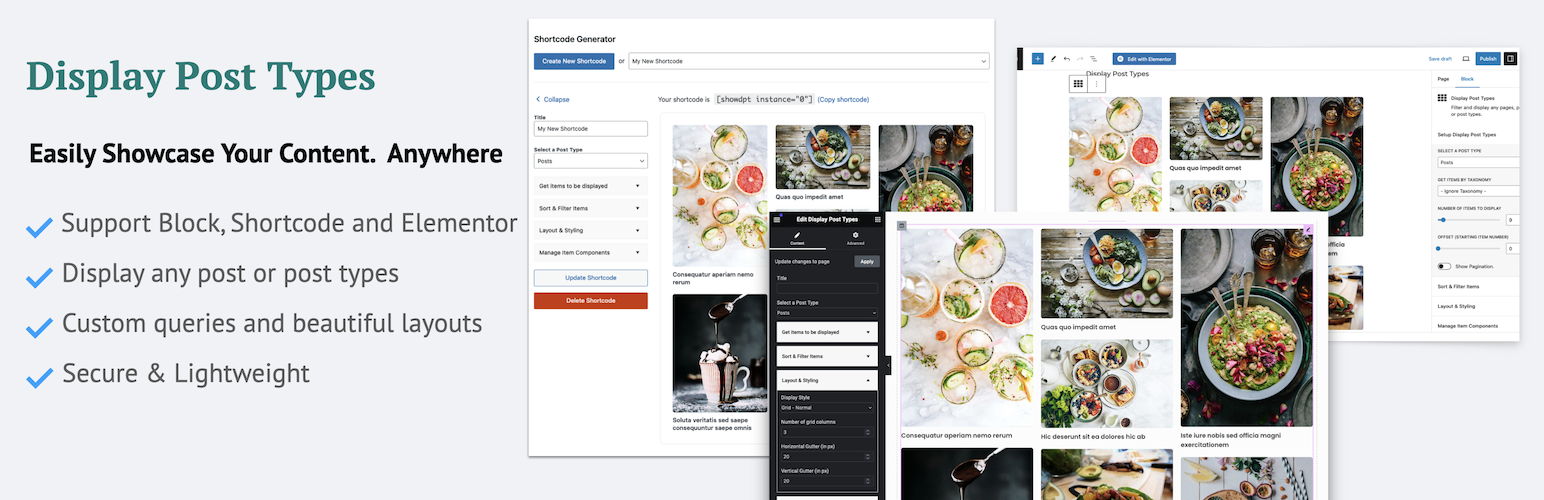
Display Post Types is a WordPress plugin that allows you to showcase posts, pages, or custom post types in various formats such as grids, lists, and sliders. It provides a user-friendly interface with blocks, widgets, or shortcodes to easily integrate these displays into your site.
You can customize the layout by adjusting columns, cropping images, and controlling slider settings. This plugin is suitable for bloggers, business owners, or designers looking to present their content flexibly and attractively without needing coding skills.
Best for: This plugin is ideal for anyone looking to display content in a visually appealing way on their WordPress site.
What it does well
Where it falls short
Display Post Types is a versatile tool for presenting various types of content on your site. It offers a range of display options and customization features suitable for a variety of users.
EasyProLabs's own description of Display Post Types, lightly tidied.
Easily display post grid, list or post sliders. Display post types provides easiest way to fetch, sort and display list of posts, pages or any custom post types using block or widget.
Display Post Types is the ultimate plugin to showcase your WordPress posts, pages, or custom post types in visually stunning grids, lists, and sliders. Whether you’re displaying blog posts, portfolios, or any custom content, this plugin makes it incredibly easy and flexible, with no coding skills required.
Versatile Display Options:
Present your content as a post grid, post list, or dynamic post slider. Choose from multiple layouts like grid, masonry, list, mini list, and overlay styles.
Customizable Layouts:
Adjust columns, crop images, and control slider settings, including auto-slide functionality, for a fully tailored design.
Content Control:
Select specific post types (Posts, Pages, or Custom Post Types) and refine with filters using categories, tags, and custom taxonomies. Advanced options include sorting by date, title, author, comments, or even random order.
Pagination & Offset:
Easily manage pagination and exclude initial posts using the offset feature to curate the perfect display.
User-Friendly Interface:
Utilize intuitive blocks, widgets, or shortcodes to add post displays anywhere on your site with just a few clicks.
Responsive Design:
All layouts are fully responsive and mobile-friendly, ensuring your content looks great on any device.
Customization Made Easy:
Fine-tune each layout using built-in tools for a seamless user experience.
Whether you’re a blogger, business owner, or designer, Display Post Types gives you the flexibility to present your content exactly how you envision it. The possibilities are endless, allowing you to create anything from clean and simple post grids to advanced, auto-sliding sliders.
Need help getting started? Watch our step-by-step tutorial to learn how to use Display Post Types and unlock its full potential.
Display post types in any widget area of your website.
Other plugins for custom content structures.
Manage Google AdSense ads, banners, ad rotation, sticky widgets, AMP ads, ads.txt, tracking, header and footer...

ACF helps customize WordPress with powerful, professional and intuitive fields. Proudly powering over 2 millio...

Checkout Field Editor (Checkout Manager) for WooCommerce – The best WooCommerce checkout manager plugin to man...

Easily reorder posts, pages, custom post types, and taxonomies with intuitive drag-and-drop sorting in the Wor...

The #1 user-rated activity log plugin for event logging, activity monitoring and change tracking.

Admin UI for creating custom content types like post types and taxonomies