
WPThumbs
Themes Plugins By purpose By industry Best-of lists Fix it guides
Free Plugin by Barn2 Plugins v1.3.0

Document Library Lite

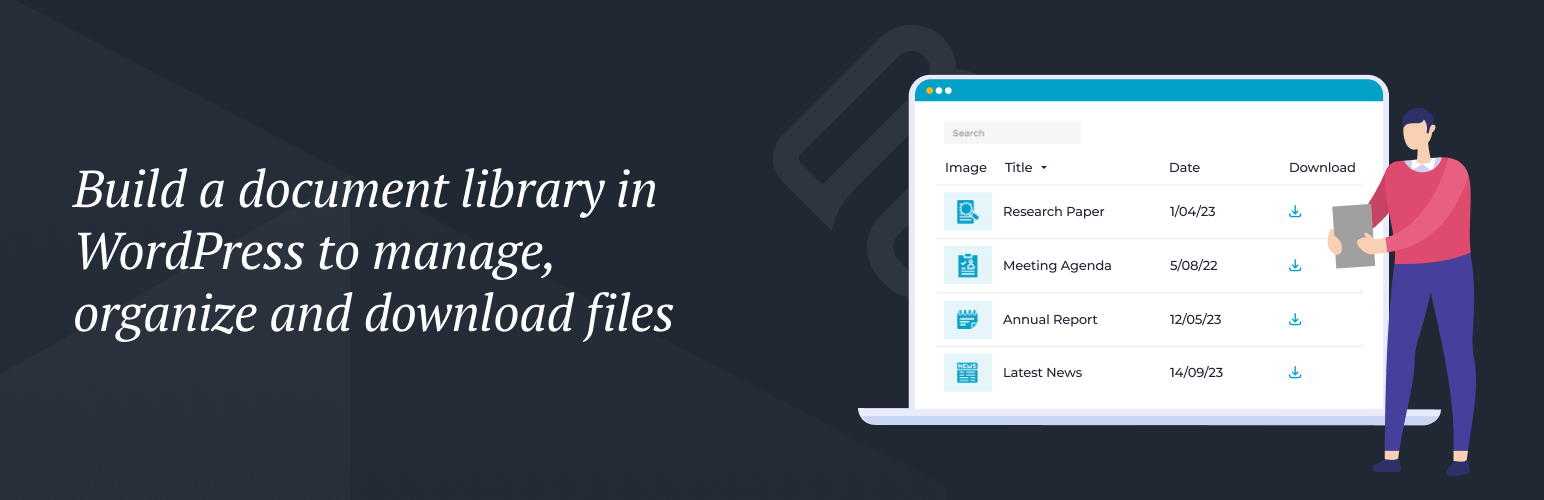
Create a WordPress document library to manage, search and download files.
Document Library Lite

The facts

Rating
4★ from 11
Active installs
4k+
Price
Free
Last updated
24 Aug 2026
Added
Apr 2022
Requires WP
6.1
Tested up to
WP 7.1
Requires PHP
7.4
Downloads
58,749

Our analysis

AI-assisted

Document Library Lite is a WordPress plugin that enables you to create a document library and download manager. It allows you to manage various document types, display them in a searchable and sortable table layout, and provides users with an easy way to find and download documents. The plugin adds a dedicated 'Documents' section to the Media Library for better organisation of document files.

This plugin is suitable for users who need to manage a collection of documents on their WordPress site. It is particularly useful for those who want to enhance the user experience by allowing quick access to documents through search and categorisation features.

Best for: This plugin suits websites that need to manage and display various documents for users.

What it does well

  • Supports multiple file types including PDFs, Word, Excel, and images
  • Displays documents in a searchable and sortable table layout
  • Adds a dedicated 'Documents' section to the Media Library
  • Responsive design works on any screen size
  • Easy to use shortcode for inserting document libraries

Where it falls short

  • Limited features compared to the Pro version
  • No information on specific additional functionalities in the Lite version

Verdict

Document Library Lite offers a straightforward solution for document management on WordPress sites, though it lacks the advanced features of its Pro counterpart.

From the developer

Barn2 Plugins's own description of Document Library Lite, lightly tidied.

Document Library Lite creates a WordPress document library/download manager. It is the free plan of Document Library Pro, which is also available in Essentials and Advanced plans with additional features. It displays documents in a table layout and allows users to quickly search for, sort and download documents.

View the plugin demo to see it in action.

Features

  • Easy document management – add documents of any file type, plus all the document data you want to display.
  • List documents in searchable, sortable tables.
  • Choose any or all of the following columns: ID, image, title, content, date, categories, plus download button.
  • List all files in your document library, or list them by category or status.
  • 100% responsive – works on any screen size or mobile device.

Supports the following file types:

  • PDF
  • DOC, DOCX (Microsoft Word)
  • XLS, XLSX (Microsoft Excel)
  • PPT, PPTX, PPS, PPSX (Microsoft PowerPoint)
  • ODT, ODS, ODP (OpenDocument Format)
  • JPG, JPEG, PNG, SVG (image files)
  • MP4, MOV (video files)
  • .numbers, .pages, .key (Apple document formats)
  • And many more

The plugin adds a dedicated ‘Documents’ section to the Media Library where you can manage documents separately from images and other media types. If you’ve ever wanted Media Library categories then you can filter the media library to view document files only.

The document library makes things easier for your users. Instead of having to read through a long list of document links, they can use the instant search box, sortable columns and category filters to find exactly what they’re looking for. They can click to download documents of any file type straight to their device.

To get started with the WordPress download manager plugin, simply install the plugin, start adding documents and they will instantly appear on the ‘Document Library’ page. You can also use the [doc_library] shortcode to insert document libraries anywhere.

Document Library Pro

Our Document Library Pro‘s Essentials and Advanced plans add powerful features for organisations managing larger document libraries.

View free & pro comparison table

  • Bulk upload – Add files using drag and drop file upload, CSV import, or import Media Library files to the download manager.
  • Extra layout options – Display documents in a beautiful grid layout, and optionally structure the WordPress document library into collapsible folders.
  • Add extra columns – File size, file type, document excerpt, status, last modified date, author, plus custom fields and custom taxonomies. You can also rename the column headings of the document library. Advanced Custom Fields and ACF Pro support.
  • Individual document pages – Create a separate page for each document.
  • Host documents on third party sites – As well as displaying files from the Media Library, your WordPress download manager can include documents hosted on third party sites such as Dropbox, Google Drive, and Office 365.
  • Private document libraries – Restrict access to any or all of your document libraries either through simple password protection, or to specific roles or use accounts. Either protect the library globally or via category or individual document.
  • Version control – Manage multiple versions of the same document, keeping your library organized and up to date.
  • Control which downloads to list – Display documents based on additional factors including author, post type, taxonomy term, custom field, year, month, day, or ID. You can also exclude documents from the file manager by ID or category.
  • Filter dropdowns – Make it easier for people to find specific documents by adding filter dropdowns for categories, tags and taxonomies.
  • Standalone document search – As well as the AJAX search box above the document library, you can use the ‘Document search’ widget or [doc_search] shortcode to add a search box anywhere on your site. For example, you can use this to display a ‘Find Downloads’ search box to the homepage, site header, or sidebar.
  • Flexible document links – Control the links in your WordPress document library including choosing which columns are clickable and opening links in a new tab.
  • Multiple document download – Allow users to select multiple documents and download them together in a handy zip file.
  • Instant document preview – Display ‘Preview’ buttons so that users can view documents without downloading them.
  • Display audio and video – As well as downloadable documents, display embedded audio and video players directly in the WordPress document library.
  • Caching – Speed up load times with built-in caching.
  • Compatibility with third party plugins – Tested with dozens of other plugins.
  • And much more – PLUS get dozens of extra features for added flexibility, such as the ability to show and hide each part of the WordPress download manager, customize the colors, and more.

How to Create a WordPress File Manager

You can use Document Library Lite to create a download manager which lists documents of any file type. It’s perfect for creating a WordPress document library, resource library, download management, file manager, audio library, video gallery, and much more.

First, install the plugin and choose your settings at Documents > Settings. This page gives you full control over the WordPress file manager including which columns to display, and the text of the document download button.

Read the full description on the official page →

Tagged as

Alternatives

Other plugins for custom content structures.

Ad Inserter

Manage Google AdSense ads, banners, ad rotation, sticky widgets, AMP ads, ads.txt, tracking, header and footer...

Free 300k+ installs 4.9★ (2,428)
Advanced Custom Fields

ACF helps customize WordPress with powerful, professional and intuitive fields. Proudly powering over 2 millio...

Free 2M+ installs 4.5★ (1,438)
Simple Custom Post Order

Easily reorder posts, pages, custom post types, and taxonomies with intuitive drag-and-drop sorting in the Wor...

Free 300k+ installs 4.8★ (569)
WP Activity Log

The #1 user-rated activity log plugin for event logging, activity monitoring and change tracking.

Free 300k+ installs 4.7★ (488)
Custom Post Type UI

Admin UI for creating custom content types like post types and taxonomies

Free 1M+ installs 4.6★ (276)
