Eventin
87Event calendar plugin for event registration, event tickets, bookings, RSVP, recurring and virtual events with...
Free
10k+ installs 4.7★ (397)
The Events Calendar Elementor widgets help you manage and display an upcoming events list with date, time, venue and event ticket booking details.
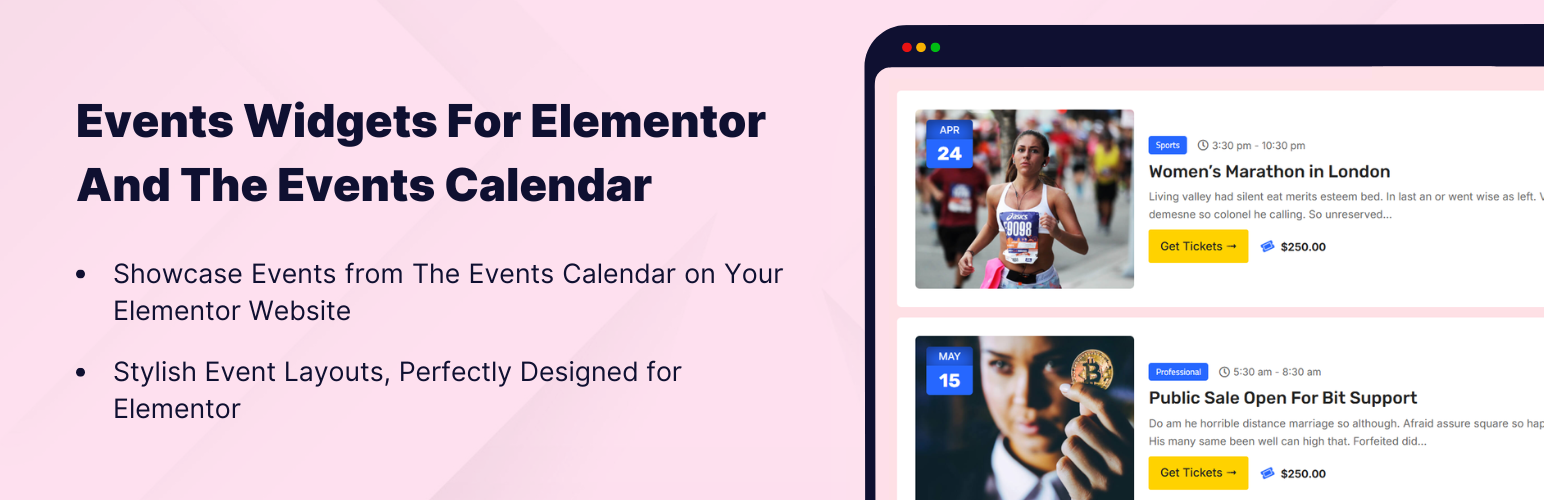
Events Widgets For Elementor And The Events Calendar is a WordPress plugin that integrates with Elementor to display events from The Events Calendar plugin. It allows you to create custom event sections on your pages using a drag-and-drop interface, with options for List and Calendar layouts.
This plugin is suitable for users looking to showcase events on their websites, such as event pages, conference sites, or community portals. You can customize the appearance of events, including typography and colours, to align with your website's design.
Best for: This plugin is best for website owners who want to display events using Elementor.
What it does well
Where it falls short
Events Widgets For Elementor And The Events Calendar provides a straightforward way to display events on your site. It is particularly useful for those already using Elementor and The Events Calendar plugin.
Cool Plugins's own description of Events Widgets For Elementor And The Events Calendar, lightly tidied.
Looking for an Elementor widget for The Events Calendar plugin?
Events Widgets provides an easy-to-use The Events Calendar widget for Elementor to display upcoming events and create beautiful custom event sections inside your Elementor pages.
This Elementor event calendar widget helps you create a modern event calendar section using Elementor’s drag-and-drop builder. You can easily manage and display events in List or Calendar layouts with event date, time, venue, organizer and event ticket booking details. It also lets you customize typography, colors, event meta details and layout styles. This widget is ideal for creating event pages, homepage event highlights, conference websites, meetup listings, and community event portals powered by The Events Calendar WordPress plugin.
In the Pro version, this events calendar extension helps you build custom event templates using the advanced Events Loop Builder for Elementor and display a list of all events in Grid or Carousel layouts. You can also add a smart events search filter bar above your events section so visitors can quickly search and filter events by category, date, venue, organizer or tag via this WordPress events plugin.
Events List Layouts : Modern List | Minimal List | Classic List
Events Grid Layouts : Modern Grid | Minimal Grid | Classic Grid
Events Carousel Layouts : Modern Carousel | Minimal Carousel | Classic Carousel
Advanced Features : Events Search & Filter Bar | Show Featured Events | View More
Use this flexible events calendar addon for Elementor, allowing you to display events from this WordPress events calendar plugin in multiple layouts. This WordPress event calendar plugin for Elementor helps you design modern event displays without writing any code.
Use Events Widget for Elementor
Simply drag and drop events widget inside Elementor and easily showcase your upcoming events inside any Elementor page using a fully customizable Elementor event calendar widget. It fetches events published via the core event calendar WordPress plugin. This makes it easy to build upcoming events blocks, featured event areas, or homepage event showcases using Elementor’s visual builder.
List & Calendar Layouts
Display events in clean List or Calendar layouts that match your website design. The list layout is ideal for displaying upcoming events in a simple chronological format, while the calendar layout helps visitors browse events by date.
(Pro version includes advanced List, Grid, and Carousel layouts to create dynamic event sections and modern event showcase designs.)
Full Styling Controls Inside Widget
Customize colors, typography, spacing, borders, and layout settings directly from the Elementor Events widget panel. You can easily adjust the event title style, date format styling, event meta information, and overall layout design to match your Elementor website design and branding.
Advanced Settings for Events Widgets
Events Widgets provides flexible display settings that allow you to control how events appear on your website. These options help you build custom event listings, filtered event sections, and targeted event displays based on your needs.
Want to unlock more event management capabilities? Upgrade to Events Widgets Pro and use powerful design features and advanced event display options for Elementor. The Pro version helps you create fully customized event display layouts and dynamic event grids for the WordPress events calendar plugin with Elementor.
Events Widgets Pro provides modern event showcase designs to display events in professional Grid Layout and Carousel Layouts. The event grid widget is perfect for displaying events in a responsive card-based layout, while the event carousel widget lets you create interactive sliding event showcases. These layouts are ideal for homepage event sections, upcoming event highlights, event galleries, and dynamic event displays.
Create fully custom event listing templates using the powerful Elementor loop builder. With the Events Loop Item feature, you can design your own event layout and reuse it across multiple List, Grid, or Carousel event displays. This makes it easy to build custom event archive views, advanced event cards, and fully personalized event templates inside Elementor.
Other plugins for selling tickets.
Event calendar plugin for event registration, event tickets, bookings, RSVP, recurring and virtual events with...

Easily manage events and sell tickets on your WordPress site. Sugar Calendar is easy-to-use, reliable, and exc...

Sell event tickets with WooCommerce. Event registration, recurring events, RSVP, attendee management & eve...

Feature Rich and Super Fast Support and Customer Ticketing System for WordPress.
Use this powerful WordPress event plugin to create and sell events, manage tickets, check-ins, recurring sched...

The all in one Events Manager for WordPress: create and manage events, sell event tickets online easily. No Co...