
Ad Inserter
94Manage Google AdSense ads, banners, ad rotation, sticky widgets, AMP ads, ads.txt, tracking, header and footer...
Free
300k+ installs 4.9★ (2,428)
The ad manager that stays on your server: banner ads, AdSense, rotation, split testing, targeting, consent gating and local stats.

Hafenstudios Ads is a WordPress plugin designed for managing advertisements, including banner ads and AdSense units. It allows you to place ads precisely where you want them, rotate them, and target specific audiences while tracking performance metrics like impressions and clicks without sending data to external servers.
The plugin supports multiple ad blocks, automatic and manual placements, and offers features like split testing, weighted ad rotation, and device targeting. It also includes a template gallery for various ad formats and a built-in cookie consent banner, making it suitable for users who want to manage ads effectively on their WordPress sites.
Best for: This plugin is suitable for WordPress site owners looking to manage and optimise their ad placements effectively.
What it does well
Where it falls short
Hafenstudios Ads provides a comprehensive solution for ad management within WordPress, focusing on privacy and control over ad performance.
hafenstudios's own description of Hafenstudios Ads, lightly tidied.
Hafenstudios Ads is an ad manager for WordPress: place banner ads, AdSense units and any ad code exactly where you want them, rotate them, target who sees them, and keep an eye on impressions, clicks and CTR — without sending any analytics to an external server.
Create multiple ad blocks, insert them automatically before or after the content, after paragraph N or by shortcode, widget and Gutenberg block. Weighted ad rotation, split testing, device and post-type targeting, campaign scheduling and consent gating are built in.
[adjet_ad_group name="header"]; the winner is picked in the visitor’s browser, so page caches cannot freeze the choice.[adjet_ad id="1"], widget or Gutenberg block.manage_adjet with an optional editor-access toggle.adjet/v1) for ad blocks, stats and settings via Application Passwords.The plugin does not contact hafenstudios servers from the WordPress admin area or frontend. Optional statistics are stored locally in your own WordPress database. Third-party ad code pasted into an ad block may contact external services; configure your consent solution accordingly.
The plugin works fully without any external service. Every integration below is optional and only ever runs when you explicitly enable it:
adsbygoogle.js from pagead2.googlesyndication.com to display ads. Terms: https://www.google.com/adsense/localized-terms — Privacy: https://policies.google.com/privacyapi.anthropic.com), each only after you enter your own Anthropic API key in the settings and click that button; no key, no request, never automatic. What each button sends: the “AI suggestions” button in the ad assistant sends the template’s field labels, your site name/description and any brief you type to generate draft ad copy; the “Suggest alt text” button sends the selected ad image (from your media library as encoded image data, otherwise as its URL) to describe it; the “Let the AI read the numbers” button on the statistics page sends aggregated daily totals, weekly totals and per-block impression/click counts. No visitor data, IP addresses or e-mail addresses are ever sent. The key is stored encrypted and used server-side only. Terms: https://www.anthropic.com/legal/commercial-terms — Privacy: https://www.anthropic.com/legal/privacyapi.sendfox.com) to be added to your list. This happens only when you have connected a SendFox access token. The token is stored encrypted and used server-side only. Terms: https://sendfox.com/tos — Privacy: https://sendfox.com/privacyconnect.mailerlite.com) to be added to your group. This happens only when you have connected a MailerLite API token. The token is stored encrypted and used server-side only. Terms: https://www.mailerlite.com/legal/terms-of-service — Privacy: https://www.mailerlite.com/legal/privacy-policyapi.brevo.com). With a double opt-in template and redirect URL configured in the settings, the signup uses Brevo’s double opt-in endpoint (/contacts/doubleOptinConfirmation) and Brevo sends the confirmation mail; without them the contact is created directly and no confirmation mail is sent, which the form’s success message states honestly. This happens only when you have connected a Brevo API key. The key is stored encrypted and used server-side only. Terms: https://www.brevo.com/legal/termsofuse/ — Privacy: https://www.brevo.com/legal/privacypolicy/<dc>.api.mailchimp.com, the data center encoded in your API key) to be added to your audience with status “pending”, which triggers Mailchimp’s double opt-in. This happens only when you have connected a Mailchimp API key. The key is stored encrypted and used server-side only. Terms: https://mailchimp.com/legal/terms/ — Privacy: https://www.intuit.com/privacy/statement/api.kit.com) to create or update the subscriber and add them to your chosen Kit form; if the form has double opt-in enabled, Kit sends its confirmation email. This happens only when you have connected a Kit v4 API key. The key is stored encrypted and used server-side only. Terms: https://kit.com/terms — Privacy: https://kit.com/privacyThe plugin uses capability checks, nonces for form actions, sanitization on save and escaping on output. Raw ad code is only stored unchanged for users with the unfiltered_html capability.
This plugin is developed and maintained by hafenstudios. For direct support you can reach us by e-mail at moin@hafenstudios.com or by phone at +49 174 3935796. You are also welcome to use the plugin support forum on WordPress.org.
Other plugins for ads and banners.
Manage Google AdSense ads, banners, ad rotation, sticky widgets, AMP ads, ads.txt, tracking, header and footer...
The only complete toolkit for all ad types. Grow your revenue with AdSense, Amazon—or any affiliate network. G...
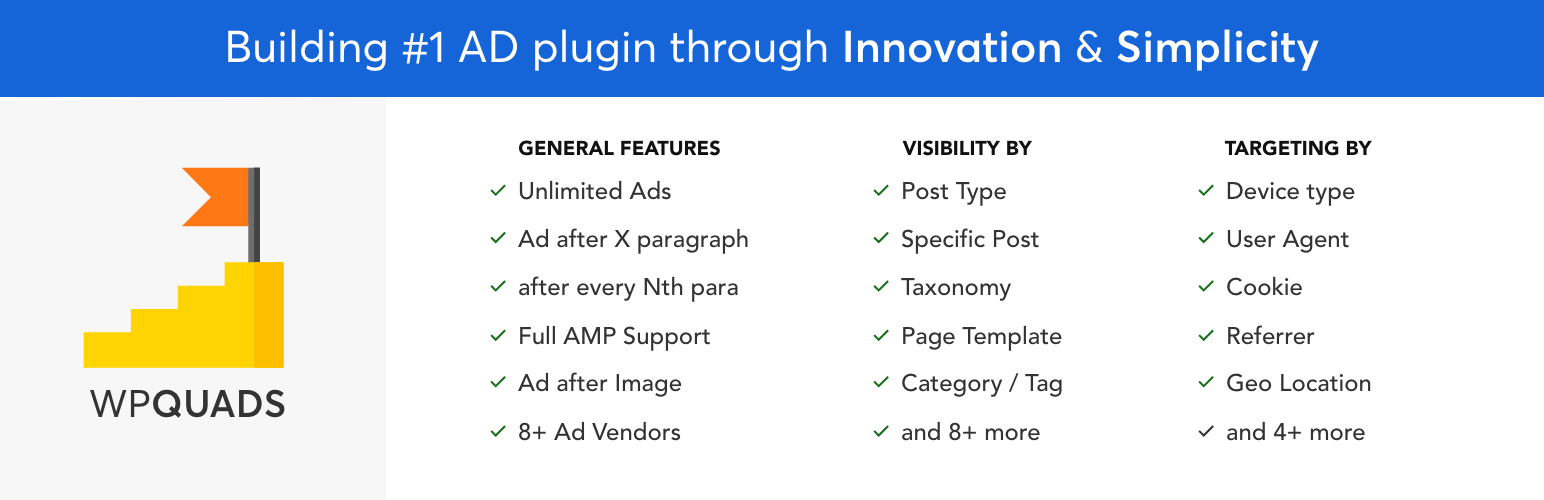
Ads & AdSense plugin supporting Media.net, DFP, ads.txt, Web Stories ads, click fraud protection, revenue...

Create, manage, and validate your ads.txt and app-ads.txt from within WordPress, like any other content asset.

Quick Adsense offers a quicker & flexible way to insert Google Adsense or any Ads code into a blog post.

Premium advertising solution to grow your WordPress site revenue with no code and real-time insights.