WPThumbs
Themes Plugins By purpose By industry Best-of lists Fix it guides
Free Plugin by hillelcoren v1.0.13

Invoice Ninja

WordPress plugin for Invoice Ninja

Invoice Ninja

The facts

Rating
4★ from 2
Active installs
100+
Price
Free
Last updated
11 May 2026
Added
Oct 2024
Tested up to
WP 6.8.8
Downloads
2,528

Our analysis

AI-assisted

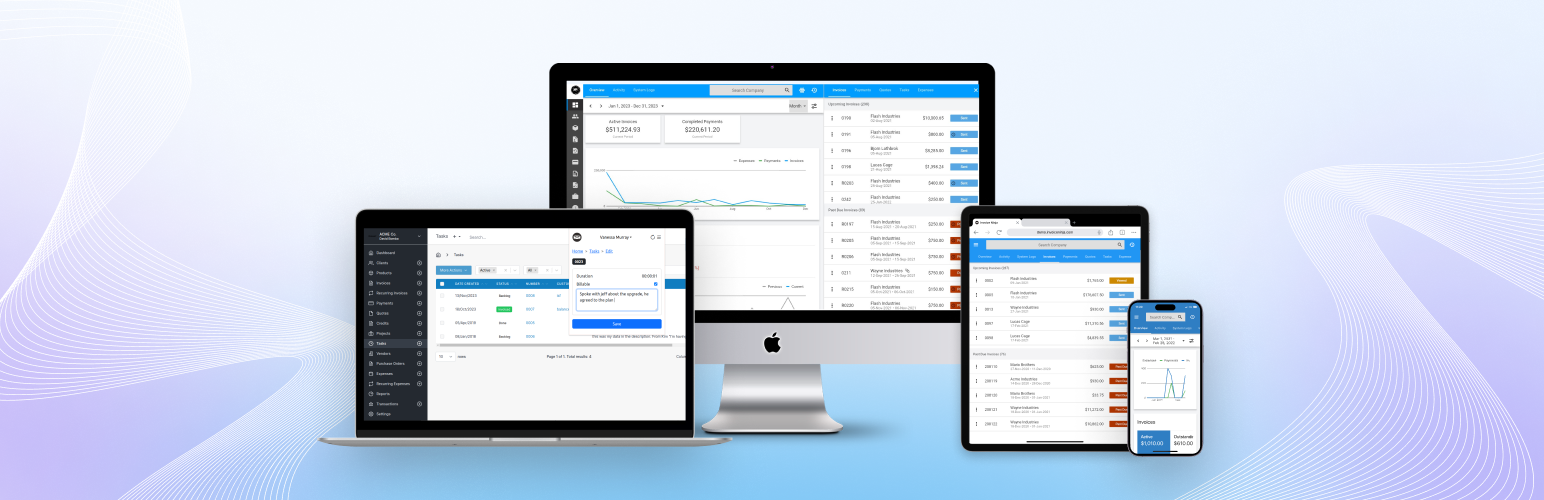
Invoice Ninja is a WordPress plugin designed for invoicing and billing, allowing you to connect your WordPress site with either the hosted Invoice Ninja platform or a self-hosted installation. It facilitates the import of products as custom pages in WordPress and the export of WordPress/WooCommerce customers as clients in Invoice Ninja.

The plugin includes features such as single sign-on for the client portal, automatic synchronization of clients and products, and customizable product labels. It is suitable for users looking to streamline their invoicing processes and manage clients and products effectively within their WordPress environment.

Best for: This plugin is best for WordPress site owners who need invoicing and product management integration.

What it does well

  • Connects to hosted or self-hosted Invoice Ninja
  • Imports products as custom pages in WordPress
  • Exports WordPress users as clients in Invoice Ninja
  • Supports single sign-on for the client portal
  • Offers customizable product labels

Where it falls short

  • Limited information on additional features or user support
  • No details on compatibility with other plugins or themes

Verdict

Invoice Ninja provides essential invoicing functionalities for WordPress users, though it lacks detailed information on broader compatibility and support.

From the developer

hillelcoren's own description of Invoice Ninja, lightly tidied.

The plugin can be used to connect to either the hosted platform API at invoicing.co or to a selfhost installation of the app.

Features

  • Import products from Invoice Ninja as custom pages in WordPress.
  • Export WordPress/WooCommerce customers as clients in Invoice Ninja.
  • Enable Single sign-on (SSO) for the Client Portal.
  • Integrated shopping cart functionality.

Settings

Credentials

  • Token: Enter your Invoice Ninja v5 API token here to authenticate and connect your WordPress site with Invoice Ninja. Using https ensures secure data transfer between the two platforms.
  • URL: Provide the URL where your Invoice Ninja instance is accessible. If the URL is blank the plugin will connect to the hosted Invoice Ninja platform at invoicing.co.

Clients

  • Sync Clients: Enable this option to automatically export WordPress users as clients in Invoice Ninja when they are created or updated. This ensures your client database is always up to date without manual intervention.
  • If Match Is Found: Specify whether to skip or update a client if a matching client is found in Invoice Ninja during the export process. The default setting is to skip, but you can choose to update existing client information if needed.
  • Included Roles: Define which WordPress user roles should be included in the export process. Only users with the specified roles will be exported to Invoice Ninja, allowing for precise control over your client synchronization.

Products

  • Sync Products: Enable this feature to automatically import products from Invoice Ninja into WordPress on an hourly basis. These products will be created as custom pages in WordPress, providing an up-to-date product catalog on your site.
  • Online Purchases: Configure how your customers can purchase products. Set to ‘Single’ for a ‘Buy Now’ button for immediate purchase or ‘Multiple’ for an ‘Add to Cart’ button, allowing customers to add items to their cart for later checkout.

Localization

  • Product Label: Singular label to use for individual products.
  • Products Label: Customize the plural label used for multiple products. This label will appear wherever multiple products are listed.

[!NOTE]
Note: Additional fields will be displayed if Online Purchases and/or Inventory Tracking are enabled, providing more detailed configuration options.

Templates

  • Product Template: Define the HTML template used to generate the product list page.
  • Image Template: If your products in Invoice Ninja have an Image URL set, the images will be imported and displayed alongside the product information in WordPress.

Read the full description on the official page →

Tagged as

Alternatives

Other plugins for invoicing.

Jetpack CRM

The CRM for small businesses. Manage leads, invoicing, billing, email marketing, clients, contacts, quotes, au...

Free 30k+ installs 4.3★ (152)
WC

WC

84

Add to WooCommerce a NIF/CIF/NIE field for all billing and shipping forms, with validation and VIES/EORI suppo...

Free 10k+ installs 4.8★ (23)
Bulgarisation for WooCommerce

Всичко необходимо за вашият онлайн магазин за България. Включва облекчен режим за Наредба - H-18 и методи за д...

Free 5k+ installs 5★ (43)