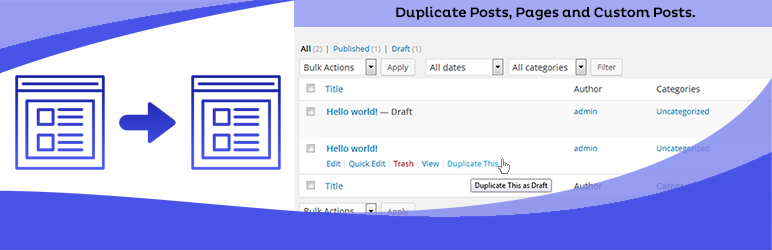
Duplicate Posts, Pages and Custom Posts easily using single click
Free
3M+ installs 4.8★ (465)
Your Jetpack, Controlled.

Module Control for Jetpack is a WordPress plugin that allows you to manage Jetpack modules more effectively. It enables you to blacklist or remove individual modules, prevent auto-activation, and run Jetpack without a WordPress.com connection. This plugin is suitable for both single site and Multisite installations, providing flexibility in managing Jetpack features according to your needs.
This plugin is particularly useful for site administrators who want to avoid conflicts between Jetpack modules and other functionalities on their site. For example, you can prevent the activation of modules that overlap with existing features or services, ensuring a more streamlined experience for users.
Best for: This plugin suits WordPress site administrators looking to customise Jetpack functionality.
What it does well
Where it falls short
Module Control for Jetpack provides useful management options for Jetpack users, particularly in complex site environments. It offers flexibility but may require some technical understanding to implement effectively.
Rolf Allard van Hagen's own description of Module Control for Jetpack, lightly tidied.
Jetpack adds powerful features, but sometimes we don’t want them all… This light-weigth but effective plugin brings additional control over Jetpack.
In most use cases, a carefully considered combination of Jetpack modules can be a really good thing. But not always is much consideration being done beforehand. Or site admins just don’t know all the implications…
Any one of Jetpack’s modules can bring overlapping or even conflicting functionality. In such cases, being able to prevent (accidental) activation is a good thing.
Although the original idea arose on a multisite installation, Module Control for Jetpack is developed for both single and multisite installations.
On multisite, it can only be network activated and allows global rules for Jetpack on all sites. At this point it also allows per-site changes by Super Admin only. Jetpack itself can, but does not need to be network activated. In that case, activate Jetpack on the main site and then network-activate Module Control.
For single site installations, plugin settings can be locked down by adding define('JETPACK_MC_LOCKDOWN', true) to wp-config.php for complete security. This can be useful to prevent other admins being able to reactivate blacklisted modules.
The project can be forked and or contributed to on Github.
All contributions — be it in the form of feature requests, bug reports, translations or code — are welcome!
Other plugins for dating sites.
Duplicate Posts, Pages and Custom Posts easily using single click

HappyAddons packs Header Footer Builder, Megamenu, Single Post, Archive Page, & 500+ Ready Templates into...

Site metrics and social media analytics for Instagram, Facebook, YouTube, LinkedIn, X Twitter. The single best...
Disable admin notices and hide dashboard notifications from plugins, themes and core. Hide all notices, select...

Password protect WordPress pages and posts by user roles or with multiple passwords; protect your entire websi...
SAML SSO (Single Sign On) for WordPress Login with Okta, Entra ID/Azure AD, GSuite, Salesforce & All SAML...