
Ad Inserter
94Manage Google AdSense ads, banners, ad rotation, sticky widgets, AMP ads, ads.txt, tracking, header and footer...
Free
300k+ installs 4.9★ (2,428)
Show WooCommerce order metadata in a metabox when editing HPOS orders - a great tool for debugging issues with HPOS order metadata.
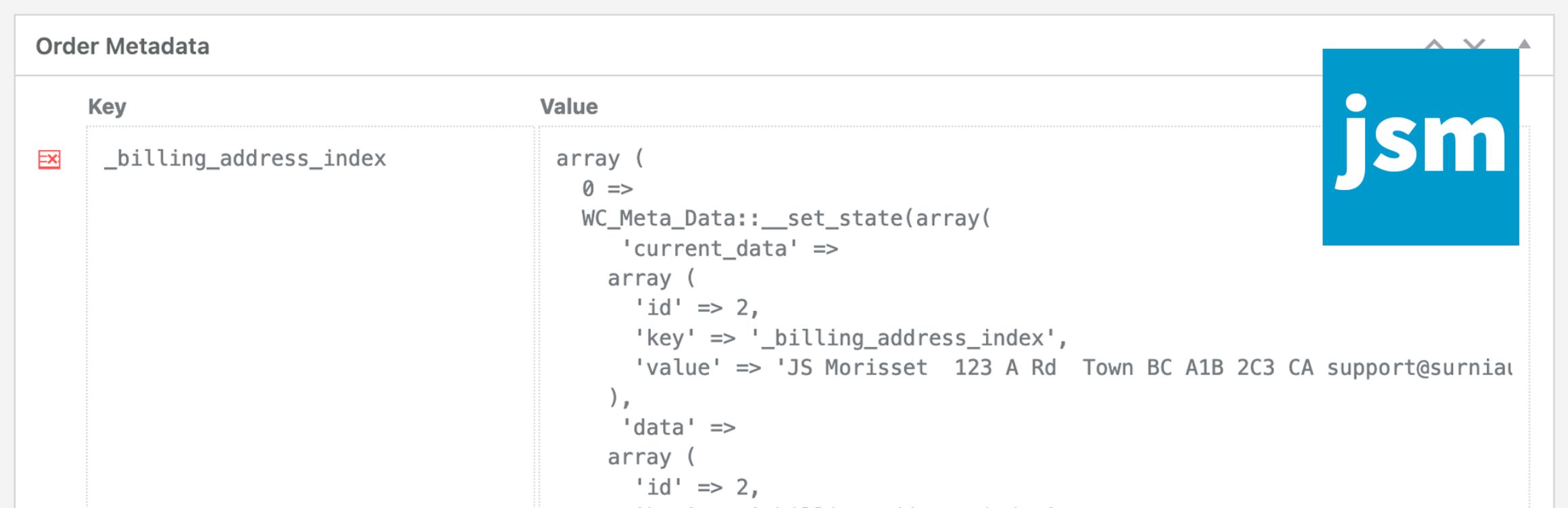
The JSM Show Order Metadata for WooCommerce HPOS plugin displays order meta keys and their unserialized values in a metabox on the WooCommerce HPOS order and WooCommerce Subscriptions editing pages. It is designed for users who are using WooCommerce's High-Performance Order Storage feature, introduced in WooCommerce version 8.2.
This plugin does not require any configuration settings; you simply install and activate it. Developers can use available filters to customize the order metadata displayed, such as excluding certain meta keys or defining capabilities required to manage the metadata.
Best for: This plugin is suitable for WooCommerce store owners using High-Performance Order Storage who need to view order metadata.
What it does well
Where it falls short
The plugin serves a specific purpose for WooCommerce HPOS users, providing straightforward functionality without the need for settings. It may not be suitable for those not using this feature.
JS Morisset's own description of JSM Show Order Metadata for WooCommerce HPOS, lightly tidied.
The JSM Show Order Metadata for WooCommerce HPOS plugin displays order meta keys and unserialized values in a metabox at the bottom of the WooCommerce HPOS order and WooCommerce Subscriptions editing pages.
Note that if you’re NOT using WooCommerce HPOS (High-Performance Order Storage), available since WooCommerce v8.2, then your WooCommerce orders are post objects and you should use the JSM Show Post Metadata plugin instead.
There are no plugin settings – simply install and activate the plugin.
Filter the order meta shown in the metabox:
'jsmsom_metabox_post_types' ( array $post_types )
Array of supported HPOS post types (i.e. ‘woocommerce_page_wc-orders’ and ‘woocommerce_page_wc-orders–shop_subscription’).
'jsmsom_metabox_table_metadata' ( array $metadata, $order_obj )
Array of regular expressions to exclude meta keys:
'jsmsom_metabox_table_exclude_keys' ( array $exclude_keys, $order_obj )
Capability required to show order meta:
'jsmsom_show_metabox_capability' ( 'manage_options', $order_obj )
Capability required to delete order meta:
'jsmsom_delete_meta_capability' ( 'manage_options', $order_obj )
Icon for the delete order meta button:
'jsmsom_delete_meta_icon_class' ( 'dashicons dashicons-table-row-delete' )
Other plugins for custom content structures.
Manage Google AdSense ads, banners, ad rotation, sticky widgets, AMP ads, ads.txt, tracking, header and footer...

ACF helps customize WordPress with powerful, professional and intuitive fields. Proudly powering over 2 millio...

Checkout Field Editor (Checkout Manager) for WooCommerce – The best WooCommerce checkout manager plugin to man...

Easily reorder posts, pages, custom post types, and taxonomies with intuitive drag-and-drop sorting in the Wor...

The #1 user-rated activity log plugin for event logging, activity monitoring and change tracking.

Admin UI for creating custom content types like post types and taxonomies