
Ad Inserter
94Manage Google AdSense ads, banners, ad rotation, sticky widgets, AMP ads, ads.txt, tracking, header and footer...
Free
300k+ installs 4.9★ (2,428)
Manage post meta, custom post type meta and user meta of your WordPress site.
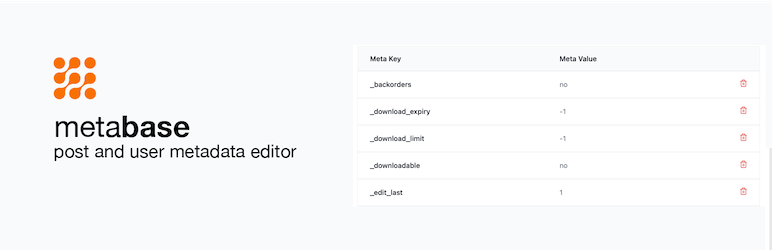
Metabase – Post & User Meta Editor is a WordPress plugin that allows you to view and manage post and user meta data on your website. It supports both public and private meta keys, enabling you to see all relevant data associated with posts and users, including custom post types. Only admins have access to this meta data, ensuring that sensitive information remains secure.
To use the plugin, you simply install it, and a metabox will be added to your post and user edit screens. You can filter which post types display the metabox, providing flexibility in how you manage your site's meta data.
Best for: This plugin is suitable for WordPress site administrators who need to manage post and user meta data.
What it does well
Where it falls short
Metabase provides a straightforward solution for viewing and editing meta data on WordPress sites, particularly for those who work with custom post types. Its functionality is focused and may not cater to advanced needs.
David Towoju's own description of Metabase, lightly tidied.
This plugin shows the post meta and user meta of your website. Post meta of custom post types can also be viewed. Only admins can view this meta data.
All user meta data can be viewed with this plugin (Metabase) – including custom post types. Both public and private meta keys can be viewed. Private meta keys start with the underscore prefix and are not meant to be seen in the admin.
In short, any data that can be viewed with get_post_meta() can be viewed with this plugin.
To view your post meta, please go to the open the post in the WP Admin and scroll down to end of the page, you will see a table titled “Meta”.
All user meta data can be viewed/managed with this plugin (Metabase). Also, private and public meta keys can be viewed. Any data that can be viewed with get_user_meta() can be viewed with this plugin.
To view your plugin, please got to the Users page and click to view a user. Scroll down and you will see the
After installing this plugin, a metabox will be added to your posts and users.
You can filter the post types you want the metabox to appear in.
Other plugins for custom content structures.
Manage Google AdSense ads, banners, ad rotation, sticky widgets, AMP ads, ads.txt, tracking, header and footer...

ACF helps customize WordPress with powerful, professional and intuitive fields. Proudly powering over 2 millio...

Checkout Field Editor (Checkout Manager) for WooCommerce – The best WooCommerce checkout manager plugin to man...

Easily reorder posts, pages, custom post types, and taxonomies with intuitive drag-and-drop sorting in the Wor...

The #1 user-rated activity log plugin for event logging, activity monitoring and change tracking.

Admin UI for creating custom content types like post types and taxonomies