
The #1 user-rated activity log plugin for event logging, activity monitoring and change tracking.
Free
300k+ installs 4.7★ (488)
Optimize WordPress with Advanced Option History, Autoload Health Checks, and Automated Cleanup. Boost performance by reducing database bloat.

NHR Advanced Options Table Manager & Autoload Optimizer is a WordPress plugin designed to help you manage your wp_options table effectively. It provides tools for viewing, editing, and deleting options, as well as tracking changes and optimizing the database for better performance.
This plugin is suitable for users looking to enhance their site's speed by cleaning up the options table and managing autoloaded data. It features analytics, automated cleanups, and support for usermeta tables, making it a practical choice for website administrators focused on database management.
Best for: This plugin suits WordPress site administrators looking to optimize their database management.
What it does well
Where it falls short
NHR Advanced Options Table Manager & Autoload Optimizer offers useful features for managing the wp_options table, making it a solid choice for those aiming to improve site performance.
Nazmul Hasan Robin's own description of NHR Advanced Options Table Manager & Autoload Optimizer, lightly tidied.
🚀 GitHub Repository – Found a bug or have a feature request? Let us know!
💬 Slack Community – Got questions or just want to chat? Come hang out with us on Slack!
Are you fed up with the size of wp otions table? You are not alone!
Install this plugin and get a fine view of the table and analytics.
<?php echo 'Small WP Options Table, Clean Database!'; ?>
Tired of an overloaded wp_options table slowing down your WordPress site? NHR Options Table Manager provides a clean, organized, and optimized way to view and manage your options table efficiently. Get detailed analytics, edit and delete options, and keep your database lean and performant.
We’re constantly improving NHR Options Table Manager! Here’s what’s on the way:
– Scheduled Backups – Automatically backup your wp_options table before major changes.
No complex configurations needed! Just install, activate, and head to Tools → Options Table for a detailed DataTable view of your options.
Analyze, clean, and optimize your database by removing unnecessary options, improving site performance significantly.
Get started today and take control of your WordPress options like never before!
Other plugins for monitoring a site.
The #1 user-rated activity log plugin for event logging, activity monitoring and change tracking.
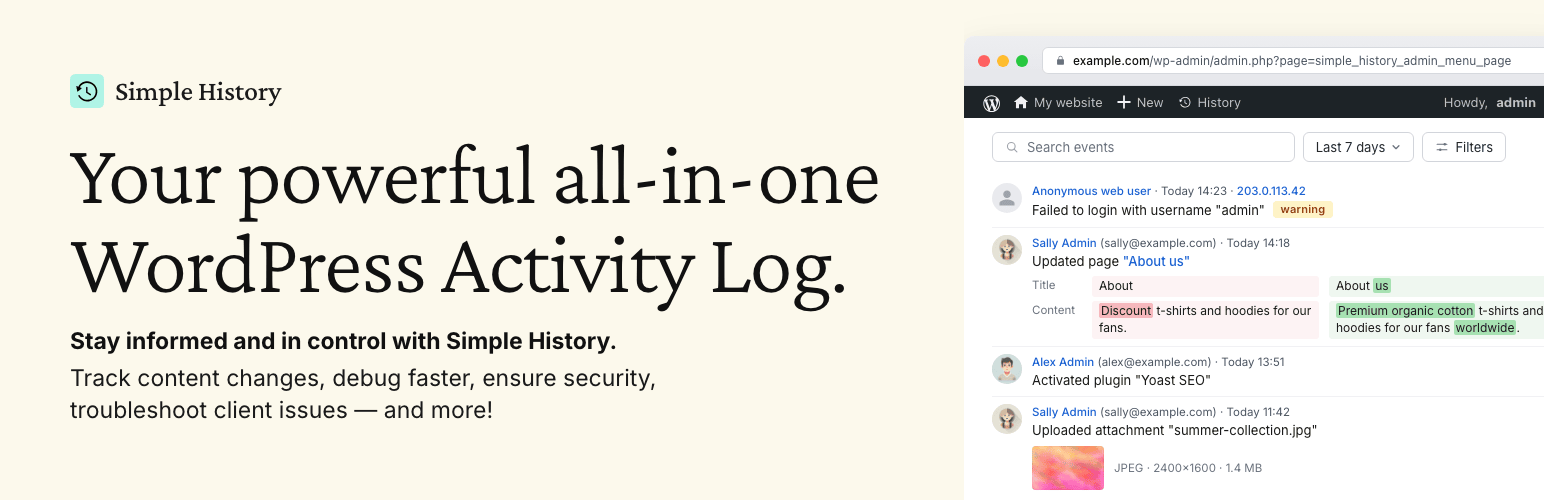
Track changes and user activities on your WordPress site. See who created a page, uploaded an attachment, and...

Manage 301 & 302 redirects. Simple redirection & redirects validation. Includes redirect stats & 4...

WordPress security plugin with malware scanner, IP blocking, audit logs, antivirus scans, firewall, 2FA, brute...

Redirect manager for 301, 302 and 307 redirection. Monitor and fix 404 errors, log every broken link and prote...

Everything you need to sell WordPress maintenance and manage multiple sites effortlessly: backup, update, upti...