
Ad Inserter
94Manage Google AdSense ads, banners, ad rotation, sticky widgets, AMP ads, ads.txt, tracking, header and footer...
Free
300k+ installs 4.9★ (2,428)
Track changes and user activities on your WordPress site. See who created a page, uploaded an attachment, and more, for a complete audit trail.
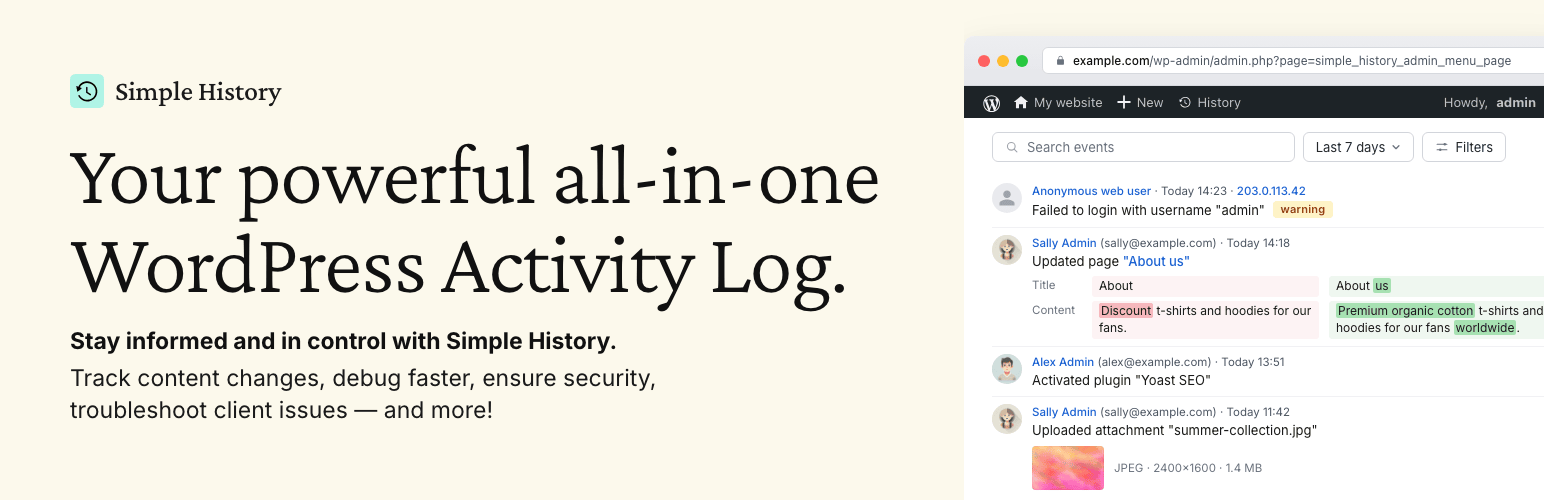
Simple History is a WordPress plugin that provides a complete audit log for tracking changes made on your site. It records various activities, including content edits, user logins, plugin updates, and security events, allowing site owners and teams to monitor actions taken on their websites. The plugin is designed to be user-friendly, displaying events in plain language and using relative timestamps for easy understanding.
This plugin is suitable for site owners, agencies, and developers who need to keep track of changes and ensure accountability. It helps identify issues quickly and can alert users to suspicious activity, making it a useful tool for maintaining site security and performance.
Best for: This plugin suits site owners, agencies, and developers looking to monitor changes and maintain accountability on their WordPress sites.
What it does well
Where it falls short
Simple History is a straightforward solution for tracking site changes and enhancing security. It is particularly beneficial for those managing multiple users or needing to audit site activity.
Pär Thernström's own description of Simple History, lightly tidied.
Trusted by 300,000+ WordPress sites, rated 4.9 stars with 450+ five-star reviews, actively developed for 10+ years, and translated into 15+ languages.
Simple History is the complete audit log for WordPress. It tracks every meaningful change — content edits, user logins, plugin updates, security events, and more — so site owners, teams, agencies, and developers always know who did what and when. Just install and activate; no configuration required.
Every event is written to be read: plain language like Updated page “About us”, relative timestamps such as “5 minutes ago”, and before/after comparisons instead of raw data dumps.
Track what’s happening on your site
“Has anyone done anything today? Ah, Sarah uploaded the new press release and created an article for it. Great — now I don’t have to do that.”
Identify issues and debug faster
“The site feels slow since yesterday. Has anyone done anything special? … Ah, Steven activated ‘naughty-plugin-x’, that must be it.”
Keep freelancers & agencies accountable
“I hired a developer to optimize my site. But did they actually do anything? A quick glance at Simple History shows me exactly what they worked on.”
Spot suspicious activity early
“I see three failed logins from an unfamiliar IP address overnight. Let me click the IP to check all activity from that address — just those attempts, nothing else. Good to know.”
Other plugins for custom content structures.
Manage Google AdSense ads, banners, ad rotation, sticky widgets, AMP ads, ads.txt, tracking, header and footer...

ACF helps customize WordPress with powerful, professional and intuitive fields. Proudly powering over 2 millio...

Checkout Field Editor (Checkout Manager) for WooCommerce – The best WooCommerce checkout manager plugin to man...

Easily reorder posts, pages, custom post types, and taxonomies with intuitive drag-and-drop sorting in the Wor...

The #1 user-rated activity log plugin for event logging, activity monitoring and change tracking.

Admin UI for creating custom content types like post types and taxonomies