
WPThumbs
Themes Plugins By purpose By industry Best-of lists Fix it guides
Free Plugin by KrishaWeb v1.6

Post Type Transfer

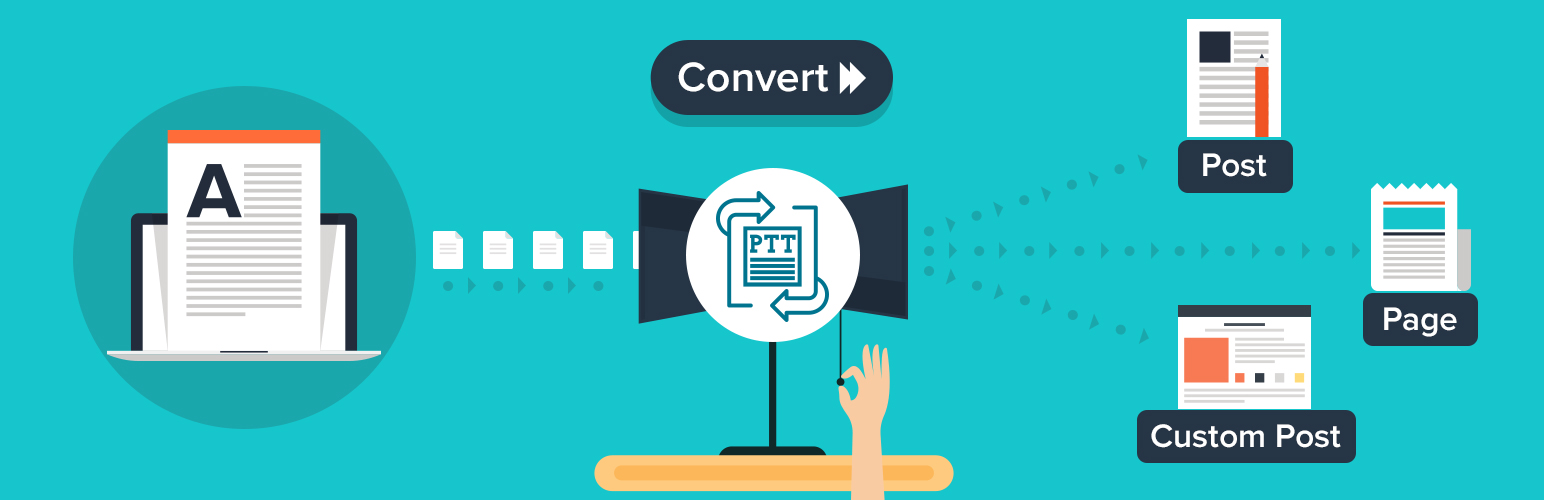
Transfer posts, pages, and custom post types in bulk or one by one. Works from the editor, Quick Edit, and Bulk Edit. No coding needed.
Post Type Transfer

The facts

Rating
5★ from 7
Active installs
3k+
Price
Free
Last updated
10 Jun 2026
Added
Feb 2018
Requires WP
6.6
Tested up to
WP 7.0.4
Requires PHP
8.1
Downloads
27,273

Our analysis

AI-assisted

Post Type Transfer is a WordPress plugin that allows you to change the post type of any content within your site. It works with standard Posts, Pages, and all custom post types, enabling you to reorganise your content structure without losing any data. You can transfer post types directly from the post editor or using the Quick Edit option, making it accessible for users without technical knowledge.

This plugin is suitable for anyone who needs to correct post type assignments on their WordPress site, such as site owners or content managers. It simplifies the process of moving content into the correct classifications, which can be particularly useful during site redesigns or when dealing with legacy content that needs reorganising.

Best for: This plugin suits WordPress site owners and content managers needing to organise their content effectively.

What it does well

  • Allows changing post types without data loss
  • Supports all registered WordPress post types
  • Easy to use with no technical knowledge required
  • Offers both post editor and Quick Edit transfer methods
  • Includes CSV export and import functionality

Where it falls short

  • The Pro version offers additional features not available in the free version

Verdict

Post Type Transfer provides a straightforward solution for managing post types in WordPress. It is particularly useful for those needing to correct content classifications without technical intervention.

From the developer

KrishaWeb's own description of Post Type Transfer, lightly tidied.

Get Pro Version | Documentation | Support Forum | Rate the Plugin

Post Type Transfer lets you change the post type of any WordPress content. It works with standard Posts, Pages, and all custom post types.

Open a post. Pick the new post type from a dropdown. Click Update. The content transfers. Nothing is deleted. Nothing is lost. Only the post type classification changes.

No developer needed. No database access. No technical knowledge required. More than 3000+ active sites use Post Type Transfer to keep their content structure clean.

Post Type Transfer is free to download and use. The core transfer features have no restrictions. Need more? Post Type Transfer Pro adds bulk transfer, drag-and-drop post reordering, post duplication, WP-CLI support, and priority support.

Why You Need Post Type Transfer

Wrong post type assignments happen on every WordPress site. Here are the situations that come up constantly:

• A case study published as a blog post because the custom post type did not exist yet
• A landing page sitting under Pages when it belongs in a custom post type
• Hundreds of legacy posts that need migrating to a new structure after a site redesign
• A client site with no content organization that needs sorting before launch
• Content published under the wrong type by a team member who did not know the difference

Without this plugin, fixing any of those means manually recreating content, editing the database, or paying a developer. Post Type Transfer handles it from the WordPress dashboard you already use every day.

How It Works

Choose any of the two available methods to transfer a post between post types. Each method takes less than a minute.

Method 1: Transfer from the Post Editor

  1. Log in to your WordPress Admin Dashboard.
  2. Navigate to the post you want to transfer and click Edit.
  3. In the right-hand sidebar, select the Post tab and locate the Post Type section.
  4. Choose the desired post type from the dropdown menu.
  5. Click Update to save your changes.

The post is transferred instantly while retaining all existing content, metadata, and settings.

Method 2: Transfer Using Quick Edit

The Quick Edit option transfers a post without opening the full editor.

  1. Go to the Posts listing screen.
  2. Hover over the post you want to transfer and click Quick Edit.
  3. Locate the Post Type dropdown within the Quick Edit panel.
  4. Select the target post type.
  5. Click Update.

The post is transferred immediately without loading the editor screen.

What Post Type Transfer Includes

Features marked [PRO] are available in the Pro version.

  • Post Editor Transfer: Change the post type directly from the editor sidebar with a dropdown selection.
  • Quick Edit Transfer: Convert any post without opening the full editor. Works directly from the post listing page.
  • Custom Post Type Support: Supports all registered WordPress post types automatically, Whether it’s WooCommerce products, CPT UI post types, ACF post types, or any custom post type added by plugins or themes, they will be available for transfer.
  • Zero Content Loss: The transfer changes the post type label. That’s it. Content, custom fields, metadata, settings — none of it moves. It’s still all there after.
  • CSV Export: One click downloads a spreadsheet(CSV) of any post type, drafts included. Titles, content, featured image URLs, categories, tags, original publish dates. Good for backups, content audits, and handing a site off to a new owner without losing the history.
  • CSV Import: Upload a previously exported CSV file to recreate those posts on any WordPress site or move them between post types on the same install. Publish dates come across as-is.
  • Post Visibility Controls: Keep posts published but hide them from specific parts of the site. Eleven independent visibility toggles. See the full list below..
  • Translation Ready: Fully translatable and compatible with multilingual WordPress websites.
  • Selective Enablement [PRO]: You decide which post types show the transfer option. No need to have the dropdown everywhere. Turn it off where it’s not relevant and the admin stays clean.
  • Bulk Edit Transfer [PRO]: Check multiple posts, open Bulk Edit, pick the new type, and click Update. All of them move at once. This is the method that actually saves time on larger sites.
  • Taxonomy Management [PRO]: Choose how categories, tags, and custom taxonomies behave during each transfer. Keep existing, map to new, or create a fresh taxonomy.
  • Drag-and-Drop Post Reordering [PRO]: Rearrange posts within any post type using a drag-and-drop interface in the admin listing.
  • AutoSort [PRO]: AutoSort pushes the custom back-end post order to your front end automatically.
  • Advanced Re-order Page [PRO]: Dedicated reorder interface with pin, Move to Top, Move to Bottom, Undo, Save Order, and Reset to Default
  • Post Duplication [PRO]: Clone any post as a draft with full control over what copies: title, content, custom fields, taxonomies, and featured image.
  • Page Builder Ready [PRO]: Works smoothly with Elementor, WPBakery, Divi, and other major page builders for hassle-free content reordering.
  • WordPress Multisite Support [PRO]: Post transfers, reordering, and duplication all work across WordPress multisite networks.

Post Type Transfer Pro

Post Type Transfer Pro includes all free features plus advanced features for agencies, developers, and content-heavy websites.

  • Taxonomy Management: Control exactly how categories, tags, and custom taxonomies behave during every transfer. Keep existing, map to new, or register a fresh taxonomy on the fly.
  • Drag-and-Drop Post Reordering: Set the display order of any post type directly from the admin listing using drag-and-drop handles.
  • AutoSort: The custom back-end order you set automatically mirrors on the front end of the site.
  • Advanced Reorder Interface: A full ordering screen in its own interface. Pin posts to keep them fixed at the top, bulk move others up or down, undo anything you don’t want, and save or reset when you’re done.
  • Post Duplication: Clone any post as a draft and choose exactly what carries over. Title, content, excerpt, custom fields, taxonomies, featured image, and check what you need, leave out what you don’t.
  • Page Builder Ready: Works smoothly with Elementor, WPBakery, Divi, and other major page builders for hassle-free content reordering.
  • WordPress Multisite Support: All features work across sites in a multisite network.
  • Upgrade to Pro: Get access to advanced transfer, organization, and content management tools with Post Type Transfer Pro.

Read the full description on the official page →

Tagged as

Alternatives

Other plugins for custom content structures.

Ad Inserter

Manage Google AdSense ads, banners, ad rotation, sticky widgets, AMP ads, ads.txt, tracking, header and footer...

Free 300k+ installs 4.9★ (2,428)
Advanced Custom Fields

ACF helps customize WordPress with powerful, professional and intuitive fields. Proudly powering over 2 millio...

Free 2M+ installs 4.5★ (1,438)
Simple Custom Post Order

Easily reorder posts, pages, custom post types, and taxonomies with intuitive drag-and-drop sorting in the Wor...

Free 300k+ installs 4.8★ (569)
WP Activity Log

The #1 user-rated activity log plugin for event logging, activity monitoring and change tracking.

Free 300k+ installs 4.7★ (488)
Custom Post Type UI

Admin UI for creating custom content types like post types and taxonomies

Free 1M+ installs 4.6★ (276)
