
WPThumbs
Themes Plugins By purpose By industry Best-of lists Fix it guides
Free Plugin by soliddigital v1.2.0

Repeaters & Relationships Connector with ACF for Elementor

Connect Elementor Pro's Loop Grid to Advanced Custom Fields (ACF) Pro Repeater and Relationship fields.
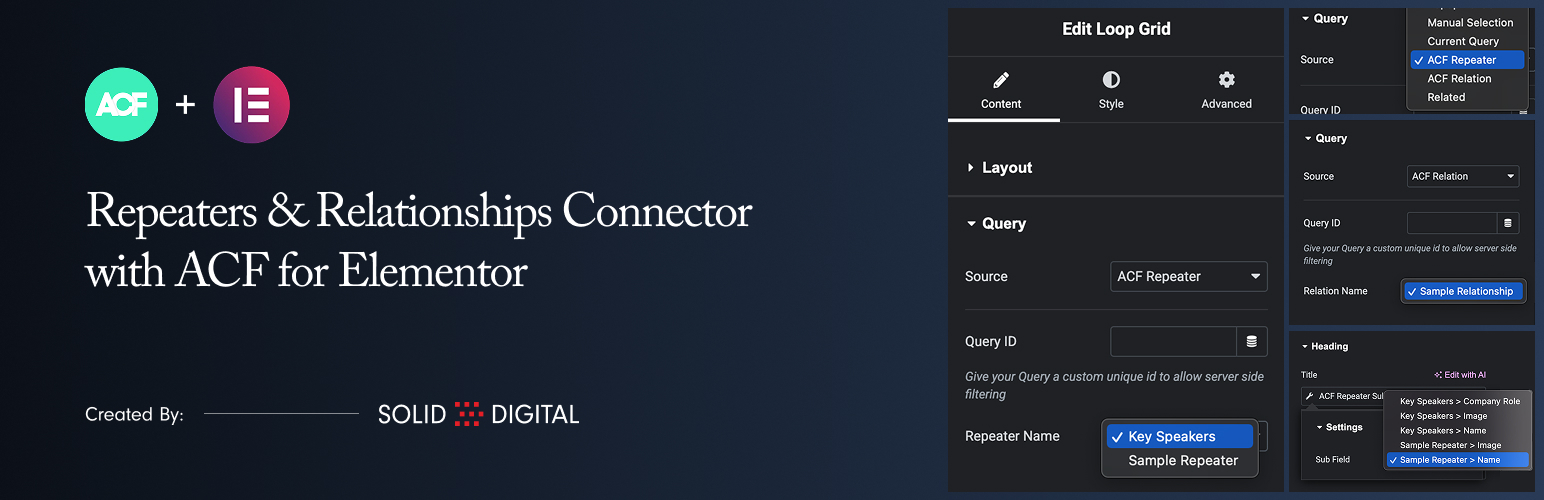
Repeaters & Relationships Connector with ACF for Elementor

The facts

Rating
5★ from 6
Active installs
800+
Price
Free
Last updated
1 Mar 2026
Added
Oct 2025
Requires WP
5.8
Tested up to
WP 6.8.8
Requires PHP
7.4
Downloads
5,307

Our analysis

AI-assisted

Repeaters & Relationships Connector with ACF for Elementor is a WordPress plugin that integrates ACF Repeater and ACF Relationship fields into Elementor’s Loop Grid widget. It allows you to use these fields as data sources, enabling the creation of dynamic grids based on custom fields from Advanced Custom Fields Pro.

This plugin is suitable for users who need to display complex data structures in their Elementor layouts, particularly those who work with custom fields and want to enhance their content presentation using repeater and relationship data.

Best for: This plugin suits developers and site builders using Elementor and Advanced Custom Fields Pro.

What it does well

  • Integrates ACF Repeater and Relationship fields with Elementor
  • Allows dynamic display of custom field data in Loop Grid
  • Supports taxonomy and author archive templates

Where it falls short

  • Requires Elementor Pro and ACF Pro to function
  • Preview data in Elementor templates may not display as expected

Verdict

The plugin provides useful functionality for displaying custom field data in Elementor, but it has specific requirements that may limit its use for some users.

From the developer

soliddigital's own description of Repeaters & Relationships Connector with ACF for Elementor, lightly tidied.

This plugin allows you to use ACF Repeater and ACF Relationship fields as data sources for Elementor’s Loop Grid widget.

Key Features:

  • New Data Sources: Adds “ACF Repeater” and “ACF Relationship” to the Source dropdown in the Loop Grid’s Query tab.
  • Use Repeater Data: Select any ACF Repeater field from the current post/page to power your Loop Grid.
  • Use Relationship Data: Select any ACF Relationship field to create a grid of related posts in your Loop Grid.
  • Repeater Sub-Field Tag: A dedicated dynamic tag to easily pull and display data (text, images, etc.) from any sub-field within your repeater.
  • Relationship Sub-Field Tag: A dynamic tag to display data from the related posts, such as the post title, content, featured image, and permalink.
  • Taxonomy Archive Support: Use ACF Repeater and Relationship fields on category, tag, and custom taxonomy archive templates.
  • Author Archive Support: Use ACF Repeater and Relationship fields on author archive templates.

Requirements

  • Elementor
  • Elementor Pro
  • Advanced Custom Fields Pro (The Repeater and Relationship fields are ACF Pro features)

Usage

1. Configure the Loop Grid

  1. Add an Elementor Loop Grid widget to your page.
  2. In the widget settings, go to the Query tab.
  3. From the Source dropdown, select “ACF Repeater” or “ACF Relationship”.
  4. A new dropdown will appear below the Source. Select the specific ACF field you wish to use as the data source for the grid.
  5. Create or select a template for your loop item.

2. Displaying Data in Your Loop Template (ACF Repeater)

  1. Edit the Elementor template you are using for your loop item.
  2. Add any standard widget, such as a Heading, Text Editor, or Image widget.
  3. Click the Dynamic Tags icon next to a field.
  4. Scroll to the “ACF Connector” group and select the ACF Repeater Sub Field tag.
  5. Click on the tag name again to open its settings.
  6. In the Sub Field dropdown, select the specific sub-field you want to display. The fields are grouped by repeater name for clarity.

Note that the preview within the template will not display the sub-field data. This is expected behavior because no applicable preview data can be set in Elementor.

3. Displaying Data in Your Loop Template (ACF Relationship)

  1. Edit the Elementor template you are using for your loop item.
  2. Your template will be supplied with a standard WordPress Post object, so just create your template as you normally would.

Read the full description on the official page →

Tagged as

Alternatives

Other plugins for custom content structures.

Ad Inserter

Manage Google AdSense ads, banners, ad rotation, sticky widgets, AMP ads, ads.txt, tracking, header and footer...

Free 300k+ installs 4.9★ (2,428)
Advanced Custom Fields

ACF helps customize WordPress with powerful, professional and intuitive fields. Proudly powering over 2 millio...

Free 2M+ installs 4.5★ (1,438)
Simple Custom Post Order

Easily reorder posts, pages, custom post types, and taxonomies with intuitive drag-and-drop sorting in the Wor...

Free 300k+ installs 4.8★ (569)
WP Activity Log

The #1 user-rated activity log plugin for event logging, activity monitoring and change tracking.

Free 300k+ installs 4.7★ (488)
Custom Post Type UI

Admin UI for creating custom content types like post types and taxonomies

Free 1M+ installs 4.6★ (276)
