
Weight based shipping methods for WooCommerce. Flexible shipping with table rate rules by cart weight and orde...
Free
100k+ installs 4.9★ (703)
Create custom calculators for your WordPress site using your Google Sheets or Excel calculations, with dynamic, real-time results.
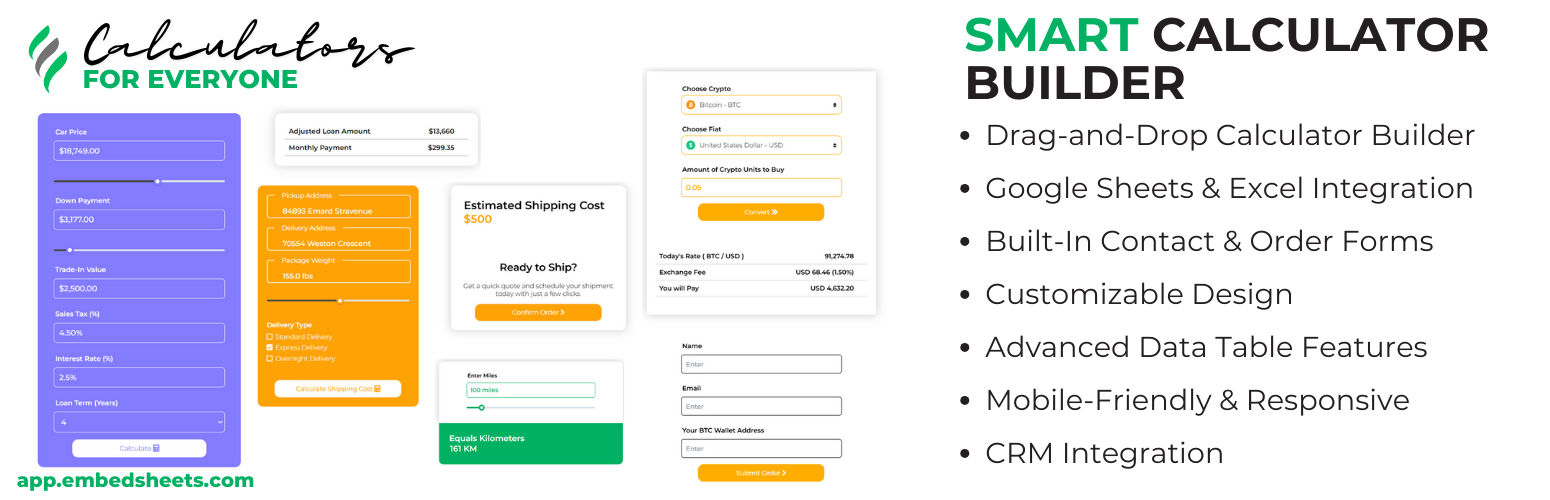
The Smart Calculator Builder With Google Sheets is a WordPress plugin that allows you to create interactive calculators using Google Sheets as a backend. It features a drag-and-drop interface for designing custom calculators that can display real-time data, making it suitable for various applications such as cost calculators and pricing tables.
This plugin is ideal for users who have a working knowledge of Google Sheets or Excel and want to build calculators without needing coding skills. The integration with Google Sheets ensures that the calculators can present dynamic data, and the extensive documentation supports users in setting up and optimising their calculators.
Best for: This plugin suits users looking to create interactive calculators for their WordPress sites, particularly those familiar with Google Sheets.
What it does well
Where it falls short
The Smart Calculator Builder With Google Sheets offers a straightforward solution for creating dynamic calculators. Its integration with Google Sheets and user-friendly interface make it a practical choice for users with relevant knowledge.
hayyatapps's own description of Smart Calculator Builder With Google Sheets, lightly tidied.
Whether you need to build cost calculators, pricing tables, or database apps for searching datasets, this plugin offers a versatile solution to display real-time data on your WordPress site. By connecting directly to your Google Sheets, create custom dynamic cost calculators effortlessly with a user-friendly drag-and-drop interface.
Integrating seamlessly with Google Sheets for powerful backend calculations using text fields, checkboxes, select options etc. The Smart Cost Calculator Builder With Google Sheets offers a wide range of result elements, including images, tables, charts, read-only inputs, and dynamic paragraphs. These elements can display content fetched directly from Google Sheets, providing a dynamic and interactive experience for your users.
For a comprehensive guide on how to get the most out of the Smart Cost Calculator Builder With Google Sheets plugin, including detailed instructions, advanced features, and troubleshooting tips, visit our complete documentation. Whether you’re just getting started or looking to explore more advanced capabilities, our documentation has everything you need to build powerful and dynamic calculators with ease.
View the Smart Cost Builder Documentation
You can create a wide variety of calculators tailored to almost any industry. The key advantage is that if you have a working knowledge of Google Sheets or Excel, you can easily set up custom calculators for your specific needs.
Here are some examples of calculators you can create:
Step 1: Upload your Excel sheet to Google Drive.
Step 2: Open the file in Google Drive and choose “Save as Google Sheet” to convert it.
Step 3: Update the sharing settings of your Google Sheet to “Anyone with the link can edit” to allow the plugin to access the data.
Step 4: Follow the same procedure described in the video to integrate your Google Sheet with the Smart Cost Builder plugin and create your web calculator.
Other plugins for shipping.
Weight based shipping methods for WooCommerce. Flexible shipping with table rate rules by cart weight and orde...

Auto-generate and attach WooCommerce PDF invoices and packing slips to order emails with customizable template...

Best WooCommerce coupons plugin to create advanced coupons and discount codes with auto-apply, BOGO, free ship...

The #1 WooCommerce shipment tracking plugin. Add tracking, auto-update order status, send branded emails. 1010...

Modern Cart gives your store a side cart and free shipping bar so shoppers stay on the page, spend more to unl...

Weight Based Shipping is a flexible and widely-used solution to calculate shipping costs based on the total ca...