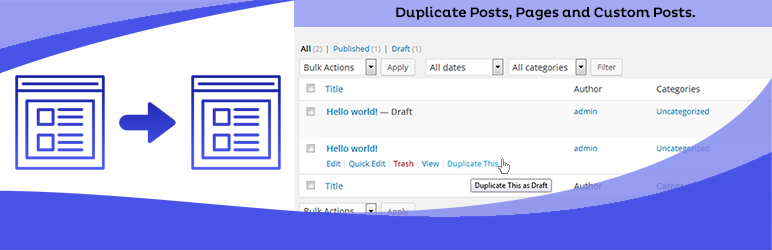
Duplicate Posts, Pages and Custom Posts easily using single click
Free
3M+ installs 4.8★ (465)
Infrastructure plugin which implements metadata functionality for taxonomy terms, including for tags and categories.

Taxonomy Metadata is a WordPress plugin that allows you to add custom metadata to taxonomy terms such as tags and categories. It provides functions to add, delete, retrieve, and update metadata for these terms without modifying the WordPress core.
This plugin is suitable for developers looking to enhance their site's taxonomy capabilities by implementing custom metadata structures. However, it does not include a user interface for managing this metadata directly within the WordPress admin area.
Best for: Developers who need to manage custom metadata for taxonomy terms on their WordPress sites.
What it does well
Where it falls short
Taxonomy Metadata offers useful functionality for developers but lacks user-friendly management tools. It is a straightforward solution for those comfortable with coding.
mitcho (Michael Yoshitaka Erlewine)'s own description of Taxonomy Metadata, lightly tidied.
This plugin implements the metadata infrastructure for taxonomy terms, so you can add custom metadata (by key) to tags, categories, and other taxonomies. The majority of the code is from sirzooro’s submission to the WordPress Core Trac. The rest of the plugin is simply some hacky glue to make this work without modifying the Core. It does not implement any UI for taxonomy term metadata.
The plugin implements the following functions, from which you can build your own custom UI and display code:
add_term_meta($term_id, $meta_key, $meta_value, $unique): Add meta data field to a term.
@return bool False for failure. True for success.
delete_term_meta($term_id, $meta_key, $meta_value): Remove metadata matching criteria from a term. You can match based on the key, or key and value. Removing based on key and value, will keep from removing duplicate metadata with the same key. It also allows removing all metadata matching key, if needed.
@param int $term_id term ID
@return bool False for failure. True for success.
get_term_meta($term_id, $key, $single): Retrieve term meta field for a term.
@param int $term_id Term ID.
@return mixed Will be an array if $single is false. Will be value of meta data field if $single is true.
update_term_meta($term_id, $meta_key, $meta_value, $prev_value): Update term meta field based on term ID. Use the $prev_value parameter to differentiate between meta fields with the same key and term ID. If the meta field for the term does not exist, it will be added.
@param int $term_id Term ID.
Development of this plugin was supported by the Massachusetts Institute of Technology Shakespeare Project.
Other plugins for dating sites.
Duplicate Posts, Pages and Custom Posts easily using single click

HappyAddons packs Header Footer Builder, Megamenu, Single Post, Archive Page, & 500+ Ready Templates into...

Site metrics and social media analytics for Instagram, Facebook, YouTube, LinkedIn, X Twitter. The single best...

Disable admin notices and hide dashboard notifications from plugins, themes and core. Hide all notices, select...

Password protect WordPress pages and posts by user roles or with multiple passwords; protect your entire websi...

SAML SSO (Single Sign On) for WordPress Login with Okta, Entra ID/Azure AD, GSuite, Salesforce & All SAML...